
A cold contact email is a first email sent to someone who hasn't asked to hear from you, written around one specific reason to reply. Set realistic expectations: a 2025 B2B dataset reported a 0.45% average unique-reply rate, not a dependable stream of meetings.
You've probably got a prospect list, a draft you're reasonably happy with, and a decision about whether to send it. Before polishing another subject line, ask whether the recipient has a reason to care right now. That's the difference between testing relevance and distributing a pitch.
What a Cold Contact Email Is and Where It Fits
A cold contact email introduces you without an invitation, so it has to explain its own arrival. Your job isn't to describe everything you sell. It's to connect a specific business situation to a useful conversation.
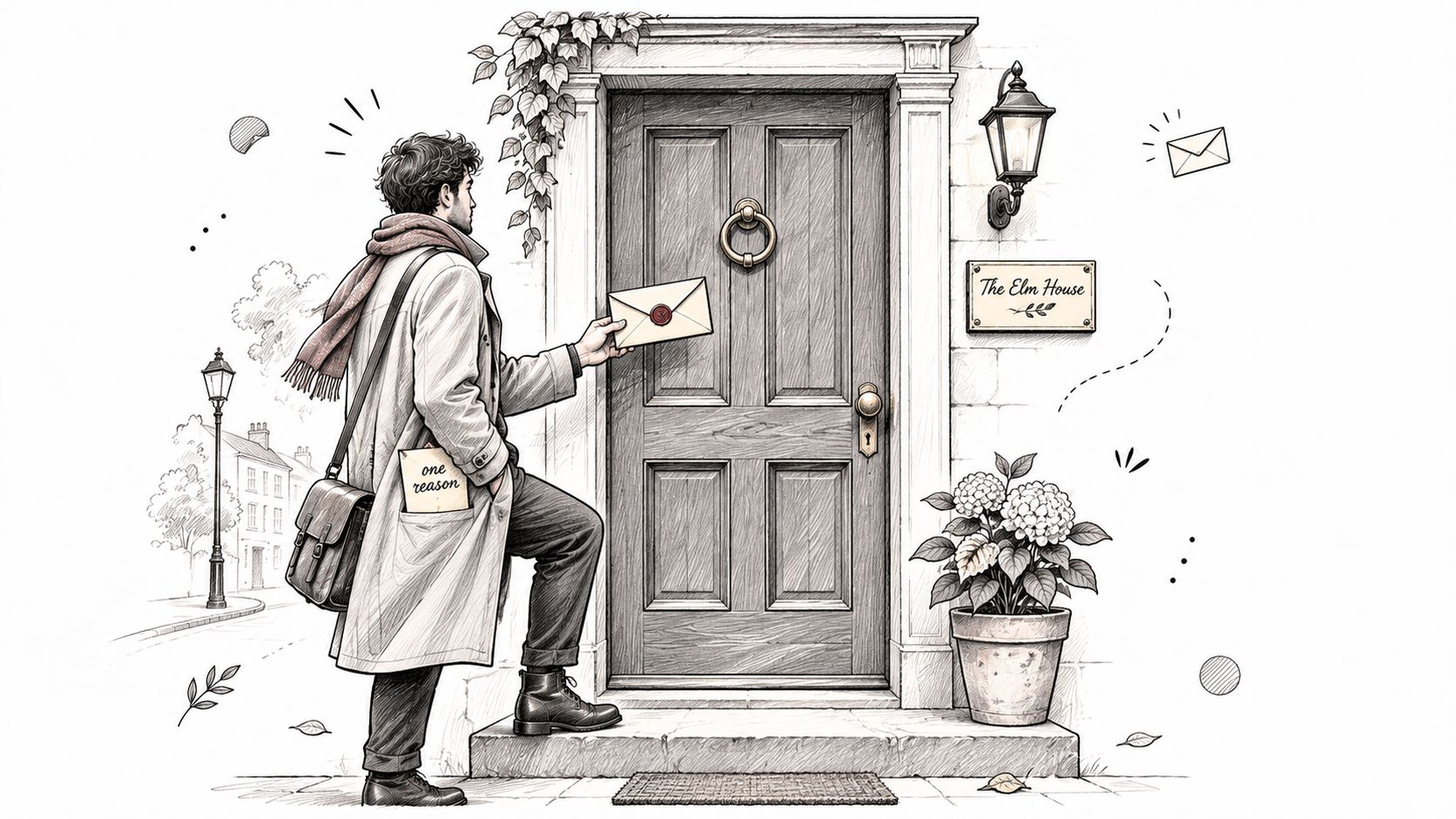
Think of someone knocking at your door. A stranger explaining a delivery problem at your building has a clear reason to be there. A stranger delivering a generic sales pitch hasn't established that reason.
How it compares with other first contacts
A cold call interrupts in real time. You can clarify an objection immediately, but the prospect has to decide whether to engage while you're speaking.
A warm introduction borrows trust from a mutual contact. It gives the recipient context that an unsolicited sender has to establish independently.
An inbound reply answers something the prospect already requested. You don't need to manufacture a reason for the exchange.
A cold email lets the recipient choose when to answer. In return, you have to make the relevance understandable without a live explanation.
SDRs use it to start sales conversations. Founders use it while building their own pipeline, agencies write it for clients, and recruiters use it to approach potential candidates.
Cold doesn't automatically mean spam. Relevance, honest sender identification, respect for objections, and applicable marketing rules matter. Personalization alone doesn't make an email lawful or welcome.
Could the recipient explain in five seconds why they received this email?
Use that as an editorial test, not a promise about reading time. If the answer is merely that they match your target-account filter, the draft probably needs a better reason.
The Parts of an Effective Cold Contact Email
Parts of a cold contact email and what each one must do
All examples below are illustrative, not taken from a real campaign.
| Element | Job | Weak version | Stronger version |
|---|---|---|---|
| Subject line | Signals topic and relevance | Quick question | Onboarding delay at your Leeds site |
| Opening line | Shows why you wrote now | I hope you are well | You hired three dispatch leads in March |
| Reason | Names one problem tied to their role | We help companies grow | New hires in peak weeks may still be learning routing rules |
| Proof | Shows you have solved this before | Trusted by many brands | A documented result you are allowed to cite, or none |
| Ask | Sets a small, specific next step | Let us hop on a call | Worth a 15-minute look at a routing-rule checklist? |
| Exit line | Lets the reader say no easily | None | If it is not relevant, a one-line reply is enough and I will stop |
Give each sentence a job
The subject line and opening line help the reader decide whether to continue. Keep them consistent. Don't imply a known operational failure in the subject if all you've found is a hiring announcement. If you need options to test, Outrank's free subject line generator produces five ideas from your audience and specifications. Check each suggestion against what you actually know about the recipient before using it.
The reason determines whether there's anything worth answering. A hiring fact is useful only when you connect it to something the recipient owns, such as getting dispatch staff productive without distracting experienced team members.
Proof lowers the perceived risk of continuing. Use an approved customer result, a relevant example of your work, or a process you can demonstrate. A logo list isn't a substitute for evidence that applies to this problem.
The ask sets the size of the commitment. A meeting can be appropriate when the problem is clear, but offering a useful checklist may be more proportionate when you're still testing interest. The exit line gives the reader a straightforward way to decline.
For founders adapting these components to software sales, MakeAutomation's cold email guide for SaaS founders is a useful companion resource. Use any template as a structure, not as evidence that your prospect has the problem it describes.
An illustrative complete email
Subject: Onboarding delay at your Leeds site
Hi Sam, you hired three dispatch leads in March, so new staff are probably still learning routing rules during peak weeks.
We build role-specific routing checklists so new starters can check exceptions without interrupting a lead.
Worth a 15-minute look at how that could work for you?
If it is not relevant, a one-line reply is enough and I will stop.
That sample is under 90 words and deliberately contains no invented customer result. The hiring detail is hypothetical, and the operational consequence is expressed as a possibility, not a fact.
For the first draft, use plain text, no attachments, no images, under 100 words, and one ask. Those are practical writing constraints, not universal performance benchmarks. You can start with the Flowkon cold email generator, then check the draft's claims and relevance before sending. Add the required sender and compliance details, and leave proof out if you can't document it.
Personalization Depth Worth Paying For
Personalization is the reason for writing, not a compliment. Knowing that someone published a post doesn't help unless the post connects to a business issue your offer addresses.
Choose the depth before your reps start researching. Otherwise, a prospecting task can turn into an open-ended reading exercise.
Four levels of relevance
The following opening lines are illustrative.
| Level | What you research | Illustrative opening |
|---|---|---|
| Company-level | Industry, operating model, size, region | Teams running dispatch across several regional depots may make routing decisions in more than one place. |
| Role-level | What the recipient owns and measures | If you own dispatch's weekly on-time target, onboarding mistakes can become your problem before they become a training issue. |
| Trigger-level | Hiring, an office opening, a launch, funding, or a job posting | You posted for two dispatch leads last week, so onboarding may be about to get busy. |
| Observed-level | A specific public process, page, or comment | Your dispatch vacancy says new starters learn exception handling through shadowing. Is that still how the Leeds team handles it? |
Company-level research is inexpensive to reuse but easy to make generic. Role-level writing improves the connection to someone's responsibilities, although you still need to verify that the title means what you think it means.
Trigger-level research gives you a plausible reason to reach out now. Observed-level research lets you ask about something concrete, but it takes longer and can feel overbearing if you turn a public detail into an accusation.
Set a research budget
I would budget three to five minutes per prospect for trigger-level research as a working constraint, not an industry benchmark. Save deeper investigation for a short list of high-value accounts.
Record the source, the observed fact, and your proposed connection to the offer separately. That distinction stops a reasonable hypothesis from becoming an unsupported claim in the final email.
Flowkon's explanation of why personalized messages can still feel automated is useful when your merge fields are correct but the message still feels interchangeable.
Skip unrelated praise. Enjoying someone's post isn't a business reason to request their time.
Keep personal details out. Family information and home addresses don't belong in routine B2B prospecting.
Inspect rendered messages. Check company names, role references, and missing fields before sending.
Deeper research reduces daily output. Match that cost to deal size: use trigger-level research across a focused segment and observed-level research for, say, your top twenty accounts.
Follow-Up Timing and What Each Touch Adds
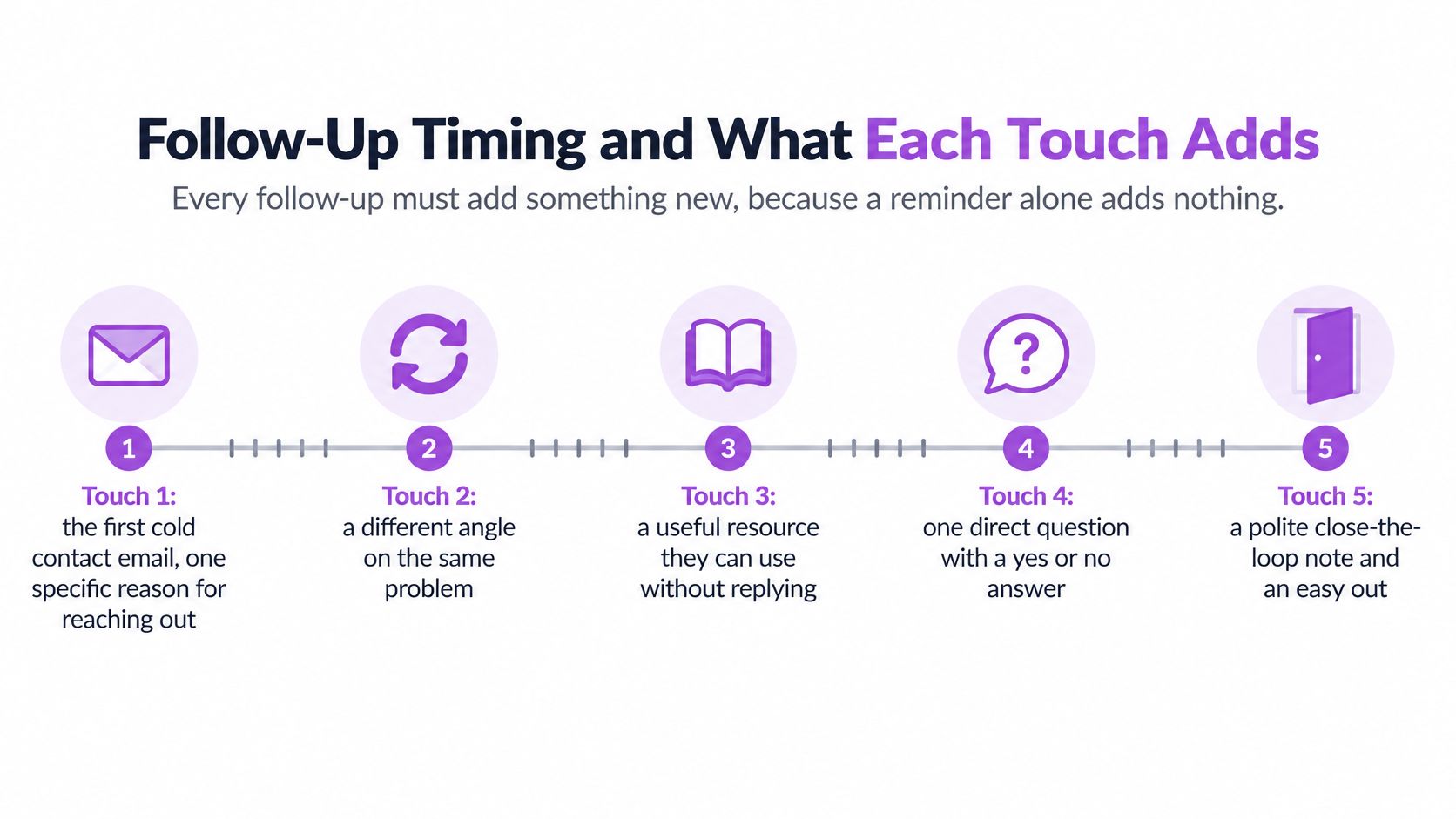
Every follow-up must add something new: a different angle, useful material, or a direct question. A reminder alone gives the recipient no new reason to answer.
Plan the contribution of each touch before scheduling it. If you can't explain what's different, remove that step.
A starting sequence to adapt
Five-touch follow-up sequence and what each touch adds
These day offsets are a common starting pattern to test, not proven timing. Adjust them to your audience, volume, and reply data.
| Touch | Day | What it adds | Example angle |
|---|---|---|---|
| 1, first email | Day 0 | Reason and one ask | Problem tied to a recent trigger |
| 2, follow-up | Day 3 | New angle, not a reminder | Short example of how a similar team handles the issue |
| 3, resource | Day 7 | Useful material with no pitch | Checklist or process note for their role |
| 4, direct question | Day 12 | A clear check on priority | Is this a priority for your team this quarter? |
| 5, closing note | Day 19 | Permission to end the thread | Offer to close the thread unless they want it open |
For the dispatch example, the second touch could explain how a team might separate routine routing decisions from exceptions. Label it as a suggested process unless you're describing a documented customer example.
The resource touch should stand on its own. Put the useful checklist or process note in the message rather than forcing the recipient to book a meeting to obtain it.
A direct priority question helps distinguish interest from timing. The closing note can be simple: Hi Sam, I'll close this thread unless you want it open. Don't attach another full pitch.
Stop before automation becomes persistence without judgement
Pause the sequence on any reply, opt-out, bounce, or out-of-office message with a return date. Review the event before deciding what happens next; an out-of-office isn't a reason to send through someone's holiday.
A fifth touch only deserves its place if it differs meaningfully from the earlier messages. Each additional send also gives an uninterested recipient another opportunity to complain.
Coordinate channel plans. Separate LinkedIn and email schedules can deliver the same pitch twice.
Give replies an owner. A paused sequence still needs a rep to interpret and answer the message.
Review the whole thread. What looks reasonable as an isolated email may feel repetitive in context.
Our connection requests, follow-ups, and email messages are set up together as one campaign plan that any rep can use. For more examples of useful follow-up angles, see the practical guidance on sales email follow-ups.
Sender Setup and Compliance Checks Before You Send
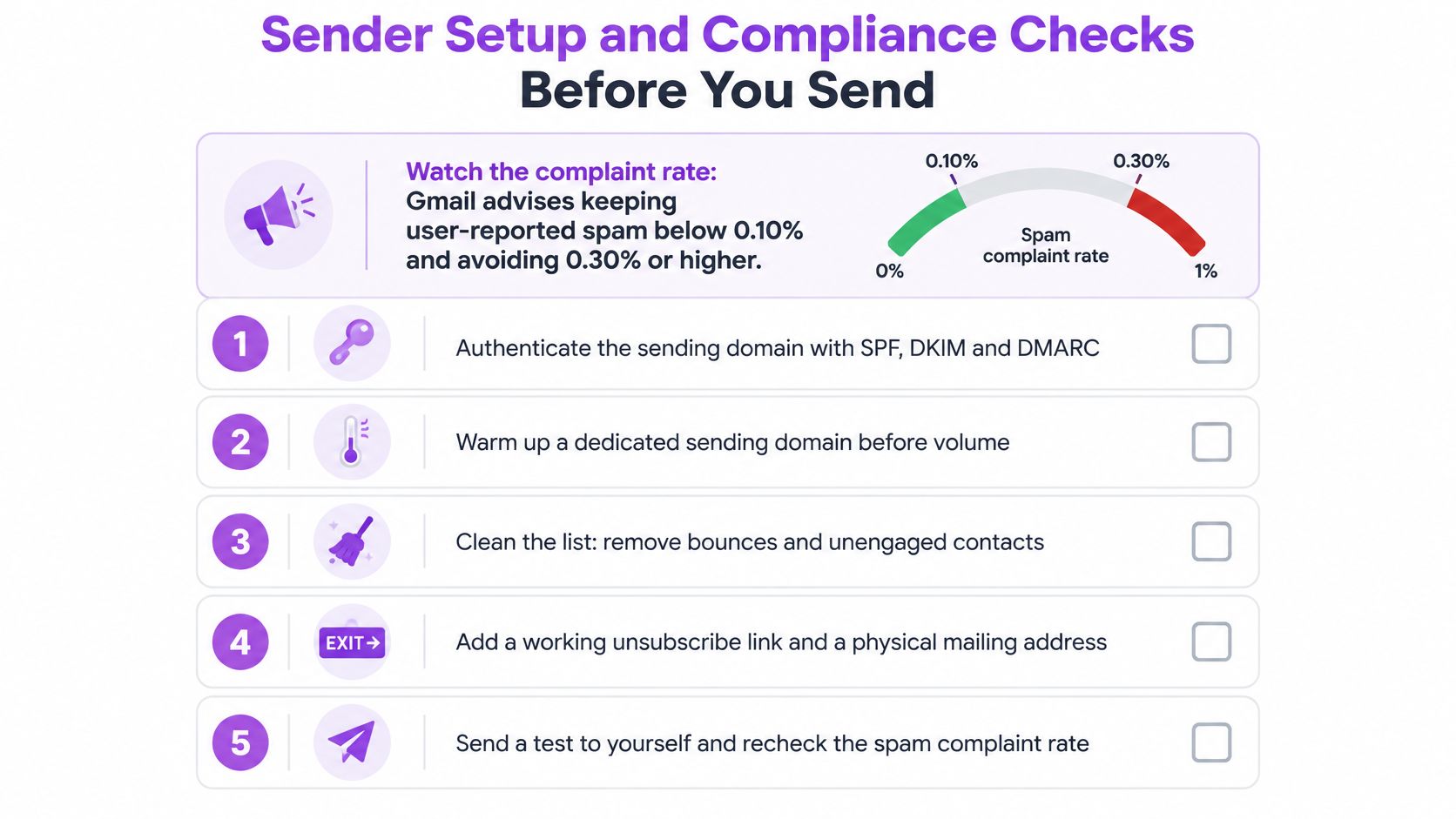
Gmail advises keeping user-reported spam below 0.10% and avoiding 0.30% or higher, according to Gmail's sender guidelines. Those guidelines also cover authentication, valid forward and reverse DNS, TLS, domain alignment, and one-click unsubscribe for bulk promotional messages.
Treat these as operating requirements, not copywriting problems.
Check the sending path in order
Confirm SPF coverage. Inventory every service sending from your domain, including sales tools and outsourced senders. Check that legitimate services are authorized.
Enable DKIM for each sending tool. Don't assume authentication carries over when you change tools or connect another mailbox.
Publish DMARC with monitoring enabled. Start with a p=none policy and review aggregate reports for unknown or misconfigured sending sources.
Check From-domain alignment. Passing an authentication check isn't enough if the authenticated domain doesn't align with the visible sender.
Set up Google Postmaster Tools. Assign someone to review complaint signals rather than leaving monitoring to whoever notices a delivery problem.
Pause when complaints rise. Investigate the audience, content, and sending changes instead of trying to recover results through extra volume.
Before sending, you can also consult Flowkon's email deliverability checker as part of your preparation. Don't treat a tool check as a substitute for authentication checks, complaint monitoring, or a relevant recipient list.
The distinction between passing SPF or DKIM and achieving DMARC alignment is explained in EmailShield's authentication setup guide. Keep promotional traffic separate from transactional mail where practical.
Authentication is necessary, not sufficient. It doesn't repair an irrelevant list, and a gradual sending schedule doesn't make unwanted messages welcome.
Check recipients and opt-out handling
Gmail, Yahoo, and Outlook apply stricter high-volume requirements, with some guidance placing the threshold around 5,000 messages per day, as summarized in GrowthCab's deliverability guide. Check each provider's current requirements before scaling because their scope isn't interchangeable.
Low volume isn't low risk. A narrowly sent but poorly targeted campaign can still generate damaging complaints.
Before launch, remove invalid addresses and previous opt-outs. Mailbeam's cold list cleaning workflow offers a dedicated workflow reference, while these B2B email verification practices help distinguish address checking from the wider preparation work.
Under the FTC's CAN-SPAM compliance guide, an opt-out must remain processable for at least 30 days after sending, and valid requests must be honored within 10 business days. Commercial messages also need accurate sender information, non-deceptive subjects, appropriate advertising identification, a valid physical postal address, and a clear opt-out.
Suppress objections across campaigns, not just within the current sequence. Agencies and outsourced SDR vendors don't remove the commissioning business's responsibility for compliant sending.
For UK recipients, the ICO's B2B marketing guidance distinguishes corporate bodies from sole traders and some partnerships. PECR generally permits marketing to corporate bodies without prior consent when identity isn't disguised and an opt-out is provided; individual-type subscribers usually require consent or a valid soft opt-in.
Personal data rules still apply to identifiable business contacts. Classify the recipient properly before treating a business email address as permission to market.
Reply Benchmarks and What to Measure
Cold email metrics and the published benchmarks behind them
| Metric | Definition | Why it matters | Watch for |
|---|---|---|---|
| Bounce rate | Share of sent emails returned as undeliverable | Shows list quality | Suppress hard bounces before the next step |
| Human reply rate | Unique human replies divided by emails sent | Shows whether recipients answer | Exclude auto-replies and bounce notices |
| Positive reply rate | Replies expressing interest, divided by a stated denominator | Shows whether the offer fits the audience | Define positive before counting |
| Meeting rate | Booked meetings divided by contacts reached | Links outreach to pipeline | Changing the denominator changes the number |
| Reply rate by sequence step | Replies to each touch divided by sends at that step | Shows where follow-ups add value | Small samples swing widely |
| Published benchmark, 2019 | 8.5% response rate across 12 million outreach emails | Historical reference point | SEO, link-building, and PR outreach, not broad B2B sales |
| Published benchmark, 2025 | 0.45% unique-reply rate across 7,530,489 emails | Recent B2B reference point | Excludes auto-replies and bounce notices |
Read the population before the percentage
The historical figure comes from Backlinko and Pitchbox's 2019 analysis of 12 million outreach emails, which reported an 8.5% response rate in predominantly SEO, link-building, guest-post, and PR outreach, as summarized by Sales.co's cold-email benchmark review. The same review describes a separate 2025 dataset of 627,085 emails with a 0.45% human-reply rate and 971 positive replies, approximately one positive reply per 646 messages.
The more recent table entry comes from Belkins' 2025 response-rate analysis, covering 7,530,489 emails and reporting a 0.45% average unique-reply rate after excluding automatic replies and bounce notifications. That's a description of those campaigns, not a target every team should adopt.
These figures measure different audiences and outcomes. Don't convert a historical outreach response rate into a sales forecast.
Denominator check: Is this rate calculated per email, per contact, or per completed sequence?
A prospect who receives several messages contributes several email sends but remains a single contact. A negative reply counts as human engagement, not buying interest, and a positive reply isn't a booked meeting.
Build a useful campaign scorecard
Keep delivery, bounces, human replies, positive replies, booked meetings, and conversion by step separate. Define a positive reply before launch, such as explicit interest in discussing the problem, rather than deciding afterwards that every courteous response qualifies.
For another planning reference, Lead Printer's cold outreach guide can help you review campaign structure. Keep your own metric definitions fixed regardless of which guide or template you use.
Compare the same segment over the same period, with consistent denominators. Record the audience, mailbox provider, sequence version, and sending conditions so a change in the list doesn't masquerade as better writing.
When Cold Email Stops Working
Diagnose the stage that breaks before rewriting the whole campaign. A subject-line experiment won't repair invalid addresses, and more follow-ups won't fix an offer aimed at the wrong role.
Symptoms, likely causes and first fixes
| Symptom | Likely cause | First fix |
|---|---|---|
| Bounce rate rising | Outdated or unverified addresses | Verify addresses and suppress hard bounces before the next step |
| Delivered, few opens or replies | Authentication or sender reputation problem | Check SPF, DKIM, DMARC alignment and complaint rate |
| Replies are mostly polite declines | Weak reason or poor audience fit | Narrow the segment to one shared trigger and rewrite the reason |
| Positive replies, few booked meetings | Ask too large or offer mismatch | Shorten the ask and confirm the offer fits the contact's role |
| Complaint rate rising | Poor targeting or too many touches | Pause the sequence, reduce volume and clean the list |
Treat the diagnosis as a hypothesis
A delivery notification doesn't establish inbox placement. Check the technical path first when engagement drops, but don't assume authentication is the cause because nobody replied.
Polite declines are more informative about relevance. Read the wording: not my responsibility suggests a contact-selection problem, while we already handle this internally may indicate that your proposed improvement isn't compelling.
Positive replies without meetings require a different inspection. Look at response handling, the size of the next commitment, and whether the person can own the discussion.
Change one variable. Otherwise, you won't know which adjustment helped.
Keep comparisons consistent. Review the same segment and period.
Don't chase reassuring opens. Commercial progress matters more than apparent activity.
Small samples can mislead, so avoid declaring a winner after an isolated reply. Reputation warnings are different: pause to investigate rather than waiting for a larger sample of complaints.
Run a Small Pilot Before You Scale Volume
A pilot should answer a narrow question: does this reason create worthwhile conversations with this audience? It shouldn't attempt to validate your entire outbound strategy at once.
Use a manageable cohort so someone can inspect every reply and correct bad assumptions before they spread.
A practical pilot workflow
Pick a focused segment. For example, select 50 to 100 prospects sharing a role and a recent trigger. This is a suggested pilot size, not a statistically validated threshold.
Write two first-email variants. Change one element, such as the reason or proof. Keep the audience criteria and next-step request consistent.
Launch only after preparation passes. Complete authentication checks, inspect rendered messages, and apply suppression records before running the sequence.
Review commercial outcomes by step. Examine bounces, human replies, positive replies, and meeting outcomes. Read the actual responses rather than relying only on dashboard totals.
Keep the stronger working version. Prefer the version producing more relevant positive replies, retire the weaker draft provisionally, and expand only while complaint signals remain acceptable.
Don't confuse a pilot decision with statistical certainty. If the difference rests on an isolated response, keep testing rather than announcing a winning template.
Decide when to stop before you start
Set internal pause criteria for deteriorating complaints, unacceptable bounces, or an abrupt reply drop. Assign an owner who can stop sending and inspect the list, message, and sending setup.
Write down what you've learned in plain language. Dispatch managers hiring new leads discuss onboarding, but regional directors redirect us is more useful than Variant B performed better.
Our campaigns combine LinkedIn and email in one visual sequence builder with a shared inbox, reply detection, and behaviour-based branching. Email Finder & Verification finds and verifies emails instantly, helping with address preparation without replacing targeting judgement.
If your team runs LinkedIn and email in parallel, use a shared plan to avoid duplicate touches and conflicting follow-ups. Automated LinkedIn activity can still carry restriction risk; coordinating channels isn't a guarantee against it.
Flowkon offers a shared workflow for planning LinkedIn and cold email outreach, managing replies, and preparing verified business email addresses. Visit Flowkon to compare that setup with your current process, then build a focused pilot around a specific reason your prospects might reply.