Most Waalaxy reviews agree: it is easy to set up, saves time and offers good value. That helps, but it does not tell you what a team will spend after adding senders, email and reply management, or what happens if a LinkedIn account is restricted.
This review separates what public ratings show from what buyers need to test: campaign reporting, total cost, unattended execution and account risk.
Waalaxy Ratings and Verdict Across Review Sites
Waalaxy has strong public reviews for its LinkedIn and email sequencing. Those ratings chiefly reflect ease of use and time saved, not your likely reply rate, deliverability or account safety.
| Platform | Rating | Reviews | What it reflects |
|---|---|---|---|
| G2 | 4.5 out of 5 | About 1,717 | Software buyer reviews |
| Capterra | 4.4 out of 5 | 277 | Buyer reviews, including email formatting complaints |
| Trustpilot | 4.8 out of 5 | 1,305 (398 in the preceding 12 months) | Customer reviews |
| Chrome Web Store | 4.8 out of 5 | Not supplied | Company-reported rating |
| 4.7 out of 5 | Not supplied | Company-reported rating |
G2's displayed ratings are heavily positive: 1,231 five-star, 452 four-star, 41 three-star, 2 two-star and 9 one-star ratings. These figures are snapshots, so check current counts before comparing vendors.
Waalaxy also reports more than 200,000 users in 206 countries and over 50 million campaigns since 2019 on Waalaxy's company information page. Those figures, like its Chrome Web Store and Google ratings here, are company-reported.
Why the spread from 4.4 to 4.8 matters less than it looks
Review sites attract different customers and experiences. A few tenths of a star do not establish which tool will book more meetings for your team.
Praise focuses on quick setup and automated follow-up. Complaints include email formatting and subject-line variables. Neither tells you your reply rate, bounce rate or restriction risk. Measure those yourself.
Waalaxy Strengths, Gaps and Side-by-Side With Flowkon
Waalaxy's main strength is sequencing: bring in prospects from LinkedIn or Sales Navigator, send a connection request, follow up after acceptance, and add timed LinkedIn or email steps. Reviewers value the consistency, but the tool executes the list you bring; it does not choose your ideal prospects.
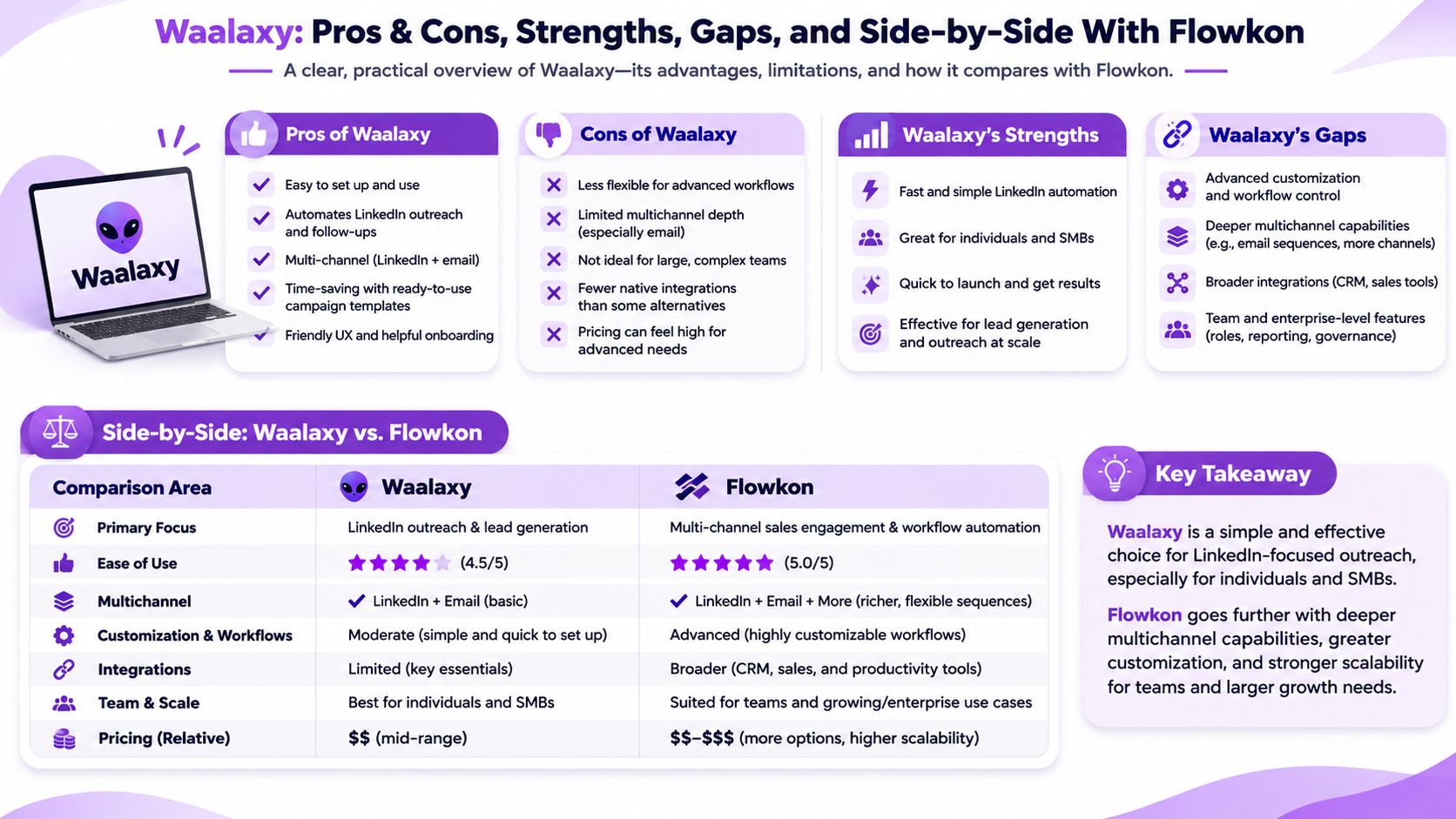
What the sequence engine does well
For a founder targeting 600 operations leaders, a reusable sequence can handle the connection request, acceptance follow-up and timed email without someone tracking every next step. That repeatability is Waalaxy's clearest advantage.
Where the review evidence thins out
Reporting: Reviewers describe limited campaign analytics and exporting data to answer step-level questions. Verify whether you can see which message earns replies while a campaign is still running.
Email personalisation: Capterra reviewers have reported subject-line variable limits. Test the exact variables and subject-line experiments your campaigns need.
The question that separates the two tools
Do you need your team to see campaign outcomes and CRM activity without rebuilding reports from exports? If not, Waalaxy's simpler sequence workflow may be enough. If yes, compare the reporting and collaboration workflows before comparing list prices.
Flowkon offers campaign-level and workspace-level dashboards, a real-time team inbox, and CRM integrations on its Professional and Custom plans. Its supported integrations include HubSpot, Salesforce, Pipedrive, Zoho and Monday.com. Confirm the fields and permissions your team needs in a live test. Its Meeting Scheduler is described as coming soon, so do not count it as a current requirement met.
| Criterion | Waalaxy | Flowkon | What to verify |
|---|---|---|---|
| LinkedIn and email sequences | Multichannel sequences reported by reviewers | Campaign framework with triggers, delays and conditions | Build your actual three-step flow |
| LinkedIn inbox | Separate Inbox add-on; Waalaxy lists it apart from its core plans | LinkedIn Inbox brings chats into one place, with real-time updates for the team; confirm inclusion in your chosen plan | Test reply handling across senders and compare the total cost |
| CRM sync | Check current integrations and tier | Salesforce, HubSpot, Pipedrive, Zoho and Monday.com on Professional and Custom plans | Check fields, activity sync and permissions |
| Analytics | Reviewers report limits and export work | Campaign-level and workspace-level dashboards | Find the metric you need without an export |
| Email verification | Enrichment reported; verification depth needs testing | Check verification against your sample | Compare bounce rates |
| Unattended execution | Reports say browser or machine availability can affect sending | Check cloud execution and pacing in a live test | Close the laptop and inspect the queue |
This is a shortlist, not a verdict. Budget for the surrounding stack too; this sales enablement stack ROI guidance explains how to assess overlapping tools.
Four questions to ask before any demo
Can you see replies by step inside the product? Ask for a screen share.
Can subject lines use variables, and can you test alternatives?
Which fields export, and can reports run on a schedule?
Does the sequence continue when the browser and laptop are closed?
A solo sender may not need every capability. A team reporting to clients or RevOps probably will.
What Waalaxy Really Costs as Your Team Grows
Price the workflow, not just the entry plan. Email access, sender accounts, enrichment and reply handling can change the total.
These published comparator prices are snapshots. Annual figures are monthly equivalents billed annually.
| Plan | Monthly billing | Annual billing, per month |
|---|---|---|
| Flowkon Growth | $37/user | $30/user |
| Flowkon Professional | $60/user | $47/user |
| Dripify Pro | $79/user | $59/user |
| Dripify Advanced | $99/user | $79/user |
Pricing snapshot: Flowkon pricing and Dripify pricing. Confirm current prices, included features and billing terms before buying.
Capterra reviewers have described Waalaxy email sequences as part of a Business tier at approximately $69 per LinkedIn account monthly, with each email-sending account potentially needing that tier. They also report limits around warm-up and mass personalisation. Treat these as reported terms, not a current quote; confirm them with Waalaxy.
The cost model to fill in before you commit
Calculate sender accounts x required plan price + credits and add-ons + reporting and CRM work. Confirm each component before signing.
| Cost item | What to confirm | Why it matters |
|---|---|---|
| Base plan | Price per LinkedIn account | Scales with senders |
| Included tier and sending limits | May move each sender to a higher tier | |
| Team access | Seat and account requirements | Can multiply agency costs |
| Enrichment and verification | Credits, limits and add-ons | Affects list cost and bounce management |
| Warm-up and CRM | Included capabilities and supported CRMs | May require other tools |
| Contract changes | Downgrade and cancellation terms | A test should not silently become a long commitment |
Price three scenarios instead of one
Model 500, 2,000 and 10,000 prospects. For each, count sender accounts, team logins, email-finding credits and any separate reporting work. This exposes costs that a one-seat quote misses.
Agencies should also model idle client accounts: a paused campaign may still carry a monthly account charge. Get downgrade terms in writing. Flowkon publishes its current terms on Flowkon's pricing page; check them rather than assuming any plan can change without conditions.
LinkedIn Account Risk and Guardrails to Set
LinkedIn's prohibited-tools rule covers software that scrapes data or automates actions such as adding contacts and sending messages. Its User Agreement help page says violations can lead to account restrictions or closure. A vendor's pacing controls do not make automation approved.
Reviewers describe Waalaxy pausing campaigns after unusual activity and spacing actions. They also report browser or machine availability affecting execution. Test the latter on your setup; neither feature removes policy risk.
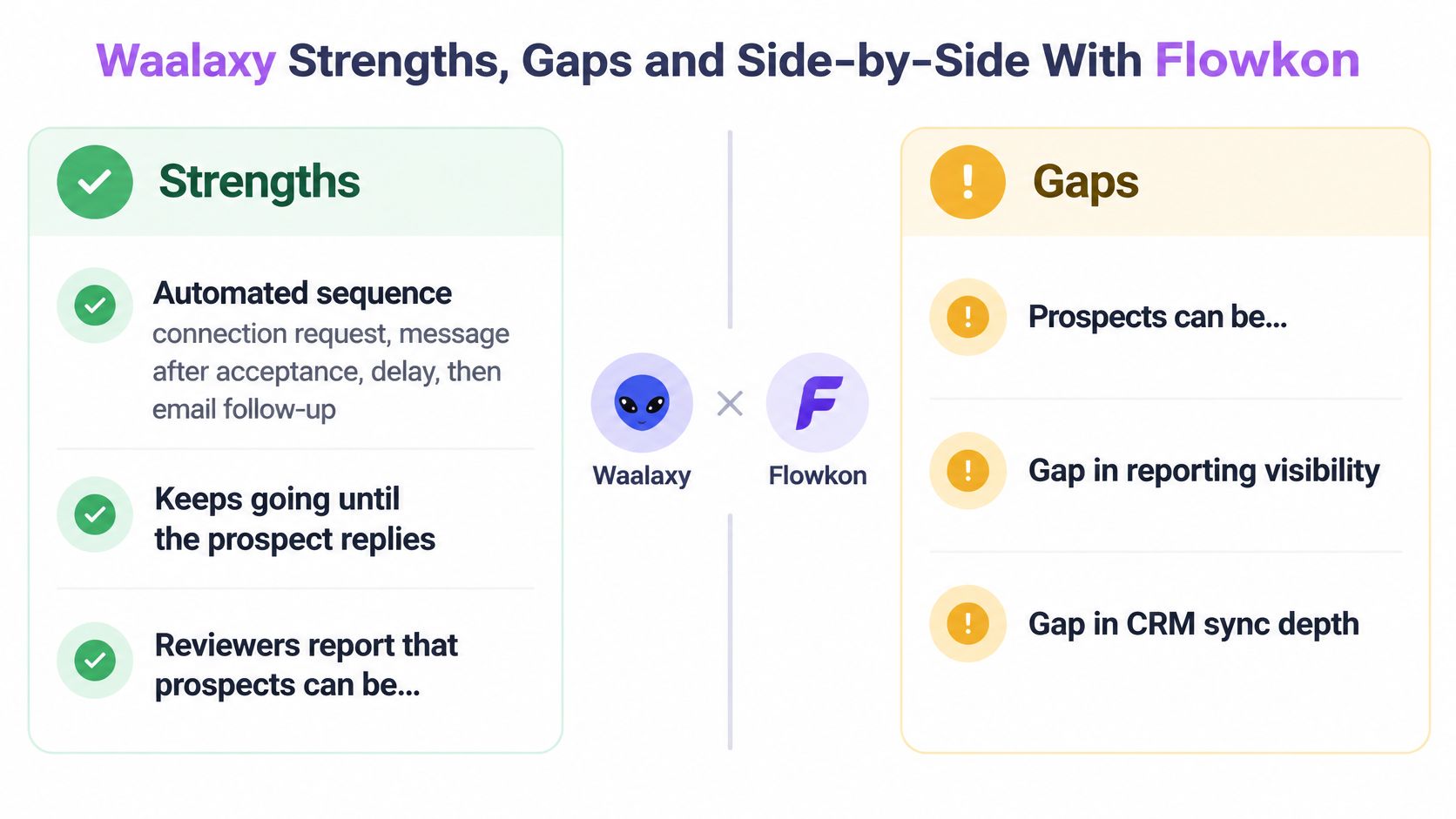
Separate policy risk from product risk
Product risk means a queue fails or a workflow breaks. Policy risk means LinkedIn restricts an account. Reliability features can address the first; they cannot guarantee protection from the second.
LinkedIn warns that automated, inauthentic activity can trigger temporary or permanent restrictions in its account restriction guidance. Its invitation limits guidance does not give tools a universally safe daily connection-request number. Treat vendor limits as operational choices, not approved thresholds.
Guardrails to put in the launch brief
Name an owner for every account and document permission to use it.
Exclude profiles whose loss would seriously disrupt the business.
Target narrow segments and keep live deals outside automated queues.
Review pending invitations, acceptance quality and prompts daily.
Stop on a verification prompt, restriction notice or rising declines.
Do not borrow limits from unrelated features. LinkedIn's 1,000 event invitations per week guidance concerns events, not connection requests (LinkedIn event invitation limits).
For a prelaunch check, use this guide to the signs your LinkedIn account is at risk of restriction.
Which Teams Get the Most From Waalaxy
Solo founder: A good candidate for simple, repeatable outreach on one account. Less suitable if a restriction to that profile would put the whole pipeline at risk.
Three-to-five-person SDR team: Potentially workable. Test CRM sync, reporting and the total cost across senders before committing.
Agency managing client accounts: Check per-account charges, access permissions, execution when laptops are off, and how easily you can produce a client report. Flowkon's team and workspace page is one point of comparison; verify the permissions you need in a demo.
RevOps team needing auditability: Require a live test of unattended execution, exception handling and reporting. Do not assume a sequence tool is also your system of record.
The pattern behind the four cases
The deciding factor is accountability. Once another person needs to know which step produced a meeting, reporting and access control matter as much as sending.
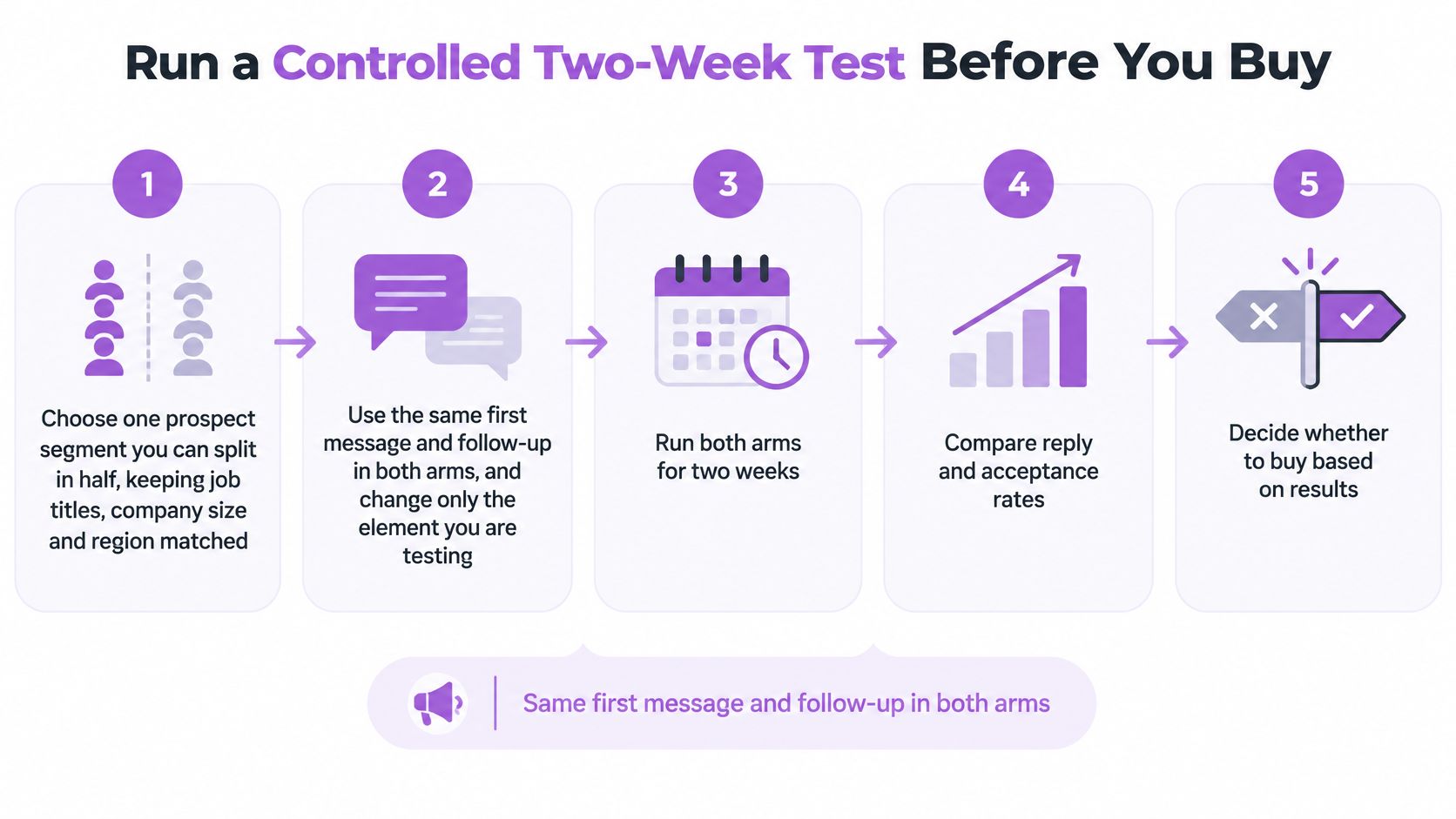
Run a Controlled Two-Week Test Before You Buy
Use one matched prospect segment and identical copy to compare tools. Set success and stop criteria before launch.
Split the list: Match both arms on role, company size and region.
Hold copy constant: Change the tool, not the message.
Set stop rules: Pause for verification prompts, restrictions, rising declines or a growing backlog.
Track five measures: Acceptance rate, reply rate, bounce rate, cost per meeting and manual hours.
Review on day 14: Compare results against thresholds set on day one.
Choose an outcome: Scale, change tools or stop outreach to that segment.
Keep the copy concise. Belkins reported a 5.4% reply rate for cold emails under 100 characters in its 2024 benchmark (Belkins B2B cold outreach benchmarks). That is a benchmark, not a prediction for your campaign.
Sample copy to use in both arms:
Connection note: "Hi [first name], saw your team is hiring SDRs in [city]. I work with RevOps leads on outreach follow-up. Open to comparing notes?"
Follow-up after acceptance: "Thanks for connecting. Quick question: how do you track which outreach step books meetings today?"
If you compare Waalaxy with another platform, run the same segment split and copy on both. You can sign up for Flowkon for free; check the available trial terms and volume before planning your test.
When to try Flowkon instead
If your Waalaxy test leaves your team piecing together campaign results or handing off replies manually, try Flowkon with a real outreach workflow. Its dashboard tracks acceptance rates, reply rates, click-through rates and conversions across campaigns, while its real-time inbox keeps conversations updated for the team. CRM integrations that sync contacts, activities and replies are available on Professional and Custom plans.
Use Flowkon's 7-day free trial to check the fit: create an account, connect your LinkedIn profile, launch a campaign and see whether your team can track results and manage replies in one place. If CRM sync matters to your decision, confirm access to a qualifying plan before testing it. The trial will help you assess the workflow; it does not remove LinkedIn's policy risk.
Visit Flowkon to start the free trial, or book a free demo if you want to review the team workflow first.