
The LinkedIn Automation Tool Built for 3x More Conversations that Convert
From Outreach Problems
to Predictable Growth
From Outreach Problems
to Predictable Growth
Manual prospecting
Low connection acceptance
Missed follow-ups
Low open rate
Low engagement
No performance tracking
Poor personalization
Poor lead targeting
Automate, connect, convert with LinkedIn automation in 4 steps
Create Your Flowkon Account
Connect Your LinkedIn Profile
Launch Your Outreach Campaign

Sync Your CRM & Track Results
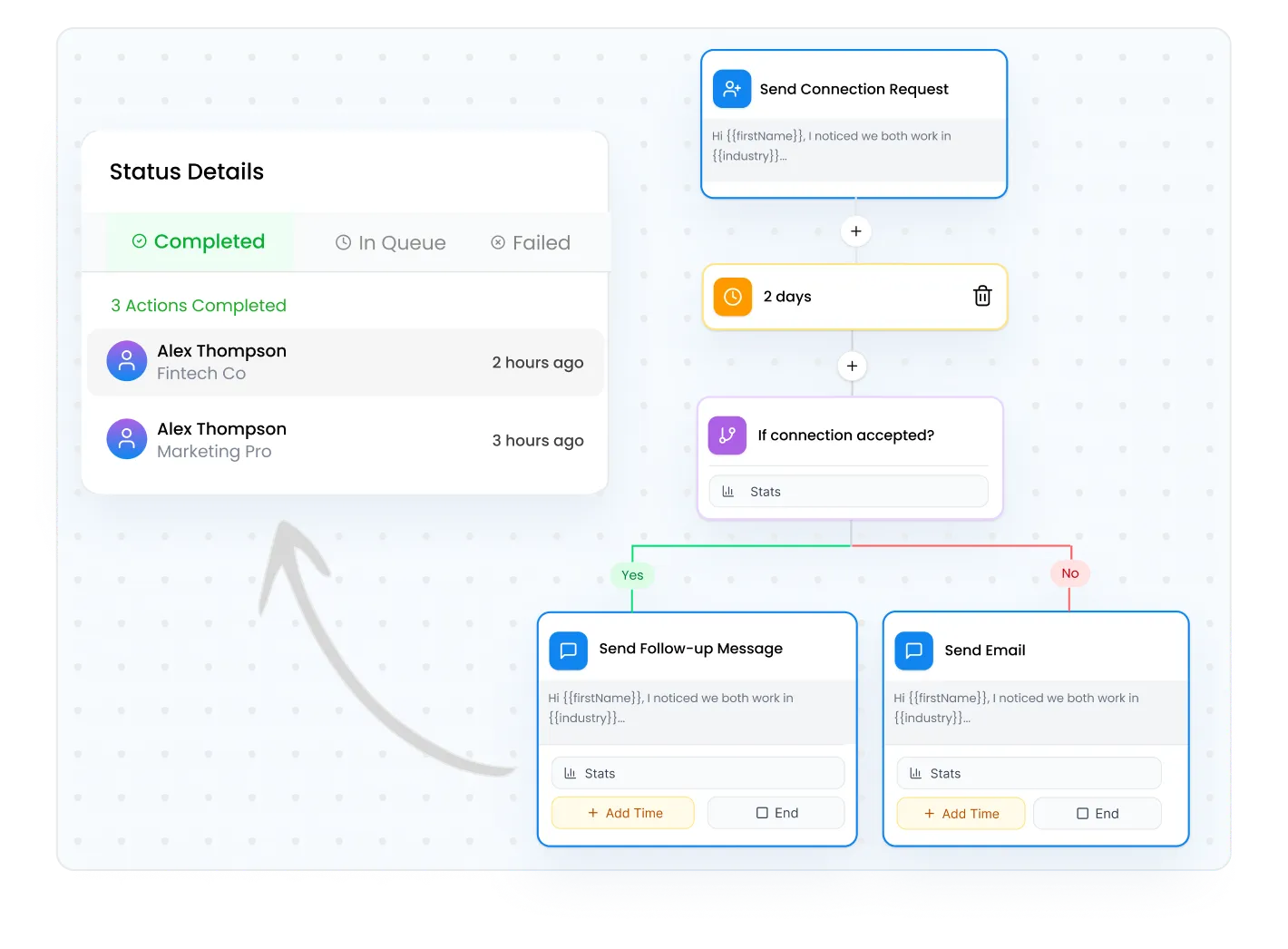
Multichannel Campaigns
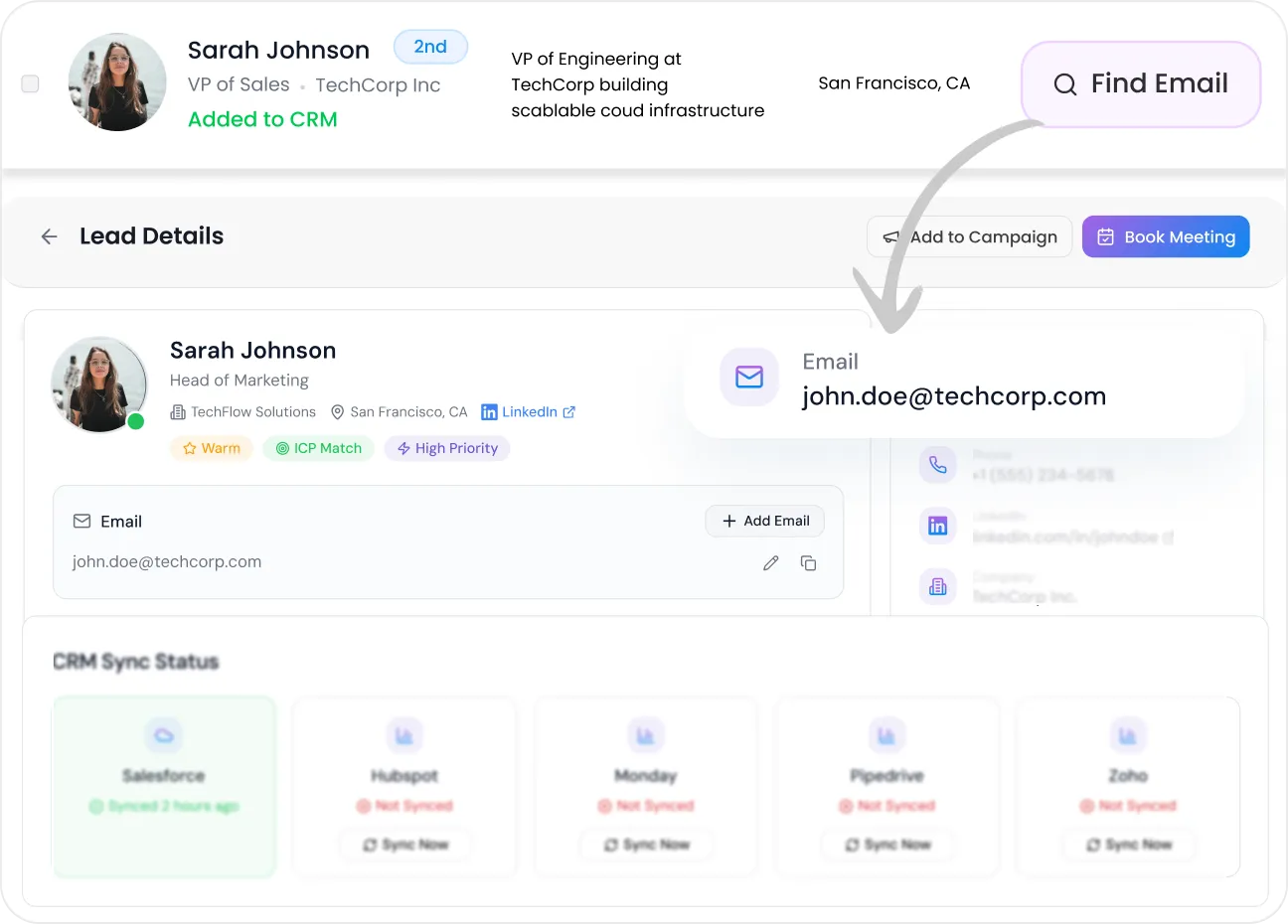
Email Finder
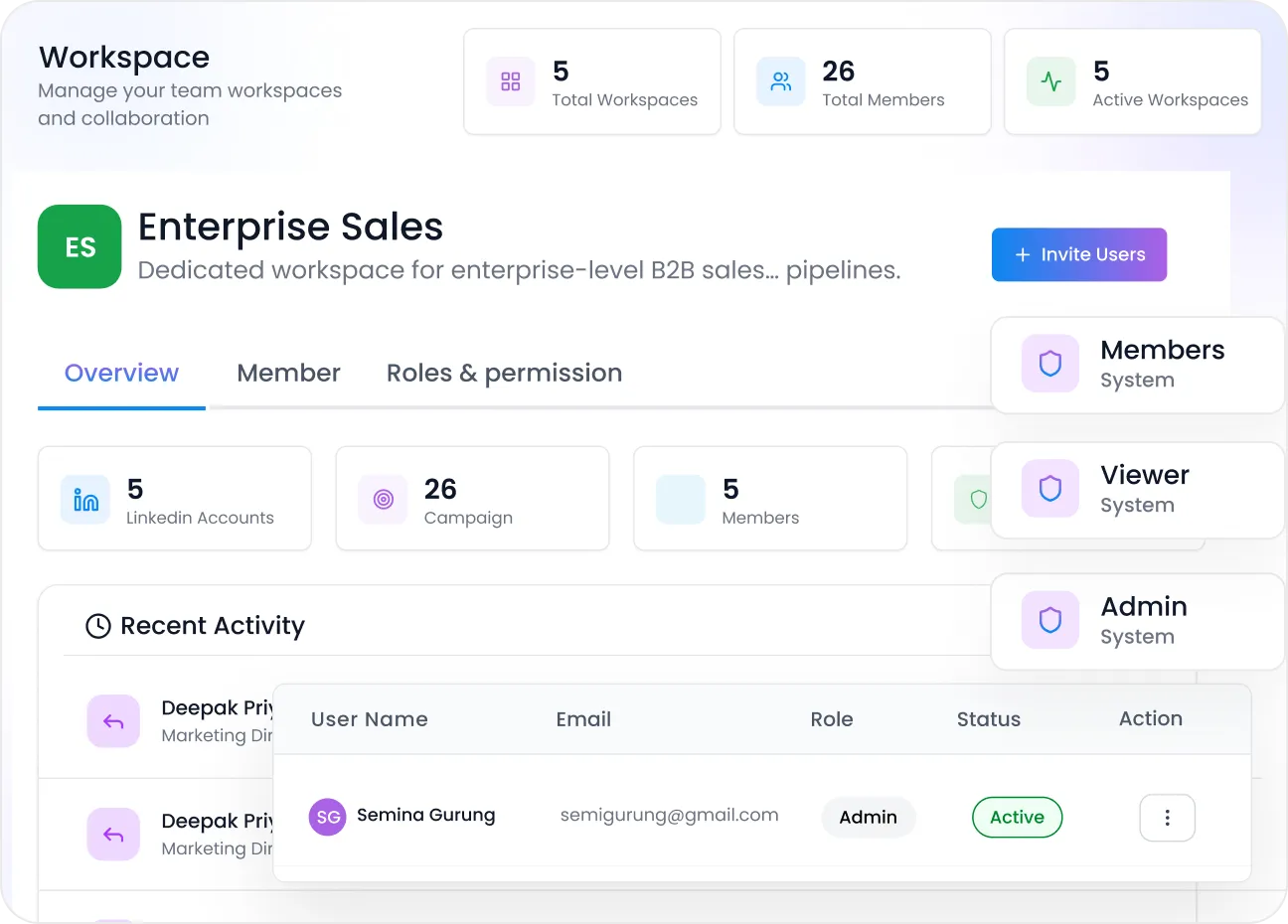
Workspaces
Centralized Inbox
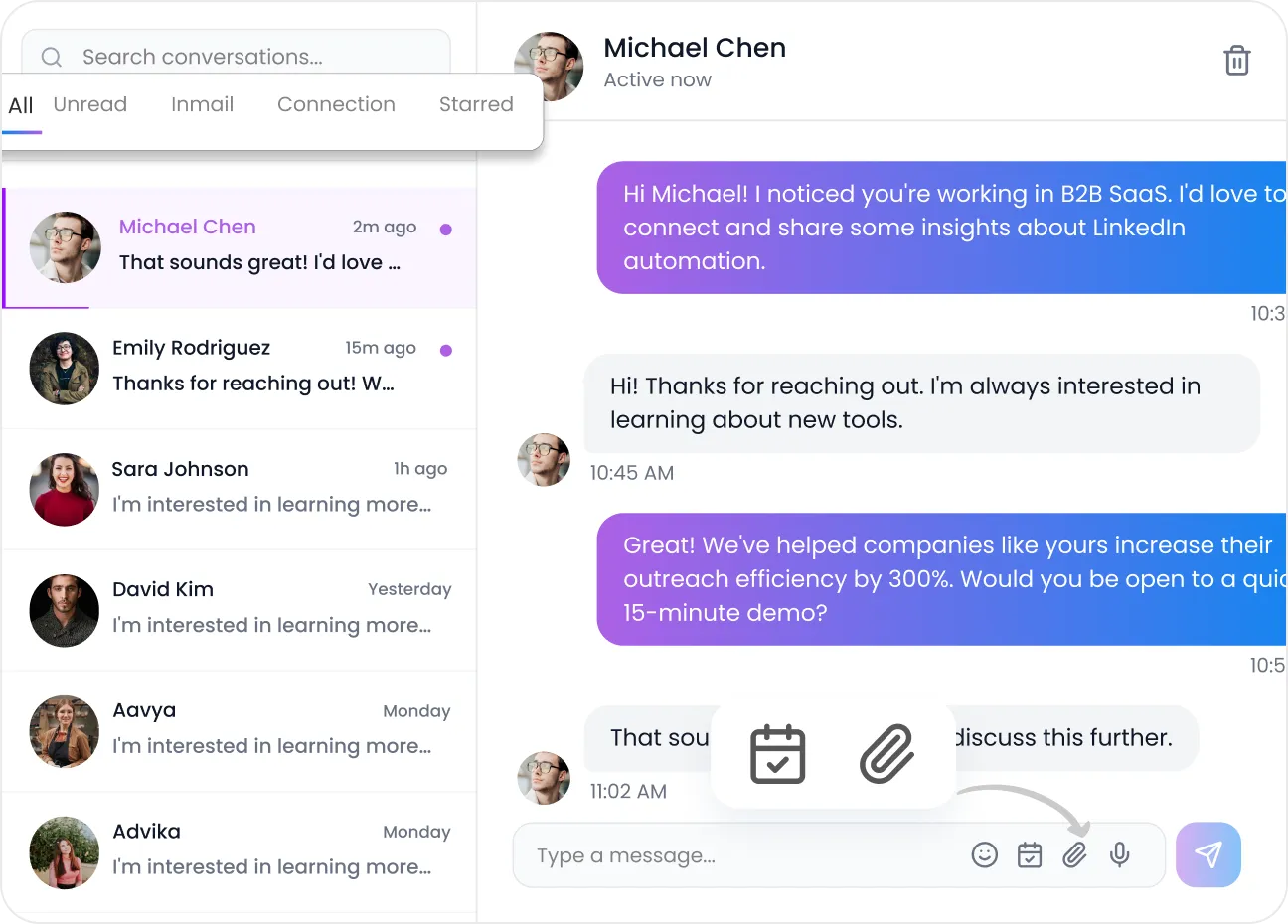
Dashboard
Everything You Need in a LinkedIn Automation Tool to Scale Outreach
Create high-converting outreach campaigns in minutes using powerful actions, triggers, and conditions.
Craft human-like emails and LinkedIn messages using dynamic templates that personalize every touchpoint.
Control team access, workflows, and responsibilities with advanced role-based permissions.
Bring your entire sales team into one unified system to expand outreach and close deals faster.
Launch faster with ready-to-use outreach templates for sales, marketing, founders, and agencies.
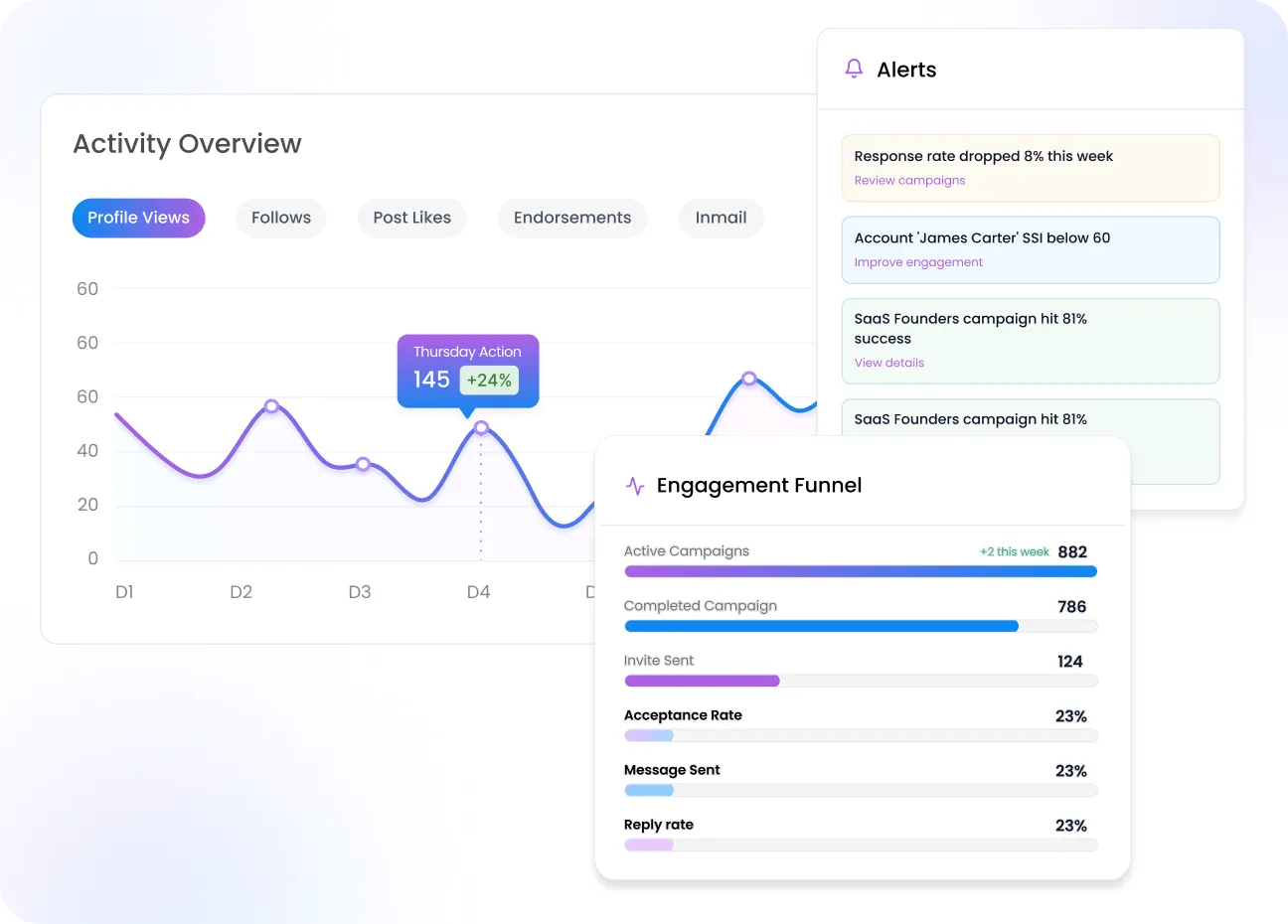
Track acceptance rate, clicks, reply rate, and CTR to understand exactly what drives results.
Strengthen trust and visibility with authentic engagement actions that grow your LinkedIn presence safely.
Keep your outreach secure and aligned with platform safety standards automatically.
Manage workspaces, teams, roles, and collaboration effortlessly from one centralized dashboard.
Access and control all connected campaigns in one unified Flowkon dashboard.
Run unlimited campaigns, prioritize effectively, and scale your outreach without limits.
Monitor campaign status at a glance - draft, active, or completed - all in real time.
Ensure every conversation is instantly updated so your team never misses a reply.
Measure performance from open rate to click-through rate and optimize campaigns confidently.
What You Can Expect With Flowkon, a LinkedIn Automation Tool


What Customers Say About Flowkon
Reviews sourced from G2.com, collected and hosted by G2. Customer feedback summarized for clarity.
Frequently Asked Questions
What is Flowkon and how does it work?
Flowkon is a LinkedIn automation tool designed to help sales teams, agencies, and recruiters run personalized outreach at scale. It automates connection requests, follow-ups, and messaging sequences while keeping interactions natural and human-like.
Who should use LinkedIn automation tools like Flowkon?
Flowkon is ideal for:
- Sales teams looking to generate qualified conversations
- Agencies managing outreach for multiple clients
- Founders and growth teams building predictable pipeline
If your strategy relies on LinkedIn outreach automation, Flowkon helps you scale it efficiently.
What makes Flowkon one of the best LinkedIn automation tools?
Flowkon combines:
- Dynamic personalization at scale
- Multi-step automated LinkedIn outreach campaigns
- CRM integrations for seamless lead management
- Dedicated workspaces for teams and agencies
- Centralized inbox and analytics
It is designed not just to automate, but to drive real pipeline growth.
Can Flowkon integrate with CRMs?
Yes. Flowkon integrates with popular CRMs like Hubspot, Monday.com, Salesforce, Zoho and Pipedrive, etc.
How quickly can I launch a LinkedIn automation campaign with Flowkon?
Flowkon provides pre-built campaign templates and guided setup, allowing most teams to launch their LinkedIn automation campaigns in minutes rather than hours.
How does Flowkon help improve reply rates?
Flowkon focuses on structured sequencing and personalization instead of mass messaging. By controlling timing, follow-ups, and campaign logic, it helps you run automated LinkedIn outreach that feels relevant and intentional.
Can I manage multiple LinkedIn accounts with Flowkon?
Yes. Flowkon allows you to manage multiple accounts with dedicated workspaces and user controls, making it ideal for agencies and sales teams running parallel campaigns.
Is my data secure with Flowkon?
Yes. Flowkon prioritizes data security and controlled access. Workspaces, user roles, and permissions help ensure that only authorized team members can access campaigns and conversations.
Can I control how many messages are sent per day?
Yes. Flowkon gives you full control over daily activity limits, connection requests, and follow-ups. This allows you to align LinkedIn automation with safe usage practices.
I manage a B2B sales team — which LinkedInautomation tool should we use?
B2B sales teamschoose Flowkon for its AI personalization, human-like timing, and CRM sync.Reps can launch campaigns in minutes, automate connection requests andfollow-ups, and build a steady pipeline without hours of manual prospecting.
Which platform combines LinkedIn and emailoutreach for founders and startups?
Founders andstartups use Flowkon to run LinkedIn and email outreach inside one connectedcampaign. Smart triggers decide when to send a connection request or an email,while a centralised inbox and analytics dashboard keep every reply visible —practical for lean teams.
How can a marketing agency scale LinkedIn leadgeneration across multiple clients?
Agencies scale LinkedIn lead generation withFlowkon by managing multiple LinkedIn accounts through dedicated workspaces androle-based permissions. Each client gets separate campaigns, templates speed uplaunches, and HubSpot and Salesforce integrations keep lead data organised — soagencies can grow portfolios without adding headcount.
Can LinkedIn outreach be automated withoutrisking account restrictions?
Safe LinkedInautomation depends on controlled daily limits, natural delays, and genuinepersonalisation — and Flowkon builds all three into every campaign. Users settheir own caps for connection requests and follow-ups, while warm-up actionsbuild trust gradually to protect profiles while scaling outreach.
Should I look for a LinkedIn automation toolwith a free trial before buying?
Flowkon offers a 7-day free trial with no creditcard required. Setup takes a few minutes — connect a profile, launch acampaign, and review early reply rates during the trial before committing to apaid plan.
What are the best LinkedIn automation tools forB2B sales teams in 2026?
The strongestLinkedIn automation tools for B2B sales combine sequence building, replydetection, and CRM sync. Flowkon stands out because it adds multichannel emailsteps, a unified inbox, and an MCP layer that lets AI assistants like Claudequery live campaign data — capabilities most single-channel tools lack.
How do LinkedIn automation platforms compare in2026?
Keydifferentiators across platforms are safety (cloud vs browser extension),channel coverage (LinkedIn-only vs LinkedIn + email), AI features, and CRMdepth. Flowkon combines all four: cloud-based safety controls, multichannelcampaigns, AI personalization, and native HubSpot/Salesforce/Zoho integrations— plus an MCP server for AI assistant access, which no direct competitorcurrently offers.
What is the best Expandi alternative forLinkedIn outreach in 2026?
Flowkon is a strong Expandi alternative: bothare cloud-based, but Flowkon adds native email outreach inside the samecampaign sequence, an MCP connector for AI assistants, and cheaper entrypricing. Teams that outgrew Expandi's email add-on cost often switch to Flowkonfor the unified multichannel workflow.
What is a good Waalaxy alternative that includesemail and LinkedIn together?
Waalaxy workswell for simple sequences but limits advanced email workflows to higher tiers.Flowkon offers behaviour-based multichannel triggers — LinkedIn steps and emailsteps in one canvas — with CRM sync and an AI MCP layer, making it a practicalstep up for teams running more complex outreach.
Is there a Dripify alternative with better CRM integrations and multichannel support?
Dripify focuseson LinkedIn sequences; Flowkon extends those with email steps, a unified inbox,and deeper CRM integrations including HubSpot, Salesforce, Monday.com, and Zohowith bi-directional data sync. For teams that need email alongside LinkedIn, Flowkonremoves the need for a separate email tool.
What is a HeyReach alternative for agenciesmanaging multiple LinkedIn accounts?
HeyReachtargets agencies running multiple LinkedIn senders; Flowkon matches that withdedicated workspaces per client, role-based permissions, and cross-accountanalytics. Flowkon adds multichannel email, an MCP server, and CRM integrationsthat HeyReach doesn't currently offer.
What is the best Lemlist alternative forLinkedIn and email outreach combined?
Lemlist is primarily email-first with LinkedInsteps bolted on. Flowkon treats LinkedIn and email as equal channels in onevisual sequence builder with shared inbox, reply detection, and behaviour-basedbranching — making it a natural switch for teams who want both channels to feelnative rather than patched together.
Which LinkedIn automation tool works well for B2Bsales teams targeting India?
Flowkon is well-suited to Indian B2B salesteams, with its Growth plan priced at $37 per user per month. Businesses thatchoose annual billing receive a 20% discount, bringing the effective price to$30 per user per month. Its cloud-based campaigns can run according to IndianStandard Time (IST), while the multichannel LinkedIn and email approachsupports outbound sales strategies used by Indian SaaS and IT services firms.CRM integrations with HubSpot and Zoho help teams sync data without manualentry, making Flowkon a practical option for businesses looking to streamlinetheir sales outreach.
How do SaaS companies in India use LinkedInautomation for outreach?
Indian SaaSteams typically use Flowkon to target decision-makers in the US and EU timezones by scheduling campaign actions during those regions' business hours. Thecloud-based engine runs while the team sleeps, delivering connection requestsand follow-ups when prospects are active. CRM sync with HubSpot or Zoho keepspipeline updated in real time.
How long does it take to set up Flowkon andlaunch a first campaign?
Most users connect their LinkedIn profile andlaunch a first campaign within 30 minutes. The setup flow walks through profileconnection, sequence building using a pre-built template, and prospect importfrom Sales Navigator or CSV. The warm-up period then runs automatically in thebackground while you refine targeting.
.webp)
.webp)