Hit Every Prospect
On LinkedIn + Email Until They Reply.
Flowkon is a multichannel outreach software that lets you build smart sequences combining LinkedIn and email into one campaign. Reach more prospects, follow up automatically, and close deals faster without the manual work.
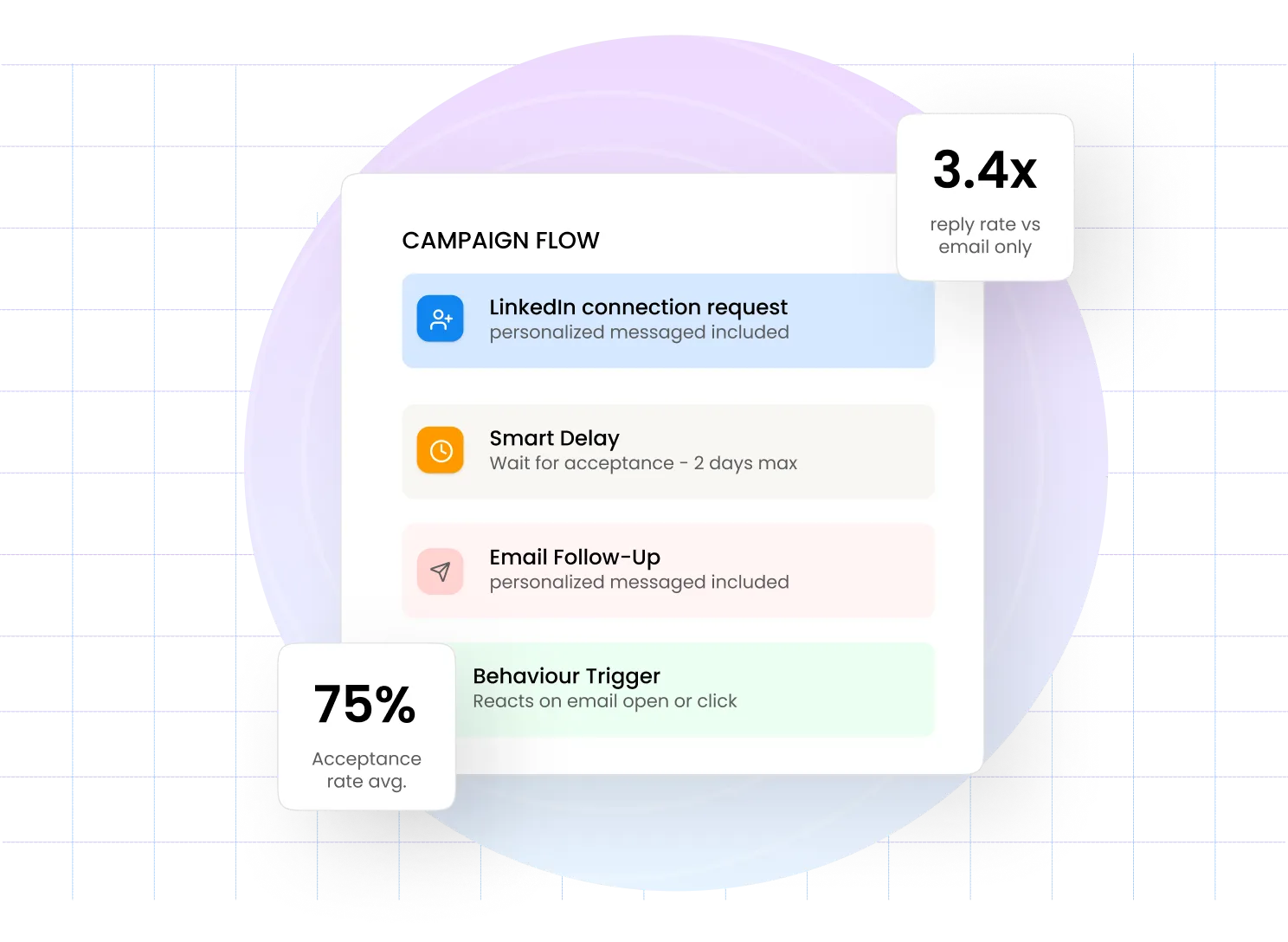
Build Your Campaign Visually No Setup Needed
Design your entire outreach sequence using a visual flow builder. Add steps, set delays, and see exactly how your campaign flows before it goes live.

Connect LinkedIn and Email in One Sequence
As a multichannel outreach software, Flowkon combines LinkedIn connection requests, messages, and email follow-ups into a single automated flow. More touchpoints means more chances to get a reply - without running two separate campaigns.

Smart Delays and Behavior-Based Triggers
Intelligent Delays
Behavior Triggers
Always Personalized
Track Email Opens
Dynamic Flow
Runs Automatically
Accept Triggers
Cross-Channel Sync
Adaptive Follow-Up
Measure Campaign Results from One Dashboard
View campaign performance from a single place. Track email opens, clicks, replies, connection requests, Acceptance rate to understand how your outreach campaign performs.

Frequently Asked Questions
What is multichannel outreach software?
Multichannel outreach software lets you run a multichannel campaign across more than one channel, like LinkedIn and email, from a single automated sequence instead of managing separate campaigns. Flowkon coordinates both channels so follow ups happen automatically based on how a prospect responds.
What is a multichannel campaign in Flowkon?
A multichannel campaign combines LinkedIn outreach and email follow ups into one automated sequence. You build the flow once and Flowkon handles delivery, timing, and follow up across both channels automatically.
Can I personalize messages in my campaigns?
Yes. Every LinkedIn message and email can include dynamic fields like first name, company, job title, and more. Personalization happens automatically at scale.
How does campaign cloning work?
You can duplicate any existing campaign with one click. The entire sequence, steps, delays, and messages, is copied instantly so you can reuse what works for a new audience or offer.
Will my LinkedIn account stay safe?
Yes, when it's built with proper limits. Flowkon controls daily outreach volume and adds natural delays between actions, so your LinkedIn account stays within safe limits while the campaign runs automatically.
How do I set up a multichannel campaign in Flowkon?
You build the sequence once using a visual flow builder inside Flowkon's multichannel outreach software, adding LinkedIn steps, email steps, and delays between them. Once published, the campaign runs on its own and adjusts follow ups based on opens, replies, and connection acceptances.
Can I track results from one dashboard?
Yes. Flowkon's dashboard shows LinkedIn and email performance together for every multichannel campaign, including connection acceptance rate, email opens, clicks, and replies.
Who uses multichannel outreach software?
Sales teams, founders, recruiters, and agencies use multichannel outreach software to reach prospects who don't respond to a single channel. It's built for anyone who wants replies without managing two separate tools.
Which platform runs LinkedIn and email outreach inside a single campaign?
Flowkon's multichannel campaign builder lets you combine LinkedIn steps — connection request, message, InMail — with email touchpoints in one visual sequence. Smart triggers decide which channel to use next based on whether the prospect opened an email, accepted a connection, or replied.
Does Flowkon have a visual drag-and-drop sequence builder for LinkedIn and email?
Yes — the campaign canvas in Flowkon is fully drag-and-drop. Add LinkedIn or email steps from the sidebar, connect them with conditional branches, set delays in hours or days, and preview the full sequence flow before launching.
How do behaviour-based triggers work in a multichannel outreach sequence?
Behaviour-based triggers in Flowkon check a prospect's action — email opened, link clicked, connection accepted — and route them to the next appropriate step. A prospect who clicks your email link can be moved to a LinkedIn message automatically; one who doesn't open after three days gets a different follow-up.
How do I see LinkedIn and email campaign performance in one report?
Flowkon's analytics dashboard shows LinkedIn and email metrics side by side — connection rate, reply rate, open rate, click rate, and meeting booked — for every campaign. Filter by date, account, or sequence step to pinpoint where prospects are dropping off.
Can I clone a campaign in Flowkon to reuse a successful sequence?
Yes — any campaign in Flowkon can be cloned in one click. The copy includes all sequence steps, message templates, delays, and conditional branches. Rename it, adjust the target segment, and launch without rebuilding from scratch. Agencies use this to roll out a proven sequence across multiple client workspaces quickly.
Does Flowkon support webhooks for connecting to external tools?f
Flowkon supports outbound webhooks that fire on campaign events — reply received, connection accepted, sequence completed, or meeting booked. Configure a webhook URL in campaign settings and Flowkon posts the event payload to any destination: Zapier, Make, a custom CRM endpoint, or an internal data warehouse.
How do I connect Flowkon to Zapier or Make using a webhook?
In Flowkon, go to campaign settings and paste your Zapier or Make webhook URL into the webhook field. Choose the trigger event — reply, acceptance, or sequence end — and Flowkon posts structured JSON to your Zap or scenario. From there you can create CRM records, send Slack notifications, or update a spreadsheet automatically.
.webp)