
A clean list does not guarantee replies, but a dirty list guarantees fewer of them. Email verification best practices start with a simple gate. Verify email addresses before enrollment, route risky email addresses away from automated sends, and protect sender reputation on every campaign.
Why Unverified Emails Quietly Cost You Replies
Say a 500-lead campaign launches Monday without email verification. Hard bounces appear within hours. Later sends from the same domain then face weaker inbox placement, so even valid prospects reply less often.
Three costs add up. Bounces signal poor list quality. Reputation damage carries into future campaigns. Each dead send can also waste a touch or paid credit. Even strong copy from hireSDR's email outreach template guide cannot recover messages that never reach an inbox.
Verification is not deliverability. The Google and Yahoo sender requirements summary notes authentication and one-click unsubscribe rules for bulk senders sending more than 5,000 messages per day, with noncompliant mail throttled, rejected, or marked as spam. Classify the address first, then check sender-domain readiness.
What Each Verification Check Tells You
Email verification works as a layered pipeline. Normalize the address, check syntax, confirm domain DNS and MX records, then run a cautious SMTP probe. Verification tools commonly sort the outcome into valid, invalid, risky, unknown, and catch-all, because some providers accept every recipient or hide mailbox responses.
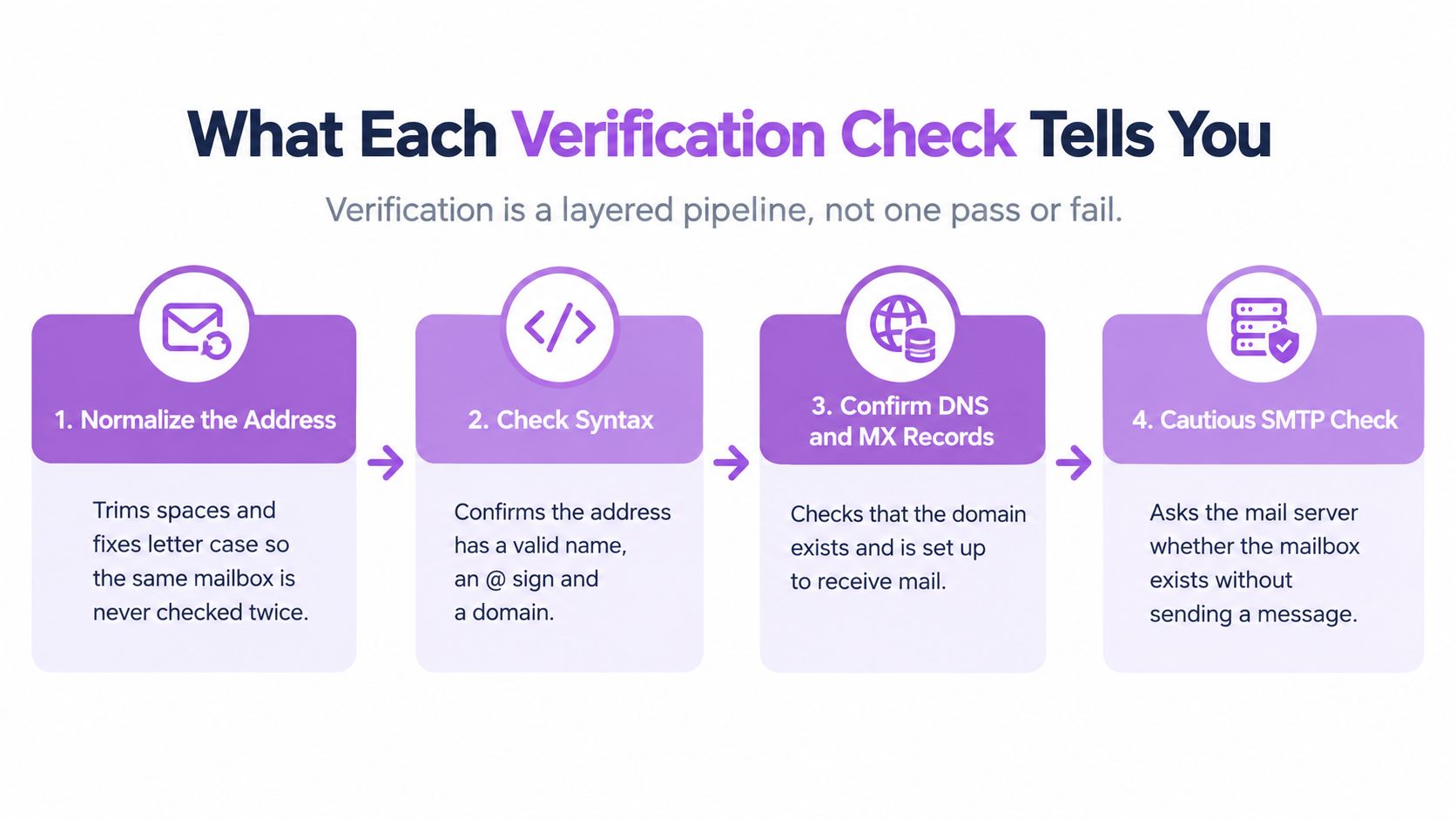
Read each result as a routing decision, not a verdict on whether the address exists. Valid goes to email steps. Risky, unknown and catch-all go to a review queue or a LinkedIn fallback. Invalid drops out of the sequence entirely.
Teams that verify email addresses in real time still need these limits in view. A result describes delivery risk only. It doesn't prove consent, interest, or inbox placement, so a valid address earns eligibility for a send, never permission for one.
| Check | What it reveals | Limit |
|---|---|---|
| Syntax | Address follows a valid format | Says nothing about whether the mailbox exists |
| Domain and MX | Domain has DNS records and a mail server | Confirms domain receives mail, not this person |
| SMTP mailbox probe | Server response when checking recipient | Some providers accept all recipients or hide responses |
| Disposable domain | Address uses a temporary inbox service | Catches only known throwaway domains |
| Role-based address | Shared mailbox such as sales@ or info@ | Mailbox may be valid but isn't a personal recipient |
| Catch-all domain | Server accepts any address on the domain | Cannot confirm the individual mailbox |
| Sender domain authentication | SPF, DKIM and DMARC are set on your sending domain | Checks your domain, not the prospect's address |
The last row works differently from the rest. Run it once per sending domain, not once per lead, and treat a failure there as a reason to pause the campaign rather than drop individual contacts.
Verify Every Lead at Enrichment, Before It Enters a Sequence
A valid result is not permission to send. Verification works as a gate on sequence eligibility: each outcome maps to a specific action, and anything that fails never consumes a send or a rep's attention. Leads found from LinkedIn, Sales Navigator, events or your network all pass through the same check.
Flowkon's Email Finder finds and verifies business email addresses from LinkedIn prospects in seconds, and leads are automatically enriched with verified data before reps reach out through lead enrichment. Run that gate on every new lead the same way:
Start from LinkedIn or a Sales Navigator list.
Find the business email with the LinkedIn email finder.
Verify before enrollment, while the lead is still outside any sequence.
Apply the default action for that result.
Add only valid addresses to email steps.
Route other leads to LinkedIn steps in the same sequence.
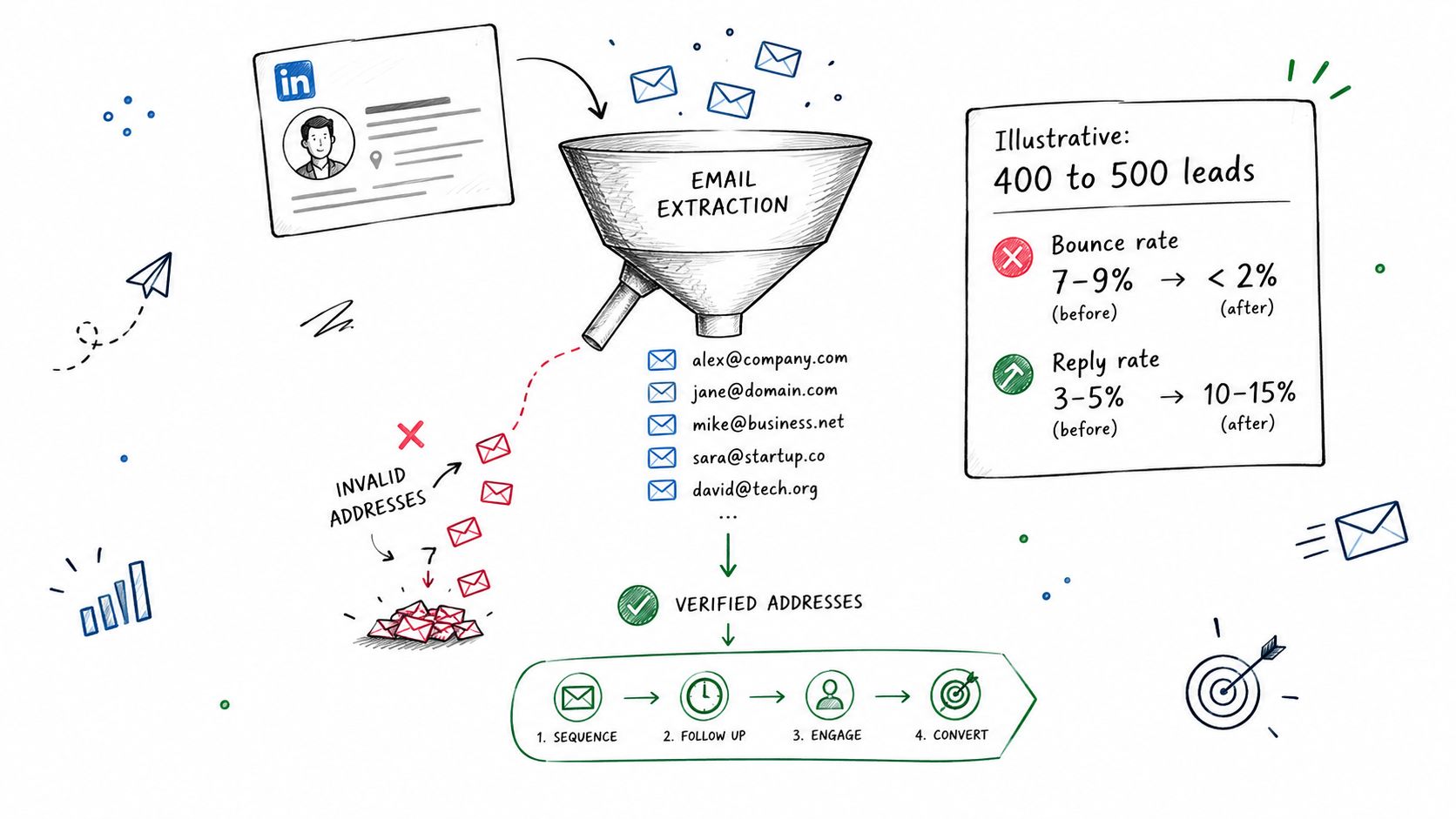
CSV imports need the same gate. Store the result and its date on each record, so a stale address can't slip back into a sequence without a fresh check. Verifying at enrichment also shows a small team how much manual review its capacity can absorb, which shapes quelle prospection pour une petite équipe fits the rep time available.
The sequence setup below shows why this order matters in multichannel outreach.
Sort Risky, Catch-All and Role Addresses Before Any Send
Give every result one default action. Case-by-case decisions create inconsistent sends and avoidable risk.
| Result | Default action | Exception |
|---|---|---|
| Valid | Add to email sequence | None needed |
| Catch-all | Exclude from large automated batches | Low-volume personalized outreach after manual review |
| Risky or unknown | Hold for review; do not send automatically | Re-check later, or move lead to LinkedIn steps |
| Role-based | Exclude from personalized sequences | Manual review for high-fit accounts |
| Disposable | Remove from all campaigns | None |
| Invalid or hard bounce | Remove and suppress across every workflow | None; confirm contact through another source before re-adding |
For a high-value lead marked risky, check public contact pages, confirm the company address format, then use LinkedIn if no address verifies. Role addresses need a policy, not hope. Exclude sales@ or info@ from personalized B2B email outreach unless account fit justifies manual review.
Campaigns combine LinkedIn and email in one visual sequence builder with a shared inbox, reply detection and behaviour-based branching, so held leads still get a touch. Agencies and recruiters should also keep only the verification result needed for campaign decisions and delete raw records on schedule.
Re-verify Old Lists and Keep Bounce Rate Under 2%
A list verified six months ago has changed. People switch jobs, mailboxes close, and domains change hands. Re-verify before every reuse. Treat lists older than about three months as stale for high-volume sends. That's an internal rule of thumb, not a provider standard.
Keep email bounce rate under 2% as a working guardrail to reduce bounce rate risk. That target is also internal. Provider complaint limits are stricter. Google's spam rate guidance advises keeping user-reported spam rates below 0.1% and preventing them from reaching 0.3% or higher. Yahoo likewise advises bulk senders to keep complaint rates below 0.3%.
Operating rule: Treat provider ceilings as danger lines, never as targets.
Guardrails Before Reuse
Suppress hard bounces immediately across every workflow.
Pause a segment when bounces rise materially above its baseline.
Investigate provider spikes before sending more volume.
Keep complaints comfortably below published ceilings.
Start a new domain or mailbox with a small batch of verified, high-fit contacts. Raise volume only while bounces and complaints stay low. Catch-all emails can suit low-volume personalized outreach, but keep them out of large automated batches until engagement validates them. Store status in the CRM during email list cleaning, so another workflow doesn't resurrect suppressed addresses.
Measure Bounce and Reply Rates for Each Campaign
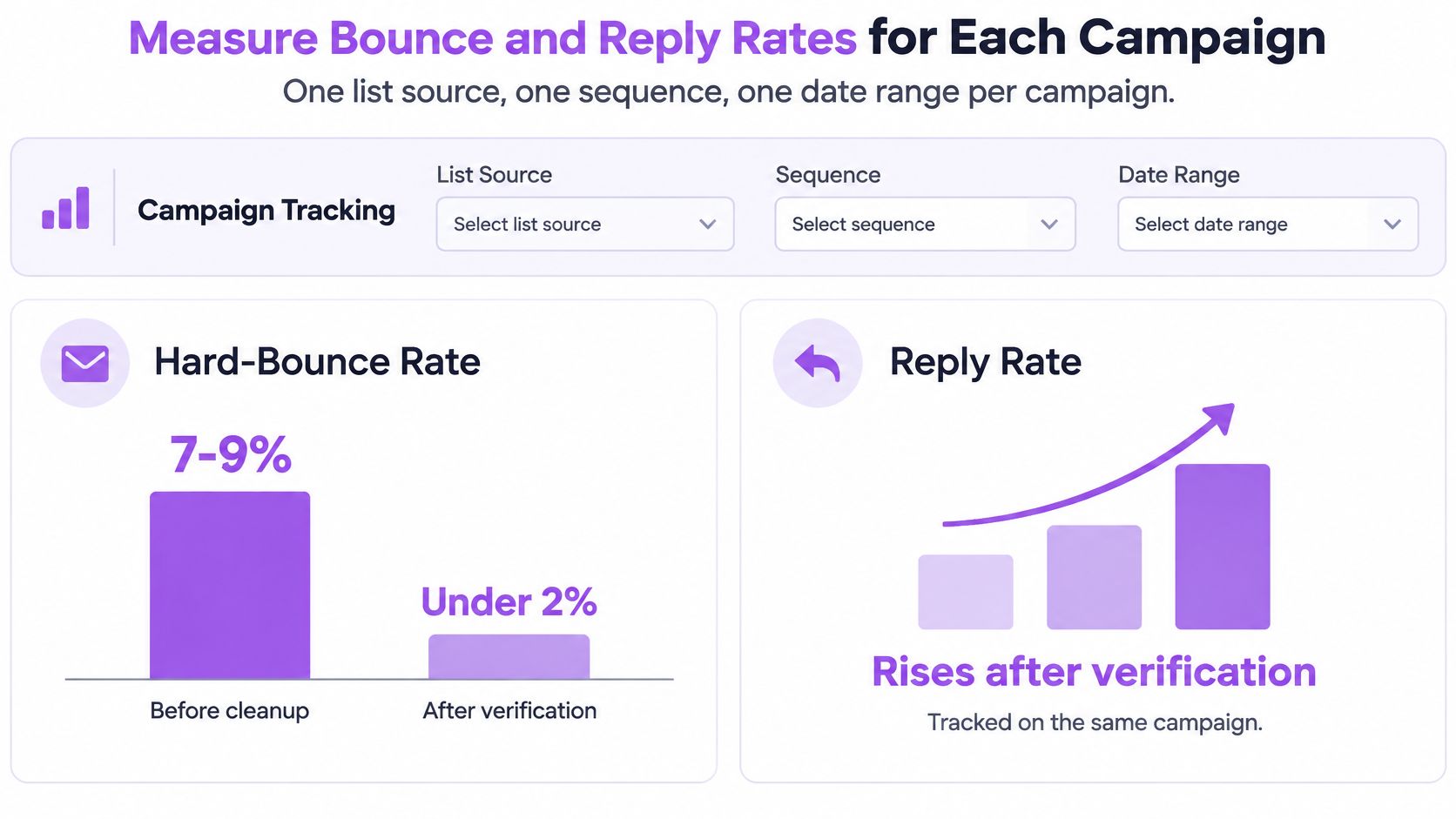
Track each campaign separately. One list source, one sequence, one date range. Measure hard-bounce rate, reply rate, accepted mail, and results by source, domain, and verification category through the analytics dashboard.
| Metric | Without verification | With verification |
|---|---|---|
| Leads in campaign | 500 | 500, fewer emailed |
| Bounce rate | Around 9% | Under 2% |
| Reply rate | About 3% | Roughly 5% |
| Risky and invalid addresses sent | Included | Held back for review or LinkedIn steps |
These SaaS marketing manager figures are illustrative, not benchmarks. The trade-off is fewer email sends. Leads without verified addresses moved to LinkedIn steps instead of disappearing.
Attribution also has a limit. Verification and sequence changes happened together, so gains can't be credited to verification alone. The useful signal is directional. Cleaner enrollment should lower bounces first, then steadier email deliverability gives replies a fair chance.
Mistakes That Undo Verification and How to Avoid Them
Buying unverified lists is the fastest way to damage a domain. Hard bounces spike before targeting quality can be judged. Skipping catch-all checks hides bad mailboxes, ignoring bounces repeats sends to dead addresses, and verifying only once lets decay return.
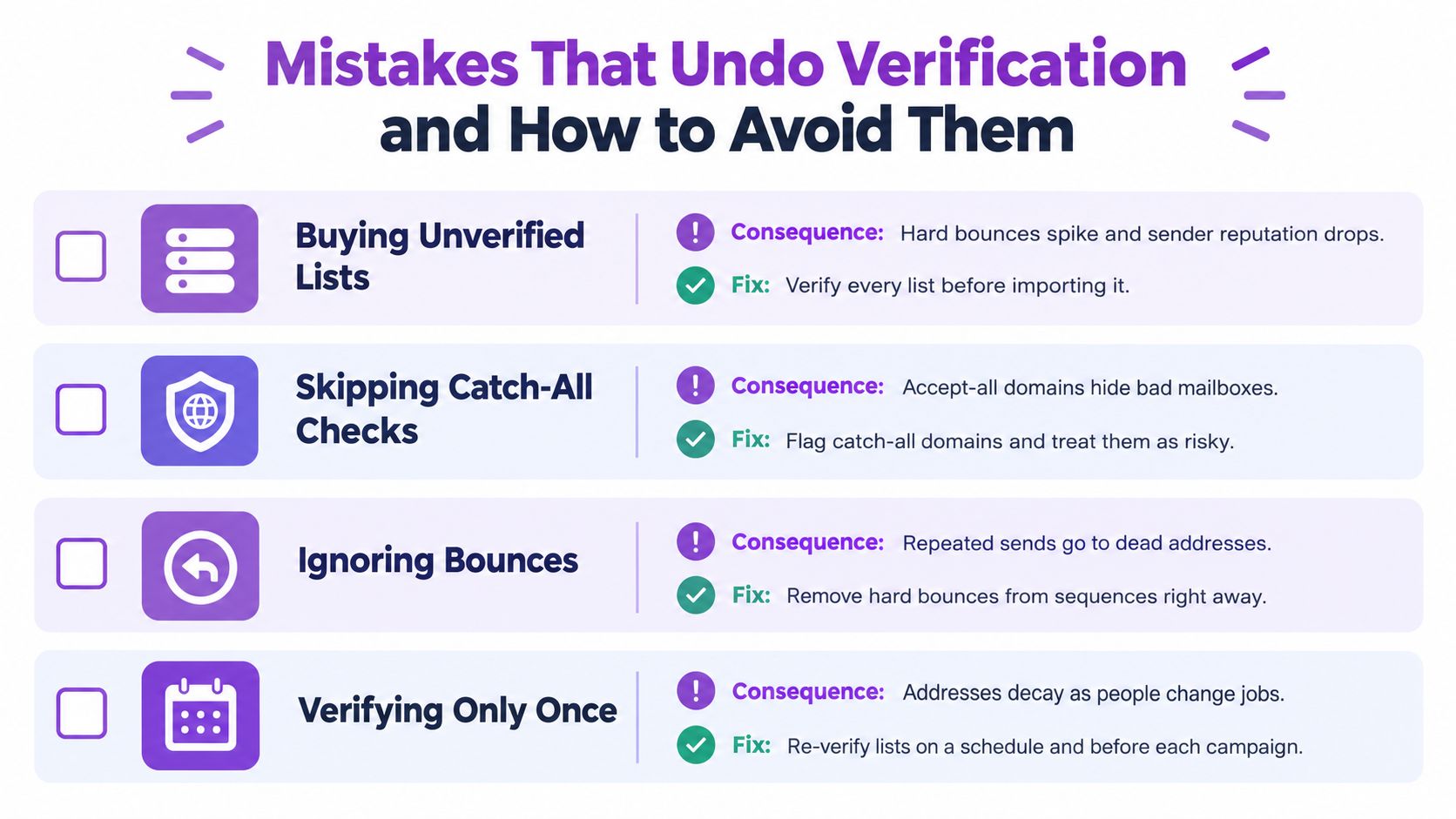
Two quieter mistakes matter too. A valid result isn't permission to send. Bounced contacts left active in a CRM can re-enter through another workflow. Warm-up also loses value on dirty lists, a point covered in email warm-up options for safer sending.
Authentication set: SPF or DKIM confirmed.
Enrichment gate passed: every lead checked.
Risky held out: catch-all excluded from batch.
Role addresses excluded: no personalized sends.
List re-verified: fresh check before reuse.
Alerts on: bounce and complaint monitoring active.
Consent recorded: opt-out status checked.
Run verification at enrichment, hold risky addresses out of automated email, and keep LinkedIn steps active for leads without a verified inbox. Visit Flowkon to try the email finder, multichannel sequences, and per-campaign analytics on a live list.