Expandi lists $99 per connected LinkedIn account per month, or $79 per month billed yearly, on the official Expandi pricing page as of October 2026. For three accounts, that is $297 a month on monthly billing, or $2,844 paid for a year at the annual rate, before taxes and other tools.
The pricing decision starts with two questions: how many accounts will you actually keep active, and are you confident enough in the workflow to pay annually? Then add any prospect data, cold email subscriptions, and usage-based credits your team needs. This guide separates those costs so you can compare a short pilot with a full-year commitment at your expected account count.
Expandi Pricing at a Glance
Expandi is a LinkedIn automation tool, and it charges per connected LinkedIn account. Its official pricing page lists the Business subscription at $99 per account per month, or $79 per month with annual billing, equivalent to $948 per account per year.
The arithmetic matters more than the monthly headline. Annual billing lowers your effective monthly cost, but you're buying a year of access rather than making a smaller monthly commitment.
Expandi list price per LinkedIn account
| Billing option | Per account per month | Per account per year | Difference per account per year |
|---|---|---|---|
| Monthly billing | $99 | $1,188 | Baseline |
| Annual billing | $79 | $948 | Saves $240 per account |
These totals use the public rates above, before taxes or negotiated discounts. Across a full year, annual billing cuts the subscription cost by about 20% compared with making monthly payments.
Read the annual price, not the slogan
Expandi describes the annual offer as “2 months free,” but that's a rounded marketing label. The listed annual total is the useful budgeting figure, not a literal calculation that removes two monthly payments.
For a solo operator, the choice is straightforward: pay the annual amount upfront for sustained use, or retain monthly flexibility while testing the workflow. The annual saving is worthwhile only if you expect to keep using the account.
Practical rule: Don't commit annually just because the monthly equivalent looks cheaper. First confirm that the campaign, account setup, and CRM handoff work.
Monthly billing can be the better commercial choice for a pilot, a temporary outbound project, or a founder still deciding whether LinkedIn will be a core channel. Annual billing is easier to justify once someone owns the campaign and has a repeatable process for handling replies.
Before buying, confirm current rates on the official pricing page. Also check the payment schedule, renewal terms, cancellation process, and applicable taxes, because a public list price doesn't describe every term on the eventual invoice.
What One Seat Covers and How Billing Works
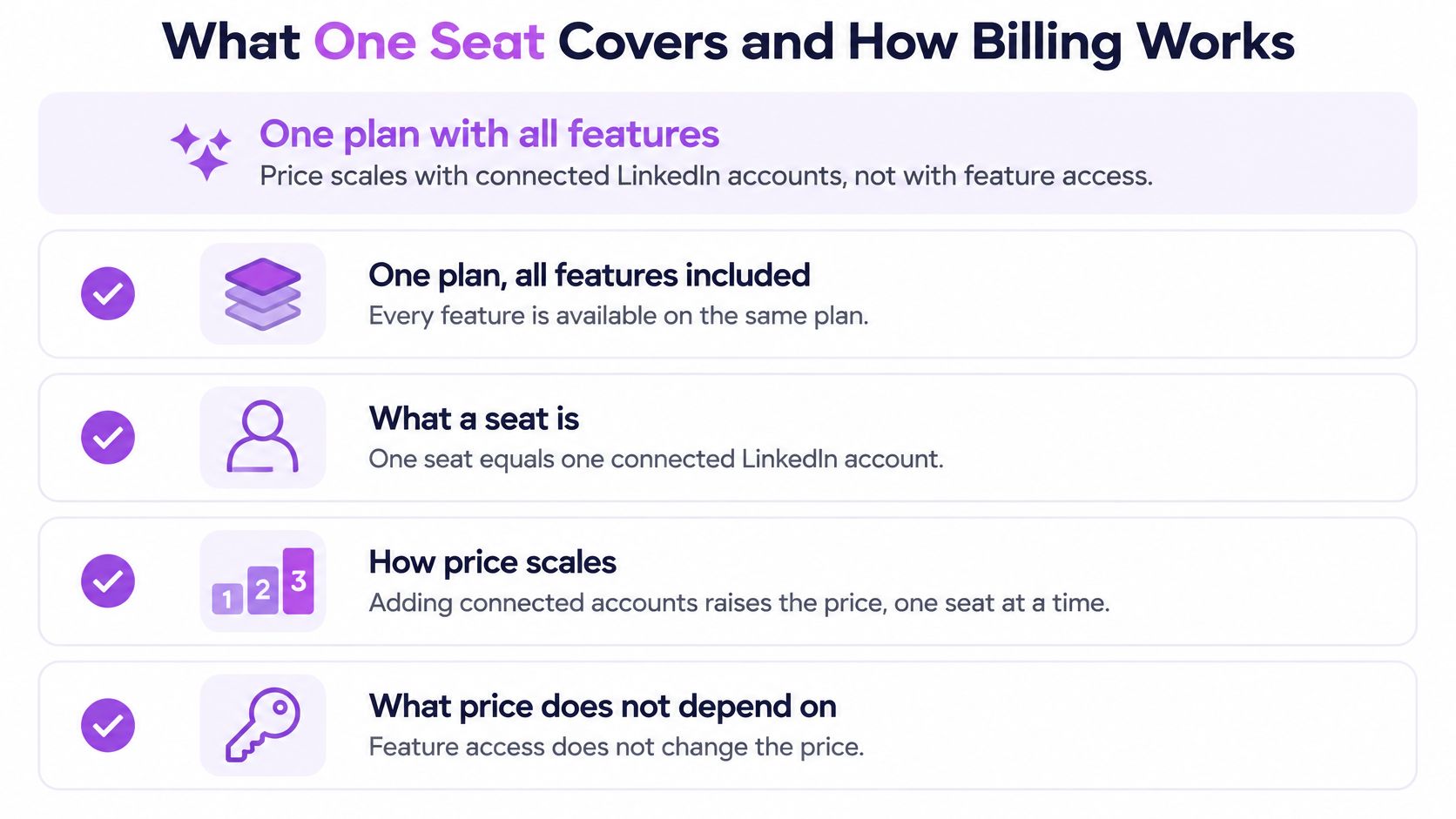
Expandi has one all-features plan, rather than separate feature tiers. Its official FAQ states that the base subscription includes all features at $99 per account per month, with additional discounts potentially available through a multi-account quote.
A seat means one connected LinkedIn account. Your bill therefore grows with connected accounts, not with the number of people who need visibility into a campaign.
The included feature set covers a dedicated IP per account, warm-up, per-account limits, detailed if-then sequences, and native CRM connectors. These are useful workflow controls, but they aren't a guarantee against LinkedIn restrictions.
Count accounts separately from users
Say a sales team has three reps and each connects one LinkedIn account. At the listed monthly rate, that hypothetical setup costs $297 per month, before taxes or a negotiated discount.
If one rep needs to manage multiple authorized accounts, don't assume a user login covers all of them. Ask for written confirmation of how connected accounts, administrators, client workspaces, and reporting-only access are treated.
Agency buyers should also separate sending access from client-data access. A tool can fit the seat budget yet create extra administration if clients or contractors can see the wrong workspace. Flowkon workspaces manage multiple LinkedIn accounts, campaigns, and teams with role-based permissions. Use our team and workspace overview as a reference, then test whether each client's team sees only the accounts and campaign information it needs.
Confirm the commercial details
Use this checklist before activating the full team:
Billing unit: Confirm exactly which connected accounts create a charge.
Billing term: Check the upfront payment, renewal date, and cancellation process.
Included features: Verify the sequence controls and CRM connector you intend to use.
Taxes: Establish whether the displayed price includes applicable tax.
Volume discounts: Get any multi-account discount documented in the offer.
Account changes: Ask how adding, removing, or replacing an account affects billing.
Monthly billing gives you room to test account administration without a long commitment. Annual billing makes more sense when the accounts, owners, and outreach process are already stable.
What Adds to the Real Monthly Bill
The seat fee is the start of the bill, not the total. Cold email at scale requires a separate Smartlead account, which adds another subscription on top of Expandi.
Your team may also need a CRM, a prospect data source, or an email-finder tool. Don't automatically charge the full cost of an existing CRM to a new outreach project, but do include any additional licenses or upgrades the project requires.
Build a stack worksheet
Use actual vendor quotes for the lines you don't already pay for. A single all-in estimate won't help if it hides which costs grow with accounts and which grow with usage.
Monthly cost worksheet beyond the seat fee
| Cost line | Billing type | Your monthly cost | What to check |
|---|---|---|---|
| Expandi seats | Per connected account | $79 to $99 each | Account count and billing term |
| Smartlead for cold email | Separate subscription | Selected plan's subscription charge | Plan size and sending volume |
| CRM | Vendor subscription terms | Existing spend plus required new licenses | Whether you already pay for one |
| Email finder or data source | Credits or subscription | Lookup volume priced under the chosen tool | Lookups needed each month |
Separate new cash spending from existing stack costs. Then keep another line for setup, campaign review, and reply handling, because those tasks still need an owner even when the sending is automated.
Account for usage-based credits
Our built-in email finder uses credits: one email uses one credit, each subscription includes 100 monthly credits, and an additional 10,000-credit pack costs $90. Included credits refill when the subscription starts and renews; unused monthly credits expire when the subscription ends.
Here's a hypothetical workload: a team finding 2,000 emails each month would use its included credits and need 1,900 additional credits. A purchased pack would cover about five months of that additional usage, making roughly $18 per month a practical allocation for a five-month budget.
That isn't a monthly payment option. The team pays for the pack upfront, and separately purchased credits don't expire and can be used across campaigns.
Budget for both the cash payment and the usage. A large list import can trigger a credit purchase before your average monthly allowance suggests it should.
For spiky campaigns, estimate the largest planned import as well as routine monthly lookups. Also confirm how included credits are allocated across subscriptions rather than assuming every connected account contributes to a shared balance.
Expandi vs Flowkon Cost at 1, 3 and 5 Accounts
This comparison uses public list prices, shows monthly totals before extras and taxes, and is illustrative, not a real client invoice.
Professional is the closer comparison to Expandi's all-in-one seat because it includes CRM integration and team management. Expandi bills per connected LinkedIn account, while Flowkon Professional is priced per user per month, so confirm how each vendor counts seats before treating the tables as like-for-like.
Expandi and Flowkon Professional monthly totals by account count (one user per account)
| LinkedIn accounts | Expandi monthly / annual billing | Flowkon Professional monthly / annual billing |
|---|---|---|
| 1 | $99 / $79 | $60 / $47 |
| 3 | $297 / $237 | $180 / $141 |
| 5 | $495 / $395 | $300 / $235 |
| 10 or more | Custom quote through sales | Custom plan, priced by sales |
The annual-billing columns show monthly equivalents, not the total annual payment. Expandi's figures apply its public per-account rates. Professional costs $60 per user per month or $47 with annual billing, and the column assumes one paid user for every connected account. Each additional teammate adds another $60 or $47, so a three-person team sharing one client's campaigns still pays for three users.
The Flowkon pricing page lists Professional at $60 per user per month with monthly billing or $47 per user per month with annual billing. The table above assumes one paid user per connected account; annual-billing figures are monthly equivalents.
What the price difference means
At one account, the annual-billing comparison produces an illustrative $384 yearly difference. At five accounts, the monthly equivalents are $395 versus $235, an illustrative $1,920 yearly difference before extras and taxes.
At the table's assumed one paid user per connected account, Flowkon Professional costs less at 1, 3, and 5 seats. That result changes if your team needs more paid users than connected LinkedIn accounts, so price both counts before choosing a plan. Check the Flowkon pricing page for current terms, then compare written quotes for the same account coverage, billing period, and required tools. For a broader feature comparison, see our Expandi alternatives guide and Dripify, Expandi, and Flowkon comparison.
The subscription line is the floor, not the bill. Expandi's higher seat price gives buyers a single all-features plan without choosing between tiers. Professional's lower list price sits inside a tiered structure, and email-heavy teams still need to budget for finder credits on top. Downtime carries a cost under either model: if a connected account is restricted, the fee keeps running while the replacement work gets done.
Compare written offers, not just table cells
For a larger rollout, list-price multiplication becomes less useful. Expandi directs agency-scale purchases toward sales, and our Custom plan serves teams of 10 or more users, enterprises, and agencies with quoted pricing, unlimited seat management, dedicated onboarding, and priority support.
Ask each vendor to price the same scope:
Account coverage: active sending accounts, replacement accounts, and administrative access.
Workflow requirements: CRM synchronization, conditional steps, reply handling, and reporting.
Usage charges: credits, separate email tools, and capacity-related upgrades.
Commercial terms: payment timing, renewal, taxes, and how removed accounts are billed.
Confirm current prices on the official Expandi pricing page and the Flowkon pricing page before buying. Compare the written offers against the workflow you will run in practice, because the cheapest table cell rarely produces the lowest operating cost.
Who Expandi Is Worth It For and How to Decide
Expandi is easiest to justify for a solo operator or small team doing most of its outreach on LinkedIn. It's a strong candidate when detailed if-then sequences, per-account controls, and native CRM connectors are central to the process.
It's harder to justify for agencies or larger teams because every additional connected account increases the subscription bill. A higher price can still make sense, but the workflow needs to earn that difference.
Expandi fit by team situation
| Situation | Expandi fit | First check before buying |
|---|---|---|
| Solo operator, mostly LinkedIn outreach | Strong candidate | Whether one account supports your planned workflow within permitted activity constraints |
| Small team, two or three accounts | Good fit if per-account controls and CRM connectors matter | Compare the three-account totals |
| Agency with five or more client accounts | Harder to justify because costs grow with each account | Request a volume quote and compare HeyReach and other alternatives |
| Cold email at scale alongside LinkedIn | Requires a separate Smartlead subscription | Add that subscription before comparing totals |
| Team wanting a lower entry price with email in one flow | Consider alternatives first | Compare Professional and other plans at the same account count |
Start with the work you need done
A solo founder shouldn't buy complex sequences merely because they're available. If the campaign only needs a connection request and a carefully written follow-up, implementation effort and reply handling may matter more than branching depth.
Conditional logic becomes more useful when different prospect actions require different next steps. For example, a team may want accepted connections to enter a message sequence while other prospects follow a separate path. Test the actual condition and stop behavior rather than checking a feature box.
Agency buyers have another concern: repeatability across client accounts. Check whether campaign setup, permissions, reporting, and account replacement can be managed without repeatedly rebuilding the process.
Make the buying decision in order
Count the accounts you expect to need over the next year. Include planned hires and client onboarding, but keep speculative growth separate from committed accounts.
Choose a billing term that matches certainty. I would use monthly billing for an unproven pilot and consider annual billing after the workflow is established.
Add the surrounding tools. Include Smartlead where needed, new CRM licenses, data subscriptions, and email-finder spending. Record which costs are fixed and which increase with use.
Model a pilot, a normal operating setup, and an expansion setup. Calculate the recurring monthly equivalent and the annual cash commitment for each. This exposes a tool that looks affordable at launch but becomes difficult to support after hiring.
Request a written volume quote at your real account count. Ask Expandi to document included features, the billing term, taxes, discounts, and account-change terms. Don't budget around a discount until it appears in the offer.
Compare the same scope across alternatives. Include HeyReach and our Professional plan, and confirm how each vendor counts accounts. Our Expandi alternatives guide can help build the shortlist without assuming all tools solve the same problem.
Test administration before judging results
A trial should answer operational questions first: can you connect the account, build the intended sequence, stop follow-ups after a reply, and get the right activity into the CRM? Assign someone to verify each handoff.
For a Flowkon pilot, follow the onboarding path: create an account, connect a LinkedIn profile, launch a campaign, then sync the CRM and track results. If your team uses Professional or Custom, check whether contacts, activities, and replies sync as expected. Review campaign-level and workspace-level dashboards with the person who will report results to clients or managers.
Our plans include a seven-day free trial with no credit card required. Use that time to test setup and workflow fit, not to assume a short campaign proves long-term outreach performance.
Buying test: If your team can't explain who receives replies, who updates the CRM, and who handles account problems, the subscription decision isn't ready.
Use our pricing page to map the relevant plan against your expected account count, then compare the complete bill rather than the entry price.
What Your Subscription Does Not Cover
A subscription doesn't make LinkedIn automation officially permitted. The LinkedIn Help Center says third-party software that automates activity on LinkedIn isn't allowed and that accounts may be suspended when prohibited automation is detected.
LinkedIn automation always carries some account-restriction risk, and no tool eliminates it. A dedicated IP, warm-up, or configurable limits don't change LinkedIn's published policy or guarantee uninterrupted access.
Put downtime into the buying decision
Consider a hypothetical agency managing five accounts that loses access to one for two weeks. That client's sequence pauses, scheduled follow-ups need review, and the team may need to rebuild the working list before restarting.
The subscription price alone doesn't capture that interruption. Someone must explain the reporting gap, preserve conversation history where available, and decide which follow-ups can continue manually.
Don't assume a cheaper tool causes restrictions or that a more expensive tool prevents them. Instead, compare how your team would detect a problem, pause activity, and recover the workflow.
Keep controls separate from guarantees
If your organization chooses to proceed despite the policy risk, establish operational safeguards:
Conservative activity settings: Avoid treating technical capacity as a target.
Warm-up discipline: Don't launch an unfamiliar account into a full campaign immediately.
Manual fallback: Keep an approved process for handling priority conversations without automation.
Named ownership: Document who owns each account and who can authorize campaigns.
Data responsibilities: Define access, retention, export, and client approval rules.
These practices can reduce avoidable operational mistakes, but they don't make prohibited automation permitted. Disable automated activity when required, and don't treat a workaround as an account-recovery plan.
For internal budgeting, track total outreach spending against active accounts and qualified conversations. Keep downtime and recovery work visible rather than hiding them inside a nominal seat price.
The lowest seat price is not necessarily the lowest total cost. Compare the number of paid accounts or users, required email tools, data and finder credits, new CRM licenses, and the time your team spends setting up campaigns and handling replies. Then calculate both the monthly operating cost and the annual cash commitment at your expected scale.
The deciding question is what happens to your bill when the team changes. Recalculate it for the users you expect to add and the LinkedIn accounts you expect to connect, then include any email-finder usage and new CRM licenses. If the annual option still makes sense at that higher count, use Flowkon to check the current plan and test the workflow before paying for a year.