.webp)

Many LinkedIn outreach campaigns generate activity without meaningful results. Connection requests go out, some prospects accept, but conversations rarely move forward. Often, the problem comes down to broad targeting, generic messages, and follow-ups that fail to match the buyer’s needs or timing.
TL;DR
- Define your ICP and buying committee.
- Fix your profile before you reach out.
- Find prospects with Boolean search and Sales Navigator.
- Spot trigger events and buyer signals.
- Enrich and verify every lead.
- Warm prospects up before you pitch.
- Send short messages, then follow up across LinkedIn and email.
If you want the broader channel context, this pairs well with LinkedIn marketing workflows and fits into a wider outbound strategy rather than working as a standalone tactic. For teams comparing channels, the differences and benefits of LinkedIn, email, and multichannel outreach are worth exploring in LinkedIn vs email vs multichannel outreach.
What is LinkedIn prospecting?
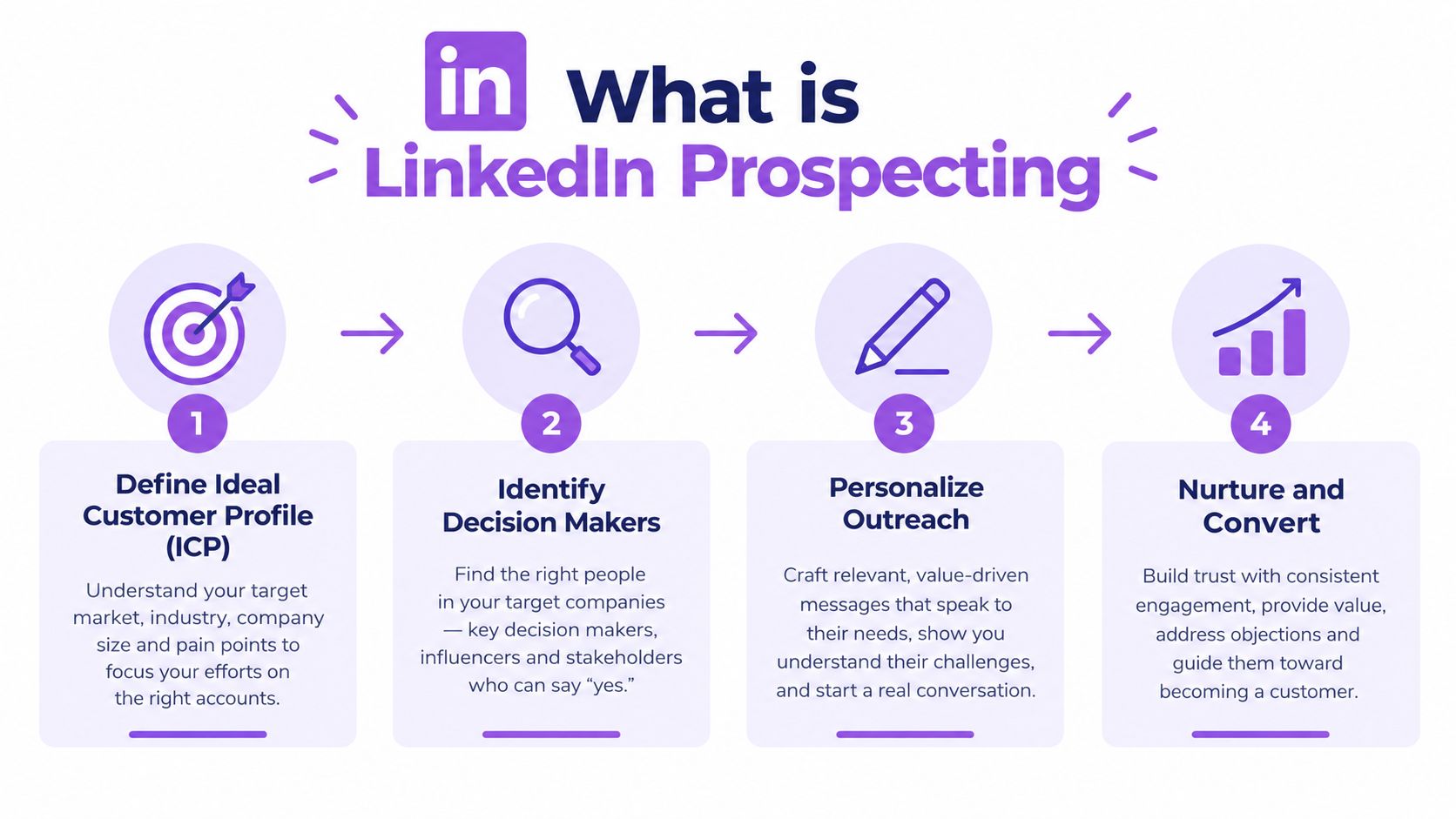
LinkedIn prospecting is the practice of finding B2B buyers on LinkedIn, qualifying them against your ICP, and reaching out with targeted connection requests, messages, and follow-ups to start real sales conversations. It is different from casual networking because every action has a pipeline goal. It is different from broad lead generation because the work happens inside a specific channel with visible buyer signals.
That channel matters because LinkedIn has become a major source of B2B social leads. Recent independent summaries report that 75–85% of all B2B social media leads come from LinkedIn LinkedIn statistics 2026. For outbound teams, that makes LinkedIn a core acquisition channel, not a side experiment.
The practical shift is simple. Prospecting on LinkedIn used to mean sending lots of requests and hoping volume would win. Now the channel rewards timing, relevance, and intent. Signal-based outreach can achieve higher acceptance and reply rates than cold list outreach because the message lands when the buyer has a reason to care.
Practical rule: treat LinkedIn as a conversion path, not a contact directory. If you cannot explain why the prospect should care today, do not send the request.
In practice, LinkedIn prospecting is a repeatable workflow. Identify the right account, reach the right buyer, earn acceptance, send a relevant message, then move to email or booking when the thread stalls. The key question is not whether you can find people. It is where the funnel breaks, at connection acceptance, first reply, or meeting booked.
Is LinkedIn the right channel for your ICP?
The fastest way to waste time on LinkedIn is to use it for an audience that barely lives there. If your buyers are active, visible, and post or comment occasionally, you've got a chance. If they're hidden, offline, or rarely use the platform, LinkedIn can still help, but it shouldn't be your only outbound engine.
Ask yourself four questions.
- Are my buyers present? If your ICP includes SaaS leaders, agency owners, recruiters, consultants, or B2B operators, LinkedIn usually makes sense. If you sell into construction, traditional manufacturing, or heavily field-based roles, activity may be thinner and the workflow needs more email support.
- Can I identify the buying committee? LinkedIn works best when you can map multiple stakeholders per account, not just one champion.
- Do trigger events exist? Hiring, funding, promotions, new markets, and job changes create useful timing. Without triggers, outreach gets generic fast.
- Can I personalize without guessing? If you can't find meaningful context, the message will feel forced.
Practical rule: if you can't find enough of your targets in search after a few test runs, the issue is usually channel fit, not copy.
There's also a budget question. LinkedIn is strongest when you need precise B2B targeting and a visible professional graph. It's weaker when your market is broad, anonymous, or heavily email-first. Agencies and SDR teams often get the best results when LinkedIn starts the conversation and email keeps the thread alive.
Step 1 Define your ICP and build a target account list
Good LinkedIn prospecting starts before you search. You need a tight ideal customer profile and a list of accounts worth working, or every search becomes a random walk through the platform. A common mistake is defining the person first and the company second, which leads to relevance gaps later.
Start with company attributes, then add buyer attributes.
Company attributes
- Industry
- Company size
- Geography
- Growth stage
- Tech stack
- Funding or ownership model
Buyer attributes
- Job title
- Seniority
- Function
- Role in the buying committee
- Likely pain point
Then map the buying committee. In most B2B deals, you don't need one contact, you need 3 to 5 stakeholders per account. A practical map might include the economic buyer, the day-to-day owner, a technical reviewer, a finance or operations voice, and a blocker or influencer.
A simple target-account format looks like this:
AccountTarget rolesWhy this accountTrigger to watchMid-market SaaSVP Sales, RevOps Manager, SDR ManagerGrowing outbound teamNew hire or fundingAgency clientFounder, Head of Growth, Client Services LeadNeeds multi-account outreachNew service launchRecruiter targetTalent Lead, Head of TA, RecruiterHigh candidate volumeHeadcount growth
If you are building the list by hand, keep it small enough to inspect. The goal isn't to create a giant spreadsheet. The goal is to create an account list where every prospect has a believable reason to receive your message.
Step 2 Optimize your LinkedIn profile before reaching out
Your profile is part of the outreach. People check it the moment they see your request, and a weak profile can erase the work you did on targeting.
Use this checklist.
- Headline: say who you help and what outcome you drive.
- About section: keep it specific, short, and buyer-facing.
- Banner: make it clear what category you work in.
- Social proof: show credibility with proof points, roles, or past work.
- Featured section: add a relevant asset, case note, or useful guide.
Don't write for peers. Write for the prospect who is deciding whether to accept you. If they land on your profile and can't tell why you're relevant in a few seconds, acceptance and replies both suffer.
A strong profile also reduces the need for long connection notes. When your positioning is clear, the message can stay short. That matters because long pitches inside the first touch usually lower trust rather than build it.
Step 3 Find prospects on LinkedIn
A search query can be the difference between a clean pipeline and a long list of people who will never reply. Broad title searches, keyword stuffing, and saved searches that no one reviews again usually fill the CRM with noise. Stronger prospecting starts with tighter filters, a simple Boolean query, and a review process that keeps the list honest.
LinkedIn Boolean search for prospecting
Boolean search is the fastest way to narrow LinkedIn people search without depending only on filters. Use AND to require terms, OR to widen a set of titles, NOT to exclude bad fits, quotes for exact phrases, and parentheses to group ideas.
Here are copy-ready examples.
- Sales leaders at SaaS companies
("VP Sales" OR "Head of Sales" OR CRO) AND SaaS NOT recruiter - RevOps buyers
("Revenue Operations" OR RevOps OR "Sales Operations") AND (manager OR director) NOT intern - Founders at agencies
(founder OR co-founder OR CEO) AND agency NOT student - Talent leaders
("Head of Talent" OR recruiter OR "Talent Acquisition") AND startup - Marketing buyers
("Demand Gen" OR "Demand Generation" OR "Growth Marketing") AND director - Finance operators
("FP&A" OR "Finance Director" OR controller) AND B2B
Use Boolean to cut noise, not to show off. If the string gets too long, the search is harder to troubleshoot than the problem you started with.
Free LinkedIn search vs. Sales Navigator
Free search can work, but it breaks down when you need repeatable prospecting. Sales Navigator is built for that job because it gives you deeper filters, live updates, and better list management. LinkedIn documents 50+ filters in Sales Navigator, and it recommends using the Posted-on LinkedIn filter to prioritize leads active in the last 30 days.
FactorFree LinkedIn searchSales NavigatorBest forSmall list building, founder-led outreachSDR teams, agencies, recurring prospectingFiltersBasic people search50+ filters including Function, Seniority level, Years at company, Experience, Current company, Account lists, RegionReal-time updatesLimitedSearch results update in real time as filters change.Intent signalsMinimalRecommended Leads, buyer intent signals, account contextScalabilityLow to moderateStronger for ongoing campaigns
The distinction is not only filter count. Sales Navigator lets you return to the same account universe without rebuilding it every time. That matters if you prospect weekly or manage client work across several segments.
Groups, events, competitor followers, and people engaging with ICP posts
The best lists usually come from visible behavior, not static titles alone. People commenting on relevant posts, attending industry events, following competitors, or engaging with your ICP's content already have context around the topic.
A practical workflow is to pull names from:
- Groups and events: attendees and active participants are easier to place in context.
- “People also viewed”: useful for adjacent titles and similar roles.
- Competitor followers: often closer to active buying intent.
- People engaging with ICP posts: strong signal when the topic is directly relevant.
These sources are not magic. They just give you a reason to start with context instead of guessing cold.
Can you prospect on LinkedIn without Sales Navigator
Yes. For a founder, solo operator, or small team doing light outbound, free search plus manual review is enough to get started.
The main limitation is the lack of advanced filtering and consistent prospect data. Free search gives you less filter depth, less structure, and less consistency across campaigns. If you run prospecting every week, the time spent cleaning lists and re-finding prospects become a hidden cost.
Practical rule: if prospecting happens every week, Sales Navigator usually pays for itself in saved time and cleaner targeting, even before you count better list quality.
Choosing the right lead generation strategy depends on your target audience, budget, and sales goals. Compare LinkedIn prospecting with other lead generation channels to understand which approach best fits your team's workflow and helps build a consistent pipeline.
Step 4 Spot trigger events and buying signals
A job title tells you who a prospect is, but a trigger event helps you understand why they might be interested right now. Using these signals in your outreach makes your messages more relevant, timely, and more likely to get a response.
The signals worth watching are straightforward.
- Funding: new capital often creates hiring, tooling, and process changes.
- New executive hires: new leaders usually review the stack quickly.
- Job changes: people in a new seat are often open to conversations.
- Headcount growth: growing teams need systems, support, and structure.
- Relevant posts: a post about a challenge, launch, or priority gives you a useful opening.
Prioritize signals based on how relevant and timely they are. A recent job change or a post discussing a current challenge may be a stronger reason to reach out than a general company announcement. Funding news can also be a useful signal, especially when your offer aligns with the company's current needs and growth stage.
A practical scoring approach is simple.
- High priority: direct trigger tied to your offer, recent job change, active post about the problem.
- Medium priority: hiring wave, growth signals, company news that hints at change.
- Low priority: static profile fit with no visible trigger.
Don't treat all triggers equally. A prospect who just changed roles is often in a different mindset from someone whose profile merely fits your ICP. The message should reflect that difference.
Step 5 Enrich and verify your leads
Data quality decides how personal your outreach feels. If the company name is wrong, the title is outdated, or the email bounces, the rest of the sequence loses credibility.
Collect the data that helps you personalize and route leads properly.
Worth collecting
- First and last name
- Current title
- Company
- Location
- Department or function
- Recent trigger event
- Verified email as backup
Usually skip
- Trivia that doesn't change the message
- Overly broad biography notes
- Fields you won't use in the sequence
A useful five-minute checklist per prospect looks like this:
- Confirm identity: check name, title, and company.
- Check recency: see if the role or company changed recently.
- Find one relevant reason: post, hire, funding, launch, or shared context.
- Look for buying fit: decide whether the person can influence the purchase.
- Verify backup contact: if LinkedIn goes quiet, have a usable email.
Verified email matters because not every buyer responds on LinkedIn. A second channel gives you another chance to reach the same person without starting over.
Flowkon's Lead Enrichment and Email Finder & Verification are one way to centralize that step, especially when you want enrichment tied directly to outreach rather than spread across separate tools. I use that kind of workflow when the list has to move from research to action fast.
Step 6 Warm up prospects before you pitch
A common view treats warming up as something you do to an account. It's really about making your name familiar before the request lands. If the recipient has already seen you, the first touch feels less abrupt.
Use a simple warm-up sequence.
- Engage with posts: like or comment where it makes sense.
- View profiles: get your name into the activity stream.
- Follow the company page: signal mild interest before you connect.
- Use a relevant follow action: if the company page matters, that's often a clean first touch.
People don't need a long sequence to feel familiarity, they need a believable reason to recognize your name.
A light touch works better than fake enthusiasm. Don't comment just to create visibility. Comment when you have something relevant to add, otherwise the engagement becomes noise.
Flowkon's Request to Follow Company is one example of automating the follow step without turning the whole process into spam. The point is to support the human workflow, not replace judgment.
Step 7 Send messages that get replies
The message has one job, earn the next response. It doesn't need a pitch deck, a long intro, or every benefit you can think of. It needs relevance, restraint, and a clear reason to keep the thread alive.
Connection request vs. InMail
Use connection requests when the relationship is still early, and you want a lower-friction first touch. Use InMail when you need direct access and the account context justifies it. Keep your outreach targeted, personalize your messages, and prioritize prospects who are most likely to respond.
ChannelBest forCharacter limitsTypical response patternConnection requestCold or warm introductionShort note, if usedBetter when relevance is obviousInMailDirect outreach to a targeted buyerLonger than a request noteUseful for harder-to-reach prospects
Limits can change, so re-check the current LinkedIn help pages before you build a workflow around any fixed number.
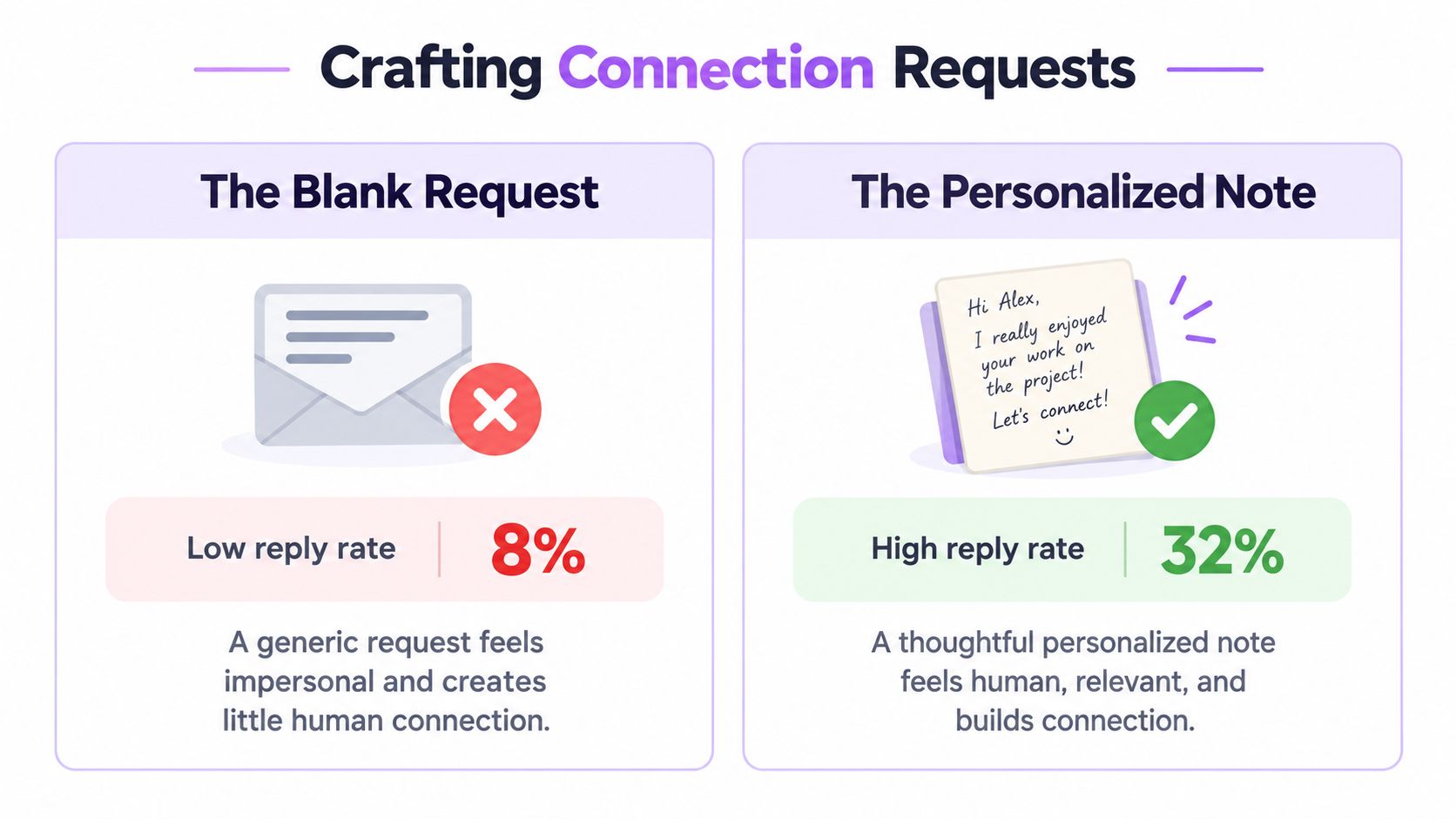
Connection request with a note vs a blank request
Practitioners disagree on this, and the audience matters more than ideology. A note can help when the context is strong. A blank request can work when your profile already does enough of the heavy lifting and the market dislikes over-explained outreach.
Run a simple A/B test on your own audience.
- Version A: short note with one context point.
- Version B: blank request.
- Measure: acceptance rate and downstream reply rate.
- Decide: keep the variant that produces real conversations, not just accepts.
If your audience is skeptical, the shorter path often wins. If your audience needs a clear reason to connect, the note helps.
Message templates
1. Problem-based connection requestHi {first_name}, I work with teams at {company} stage that are usually dealing with {specific problem}. Thought it made sense to connect.
Why it works: it names a likely pain without pitching too early.
2. Mutual-connection requestHi {first_name}, I saw we both know {mutual_connection}. I’m reaching out to a few people in {industry} and thought it’d be good to connect.
Why it works: shared context lowers friction.
3. Trigger-event messageHi {first_name}, saw that {company} just {recent trigger}. Teams at that stage usually start rethinking {area}. Happy to connect if that’s relevant.
Why it works: it anchors the message to a real event.
4. Value-add follow-upThanks for connecting, {first_name}. I took a look at {company} and noticed {relevant observation}. I can send over a couple of ideas if useful.
Why it works: it leads with usefulness, not a meeting ask.
5. Re-engagement messageHi {first_name}, circling back here. Since we last spoke, I thought of {relevant angle} for {company}. Want me to send it over?
Why it works: it gives the prospect an easy way to re-enter the conversation.
6. Soft meeting askHi {first_name}, if improving {problem} is still a priority at {company}, I’d be happy to share what’s worked in similar cases. Open to a quick chat next week?
Why it works: it asks permission without sounding pushy.
7. Recent-post openerHi {first_name}, I saw your post about {recent_post}. The part about {specific detail} stood out. Would be good to connect.
Why it works: it shows the message was written for that person, not a list.
8. Referral-style introHi {first_name}, {referrer_name} mentioned you might be the right person to speak with about {topic}. Thought I’d reach out here first.
Why it works: referral context changes the tone from cold to expected.
If you want a stronger first-touch angle, the internal notes in the personalization gap article are a useful reminder that personalization has to change the buyer's experience, not just merge a first name.
Build a LinkedIn and email follow-up cadence
A lot of outreach dies because teams stop after the first message. In practice, the thread often needs a second or third touch, and if the buyer still doesn't respond, email gives you a cleaner backup path.
DayMessage typeAngleDay 1Connection requestShort, specific, low pressureDay 3First follow-upValue-first, tied to the trigger or painDay 7Second follow-upOne useful insight or exampleDay 14Email follow-upBackup channel, same context, shorter ask
The stop rule should be simple. If there's no reply after 3 to 4 touches across LinkedIn, stop pressing the thread on LinkedIn and move the remaining touches to email. That keeps the sequence alive without turning the channel into a nuisance.
A good multichannel sequence feels like one conversation, not two disconnected tools. In Flowkon's Multichannel Campaign builder, the logic can stay in one flow, so the LinkedIn step and the email step follow the same context instead of living in separate systems.
How to automate LinkedIn prospecting safely
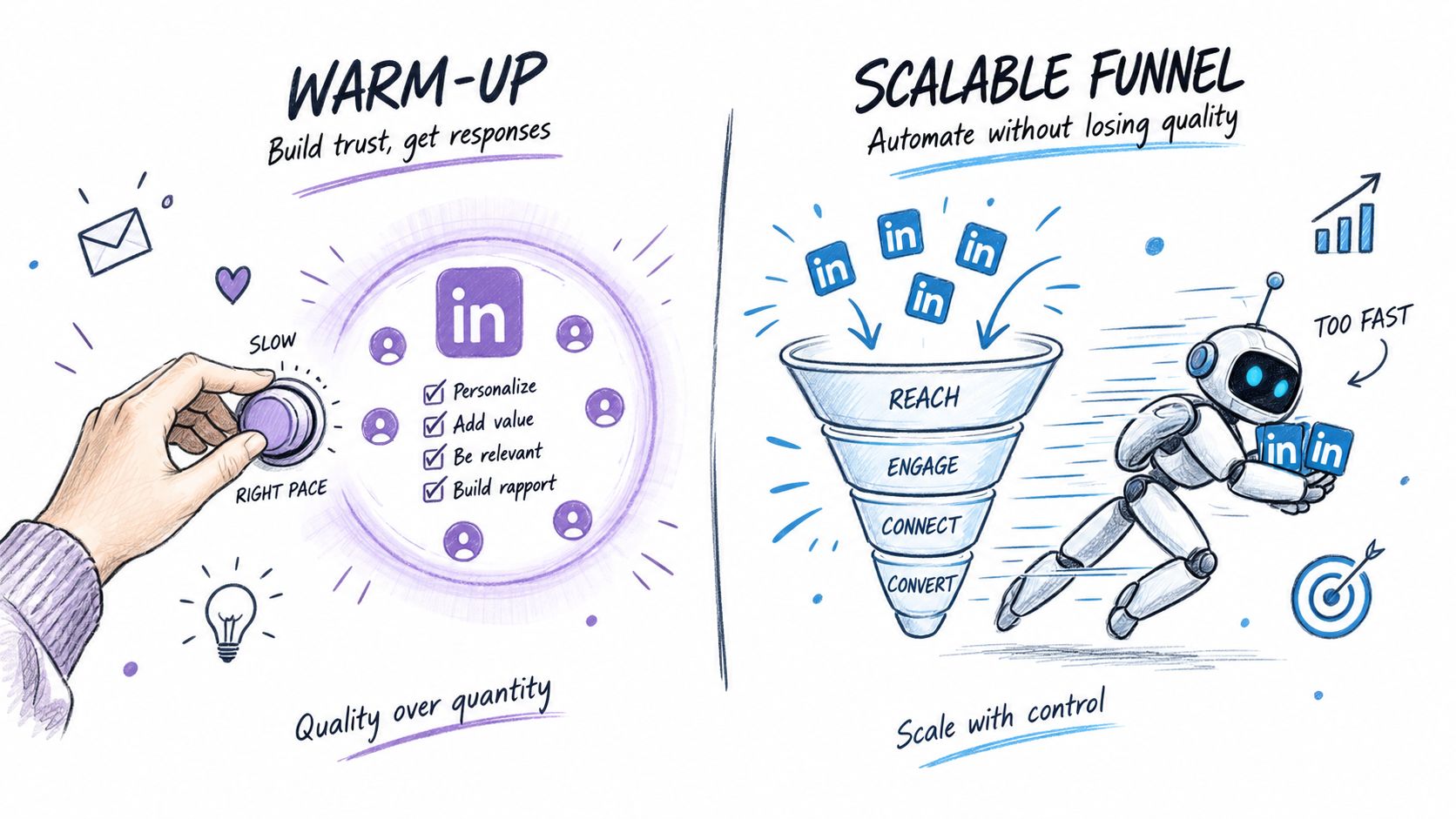
Automation is useful only when it behaves like a controlled workflow. The safe parts are the repeatable steps, list handling, enrichment, follow-up timing, and inbox organization. The risky parts are scraping, aggressive sending, and anything that tries to mimic human behavior without limits.
Keep these guardrails in place.
- Use daily activity limits: cap actions so the account doesn't spike.
- Ramp up gradually: new accounts need time to look natural.
- Keep delays human-like: don't fire actions in rigid bursts.
- Warm up accounts: use light organic activity before sending.
- Avoid scraping-first tools: data extraction alone isn't outreach.
- Review LinkedIn's current terms: the platform can change what it tolerates.
LinkedIn restricts certain kinds of automation, and that risk doesn't go away just because a tool is convenient. The safest mindset is to automate the workflow around LinkedIn, then keep the touchpoints that matter most under tight control.
For teams that want the operational side in one place, Flowkon's LinkedIn Automation and Dashboard and Analytics keep activity limits, response tracking, and campaign visibility close to the workflow rather than buried in separate tabs.
The strongest setups don't chase volume for its own sake. They warm the account, keep the cadence steady, and stop when the prospect has already said enough. If the sequence needs to scale, the fix is usually better targeting and cleaner follow-up, not more aggressive sending.
LinkedIn prospecting tools compared
Different tools solve different pieces of the workflow. The mistake is expecting one category to do everything equally well.
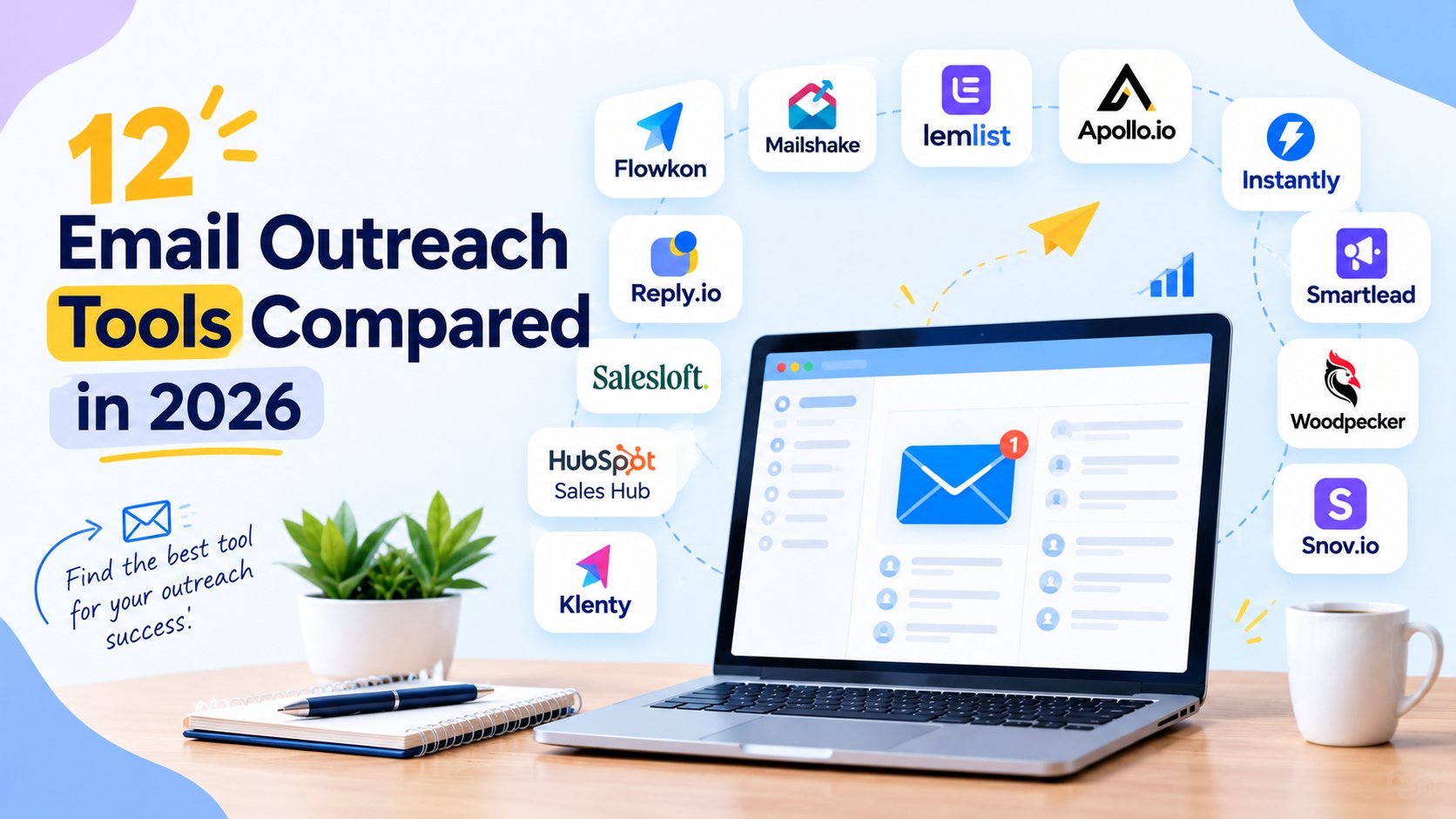
CategoryUse caseBest forKey trade-offB2B data platformsSourcing and enrichmentTeams that need broad contact dataLess native outreach controlSales engagement platformsSequencing and follow-upTeams managing multi-step cadencesLinkedIn-specific actions can be limitedLinkedIn-native tools, like Sales NavigatorProspect search and intent signalsTeams focused on targeting qualityDoesn't run the outreach workflow itselfOutreach automation platforms, like FlowkonLinkedIn and email executionTeams that want one multichannel flowRequires careful governance and clean data
Don't trash any category. A good stack often combines more than one of them. The decision is whether you want a narrow search tool, an enrichment layer, or a campaign engine that moves prospects from LinkedIn into email without rebuilding everything by hand.
If you use CRM-heavy workflows, the HubSpot integration and Salesforce integration are the kind of connectors that reduce manual handoff, especially for teams that need campaign data to land in one system of record.
How to measure LinkedIn prospecting success
You can't fix what you don't measure, and LinkedIn prospecting breaks in different places. The funnel gives you the diagnosis.
Track these metrics:
- Connection acceptance rate: tells you whether targeting and profile credibility are working.
- Reply rate: tells you whether the message is resonating.
- Positive reply rate: tells you whether the conversation is progressing.
- Meetings booked: tells you whether the offer is strong enough to create action.
- Pipeline sourced: tells you whether the motion creates business value.
Recent LinkedIn outreach benchmarks offer a useful reference point for evaluating campaign performance. One 2026 benchmark analyzing 13.2 million connection requests reported a 28.5% acceptance rate, a 10.4% reply rate for outbound messages, and a 3.0% response rate for connection-request notes. A separate study covering more than 15 million contacts found an overall reply rate of 7.2%, with rates varying by country: 6.0% in the US, 6.1% in the UK, 7.1% in Canada, 6.4% in Australia, and 10.5% in the Netherlands (LinkedIn outreach study).
Use that data to diagnose the problem.
- Low acceptance: targeting or profile issue.
- Low replies: messaging issue.
- Low meetings: weak offer or weak follow-up.
- Good replies, poor pipeline: qualification or handoff issue.
Practical rule: don't change three things at once. Fix the list, then the message, then the cadence. If you change everything, you won't know what moved the result.
If you're running campaigns in one place, Flowkon's analytics dashboard is useful because it keeps acceptance, reply, and click-through visible in the same campaign view. That makes it easier to spot which stage is breaking before the whole sequence stalls.
LinkedIn prospecting playbooks by role
Sales teams need repeatability. Build one segment per persona, one message angle per segment, and one clear handoff into the CRM. The most effective teams treat acceptance and reply as separate KPIs, then revise targeting before they rewrite copy.
Agencies need structure across multiple accounts. Separate workspaces, role-based permissions, and client-specific lists matter more here than clever copy, because the primary risk is mixing context between brands. If you run several client motions, keep each one isolated so reporting stays clean.
Founders need speed and relevance. You probably won't run deep sequences every day, so focus on a tight list, a clear trigger, and a short ask that sounds human. The best founder-led outreach usually feels like one person reaching out, not a system at scale.
Recruiters care about responsiveness and candidate fit. The message should focus on role relevance, timing, and a reason the person should answer now. When recruiting outreach feels too salesy, response quality drops fast.
7 common LinkedIn prospecting mistakes
- Targeting too broadly, fix it by narrowing the ICP before you write copy.
- Sending a pitch in the first message, fix it by asking for connection first.
- Ignoring trigger events, fix it by timing outreach around real changes.
- Using stale data, fix it by enriching and verifying before launch.
- Treating acceptance as pipeline, fix it by tracking replies and meetings too.
- Stopping after one touch, fix it by building a multi-step cadence.
- Automating too aggressively, fix it by keeping daily limits and warm-up in place.
LinkedIn prospecting best practices
- Keep the ICP narrow
- Use trigger-based outreach
- Make the profile buyer-facing
- Write short, specific messages
- Track acceptance and reply separately
- Use email as the backup channel
- Warm up accounts before scaling
- Review LinkedIn terms regularly
- Protect list quality before volume
- Stop messaging when interest is gone
Conclusion
LinkedIn prospecting works when you treat it like a funnel, not a flurry of requests. Define the ICP, optimize the profile, find the right prospects, watch for triggers, enrich the data, warm up before you ask, then send short messages and follow up across channels. If acceptance is weak, fix targeting. If replies are weak, fix the message. If meetings are weak, fix the offer and cadence.
Run your first LinkedIn + email sequence with Flowkon. Start your 7-day free trial, no credit card required. Visit Flowkon and build a prospecting flow that moves from connection request to booked conversation without stitching everything together by hand.





.svg)

