.webp)

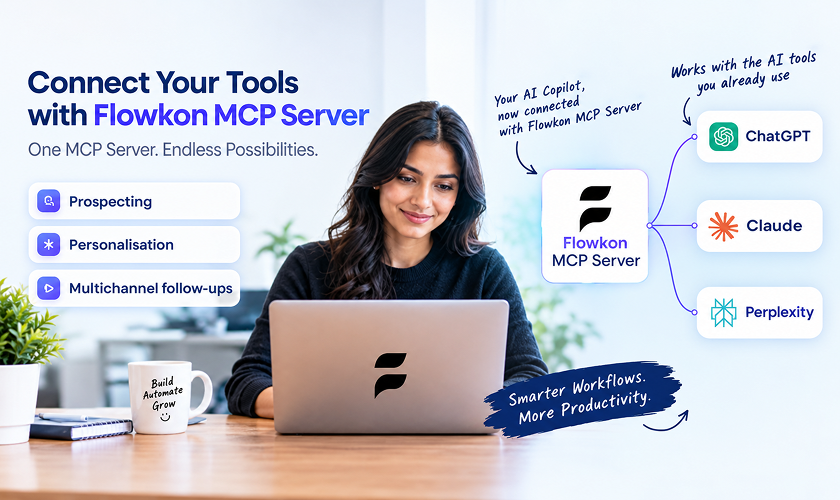
A LinkedIn MCP server is a third-party tool that lets an AI assistant, like ChatGPT, Claude, or similar tools, interact with LinkedIn through a structured set of actions. Those actions can include reading profile data, reviewing recent activity, drafting messages, or triggering follow-up steps. MCP stands for Model Context Protocol, a standard that helps AI models use external tools in a more organized way. In simple terms, the server acts like a bridge between the AI assistant and LinkedIn, so the model can request specific actions instead of relying on loose prompts or brittle scripts.
That does not make it an official LinkedIn product. In practice, a LinkedIn MCP server is usually built by an outside company or developer to connect LinkedIn activity with AI workflows, CRM data, or outreach systems. For sales teams, the real question is not whether this sounds advanced. It is whether the setup improves research and coordination without creating account risk
Why LinkedIn Automation Feels Fragile Right Now
A rep sends a LinkedIn note on Monday, an email follow-up goes out on Wednesday, and someone replies on Friday without saying which touch was effective. That kind of scattershot sequence is common, and it gets worse when tools don't share state cleanly. You end up guessing what happened, which channel mattered, and whether the account is being pushed too hard.
The linkedin mcp server category exists because teams want something more coordinated than brittle scripts. A Model Context Protocol server exposes LinkedIn actions as tools an AI agent can call, so the assistant can reason over context before acting. That is a real shift from rigid automation, but it doesn't remove the operational risk. It just moves the decision point closer to the action.
Why the old approach keeps breaking
Traditional automation usually works until LinkedIn changes a UI element, tightens a login step, or flags activity patterns that don't look human. That's why community explainers keep describing the space as third-party, decentralized, and experimental, with no official LinkedIn MCP server in sight. LinkedIn's own access model is still gated, and in practice that pushes most builders toward small, specialized tools rather than a stable platform standard. LinkedIn MCP glossary overview
Practical rule: if the workflow depends on LinkedIn behaving exactly the same every day, it's already fragile.
What matters in practice is not whether a tool can click buttons. It's whether your team can explain who approved the action, what data the assistant saw, and what happens when LinkedIn changes the ground rules. That's the lens I'd use before any sales leader lets a rep connect an agent to outreach.
What an MCP Server Actually Does for Your Outreach
At a practical level, a LinkedIn MCP server sits between your AI client and LinkedIn actions. It turns tasks like looking up a profile, reading a feed, or drafting a message into typed tools that the agent can call. That middle layer is why people talk about it differently from ordinary scripting. It is not just automation, it's context-aware execution.
The important difference is that the model can inspect context before it acts. Instead of blasting the same note to every prospect, it can check what the person posted, what company they work at, or whether there's a stronger angle worth using. That doesn't guarantee a better message, but it does give you a better decision path than a static rules engine. For a product-style view of how a governed MCP layer fits into outreach, see the Flowkon MCP feature overview.
Where the bridge sits in the stack
The bridge usually connects an AI client to LinkedIn through either an API-backed path or a browser-session path. That distinction matters because the assistant's “intelligence” is only as good as the connector underneath it. If the connector is brittle, the workflow is brittle. If it's API-backed and permissioned, the workflow is usually easier to control.
Why this is different from a normal API wrapper
A standard API integration tends to do one thing at a time. An MCP layer can expose several actions as tools and let the agent sequence them based on context. That opens the door to better workflow design, but it also means you need clearer guardrails. More capability in the hands of an agent is useful only if the action boundaries are obvious.
How Third-Party Servers Connect to LinkedIn
There are two basic architectures here, and they are not interchangeable. Some servers lean on unofficial or limited endpoints to pull data quickly. Others drive a real browser session, often locally through Docker or a similar container setup, so the tool behaves more like a person using LinkedIn by hand.
The API-leaning path is usually faster and simpler to use, but it comes with more uncertainty because it may depend on nonstandard access. The browser-session path feels more grounded because it operates through the user's own logged-in environment, but that shifts more responsibility onto you. You own the session, the credentials, the environment, and the cleanup when something breaks.
The trade-off sales teams should actually care about
If you run a founder-led or lightweight outbound motion, a local browser-based tool can be enough for research and narrow tasks. It is easier to understand, but it also depends on how well the maintainer handles session state and automation updates. If your team needs repeatability across multiple users, that setup gets messy fast.
Practical rule: the more an MCP server touches your actual LinkedIn session, the more you need change management, not just setup instructions.
The other thing teams miss is that capability depends on the connector, not the buzzword. Some projects mostly read feeds and jobs. Others advertise many more actions, including search, connect, message, and enrichment. The broader the action set, the more carefully you need to decide who can use it, when they can use it, and what safety checks happen before anything is sent.
Practical Sales and Recruiting Use Cases
A good use case for LinkedIn MCP is not “do everything from the model.” It is “reduce manual context assembly.” An SDR can pull a prospect's recent activity, check the company, compare that against CRM notes, and draft a message from a single workflow. That saves the toggling between tabs that slows a rep down and makes personalization inconsistent.
For recruiters, the pattern is similar. A tool can help screen profiles against role criteria, surface the parts of a candidate's background that matter, and pass that into a tracking system. The value is not the profile lookup itself. It's the structured handoff from research to action.
Where the workflow is actually useful
The category gets more interesting than a simple browser bridge here. A sales team might use LinkedIn as one input in a broader sequence, then push the result into CRM, inbox, or campaign logic. A recruiting team might combine profile research with scheduling and notes. The MCP server becomes the transport layer, not the strategy.
Here are the kinds of workflows that make sense:
- Prospect research: check a target's recent posts, company details, and mutual context before writing.
- Recruiting triage: gather profile summaries, then route strong fits into a shortlist.
- Campaign enrichment: attach LinkedIn context to CRM records before a sequence launches.
- Conversation capture: turn a useful call or message thread into material for the next outreach step.
If you want this to be more than a one-off prompt trick, the workflow needs a source of truth outside LinkedIn. That's why teams that use MCP well think in terms of orchestration, not “let the assistant handle it.” The assistant should gather context and propose action. People should still approve the parts that can affect reputation.
Risks and Compliance Concerns for LinkedIn MCP Servers
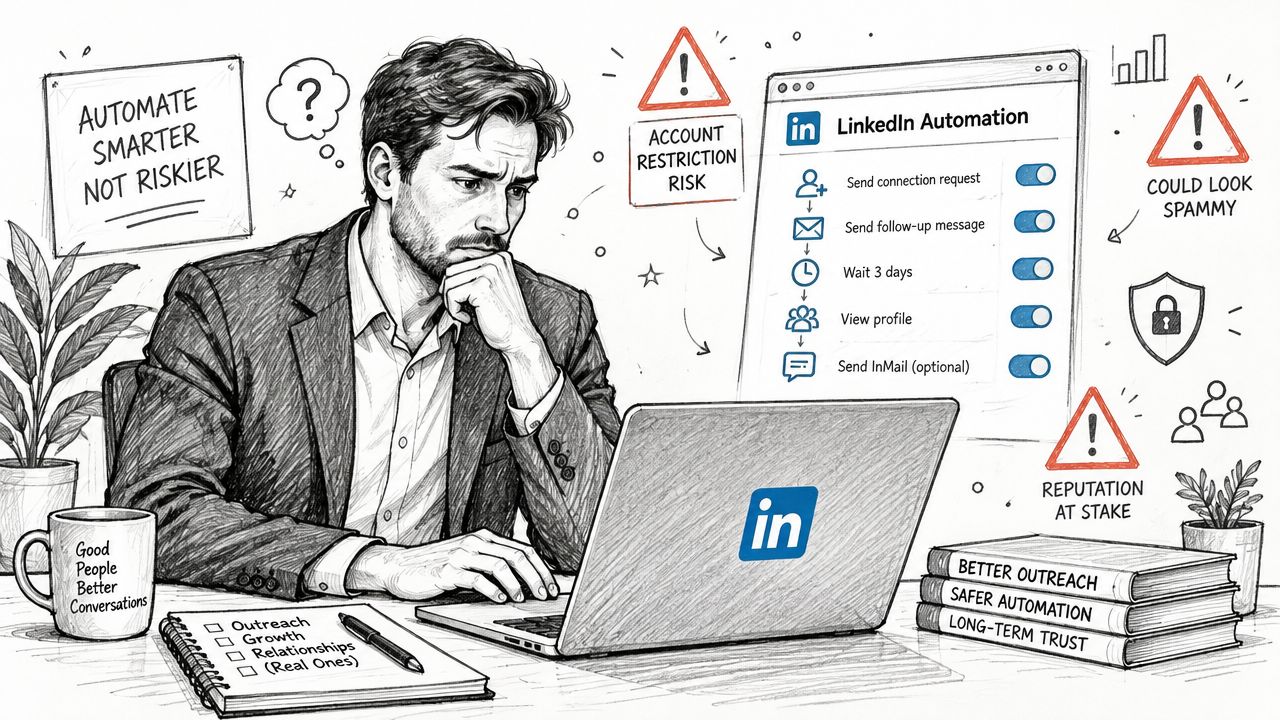
LinkedIn's rules should shape the workflow before any technical setup begins. Independent 2026 coverage summarizing LinkedIn's User Agreement says LinkedIn prohibits third-party software or automation that scrapes data, modifies the site, or automates activity. It also warns that violations can lead to account restrictions or shutdowns. A sales team should therefore treat a LinkedIn MCP server as an unapproved risk surface, not as officially supported automation. LinkedIn automation policy guide
The practical limits matter just as much. LinkedIn's Help Center says all members are subject to invitation limits, and reaching a limit may temporarily restrict an account from sending invitations for about a week. Basic members can add a personalized message to only five connection requests per month, while Premium members can send unlimited personalized messages with connection requests.
If warning signs appear, review the 5 signs your LinkedIn account is at risk of restriction and how to fix it before expanding automation.
Why permission and safety are different things
OAuth permission confirms that a connection was authorized. It does not confirm that the resulting activity complies with LinkedIn's rules or is suitable for production outreach. A server can function correctly while creating account risk through its session handling, request volume, or automated actions.
LinkedIn also sets a ceiling on network growth. Members can have up to 30,000 1st-degree connections, according to LinkedIn. LinkedIn network size limit That limit reinforces a basic planning constraint: outbound capacity depends on platform mechanics as well as sequence logic.
Your goal is risk management, not blind faith in automation.
What to watch before you let anything publish
Any server that can send invitations, messages, or posts needs explicit human approval, activity logs, and a rollback plan. Document where credentials are stored, who can access them, and how sessions are refreshed. Browser-session tools need extra scrutiny because they depend on cookies, login state, and browser behavior that can change without notice.
Set a failure owner before launch. If LinkedIn changes a workflow tomorrow, the team should know what breaks first, who receives the alert, and how access is revoked. Without those answers, the setup is not ready for production.
Choosing the Right Approach for Your Team
The right choice depends on what you're optimizing for. If you care about speed and low setup effort, a managed connector or hosted server is usually easier. If you care about control and can handle maintenance, an API-backed or self-built route may fit better. If you care about minimizing account risk, you should be much more selective about session-based tools.
The decision also changes by team size. A solo founder can sometimes tolerate a local, read-heavy workflow for research. A larger sales team usually needs stronger guardrails, shared visibility, and repeatable controls. Once multiple reps touch the same process, loose automation becomes a governance problem.
A simple decision frame
- Use open-source session tools when you need research, you understand the risk, and the workflow stays narrow.
- Use API-backed servers when you want publishing or updates tied to approved access.
- Use managed platforms when the team needs pacing, logging, and operational consistency more than raw flexibility.
That last bucket is where a platform like Flowkon fits naturally, because it combines LinkedIn and email outreach, campaign controls, centralized inbox handling, enrichment, and CRM sync in one workflow. It is useful when the question is not “can the model click this button?” but “how do we run the whole sequence without losing control?”
What experienced teams usually avoid
They avoid mixing experimental browser automation with high-volume outbound. They also avoid using the same tool for research, approvals, publishing, and follow-up unless the workflow is tightly governed. The more people involved, the more you need role-based access, auditability, and a clear division between data gathering and sending.
A practical rule is to keep the first version boring. Start with research, enrichment, and drafting. Add send actions only when the team can explain the approval process without improvising.
Next Steps for Safer and Smarter Outreach
Start with low-risk work. Use a LinkedIn MCP server for research, summarization, and drafting before you let it touch sending workflows. That gives your team a way to test the connector, the context quality, and the operational overhead without betting the account on day one.
Then add controls around the parts that matter most. Monitor invitation behavior, watch for restrictions, and keep a human in the loop for anything that publishes or connects. If the team needs a safer workflow for automation, read how to safely automate LinkedIn messages in 2026 before you scale beyond research.
What to do this week
- Audit the use case: decide whether the server is for research, drafting, publishing, or outreach.
- Check the connector type: confirm whether it uses an approved API or a browser session.
- Define approval steps: make sure a person sees the final text before it goes live.
- Limit the blast radius: start with one workflow, one account, and one owner.
- Review account health often: stop the test if LinkedIn starts signaling friction.
The teams that do this well don't chase novelty. They build a workflow that is useful on a normal Tuesday, not just impressive in a demo.
If you want a LinkedIn outreach stack that's built for controlled execution, not risky improvisation, take a look at Flowkon. It combines LinkedIn and email outreach, campaign controls, inbox visibility, enrichment, and CRM sync so sales teams can keep the process structured. If you're deciding how much of this should be automated and where the guardrails should sit, Flowkon is worth reviewing, and you can test it yourself with a 7-day free trial.






.svg)

