
Your rep opens a prospect's profile, copies a generic opener, and sends the same pitch across the list before lunch. A few days later, almost nobody has replied. The team rewrites the subject line, but nobody checks whether those prospects had a reason to care.
The problem usually isn't wording alone. It's the missing reason to contact this person now, an offer that doesn't match their stage, or a follow-up that repeats the original pitch. Better B2B sales email templates give reps a repeatable structure without asking them to pretend every buyer has the same problem.
Start with the stage where conversations keep stopping. Cold prospects need a relevant question. Buyers who've already met you need clear ownership, dates, and answers to unresolved concerns.
Trigger: What happened that makes this email appropriate?
Personalization input: Which verified detail changes the message or offer?
Stop rule: What response or event ends the sequence?
The templates below cover first touch, unanswered outreach, LinkedIn connections, meeting recaps, dormant opportunities, referrals, buying signals, and late-stage recovery. Treat the sample messages as adaptable structures, not evidence of customer results. Replace every variable with something you can verify, and keep your sender identity and required compliance footer attached.
Cold First-Touch Prospecting Email Without the Generic Pitch
A cold email should earn a relevant reply, not explain your entire product. Send it when you can connect a verified business detail to a problem the recipient owns. A job posting can justify a question about onboarding or lead routing, but it doesn't prove either process is broken.
A problem-first message
Subject: lead routing during hiring
Hi {{first_name}},
I noticed {{company}} is hiring SDRs. Is lead routing part of that rollout, or is your current setup staying in place?
We help revenue teams manage {{verified_capability}}. If routing is under review, would a sample ownership map be useful?
The opening establishes why you chose the account. The question leaves room for the buyer to correct your assumption, and the offer asks for less commitment than a demo.
A cold-email analysis summarized by Reply.io reported 3.6% average replies without personalization versus 5.6% with two custom attributes. Treat that as directional evidence, not a promised result for your list.
Personalize the problem: Read the actual job description. Hiring an SDR doesn't automatically mean the company needs a new CRM.
Keep proof honest: Add a customer example only when you can substantiate it. Otherwise, describe your capability plainly.
Stop the sequence: End automated prospecting when the recipient replies, books, opts out, or turns out to be a poor fit.
The common mistake is using a hiring announcement as decoration before an unrelated pitch. Use prospecting from buying signals to connect the event to the offer, and compare these outreach email examples for sales teams and founders when choosing the right opening question.
Follow-Up Email Sequences That Add Something New
Silence doesn't tell you whether the problem is timing, relevance, ownership, or a crowded inbox. A useful follow-up tests a different explanation instead of asking the prospect to reread your first message.
Plan each nudge before launching the sequence. Gong's follow-up email analysis examined 304,174 emails for patterns associated with booked meetings, a useful reminder to evaluate follow-ups as part of a sequence rather than isolated copy.
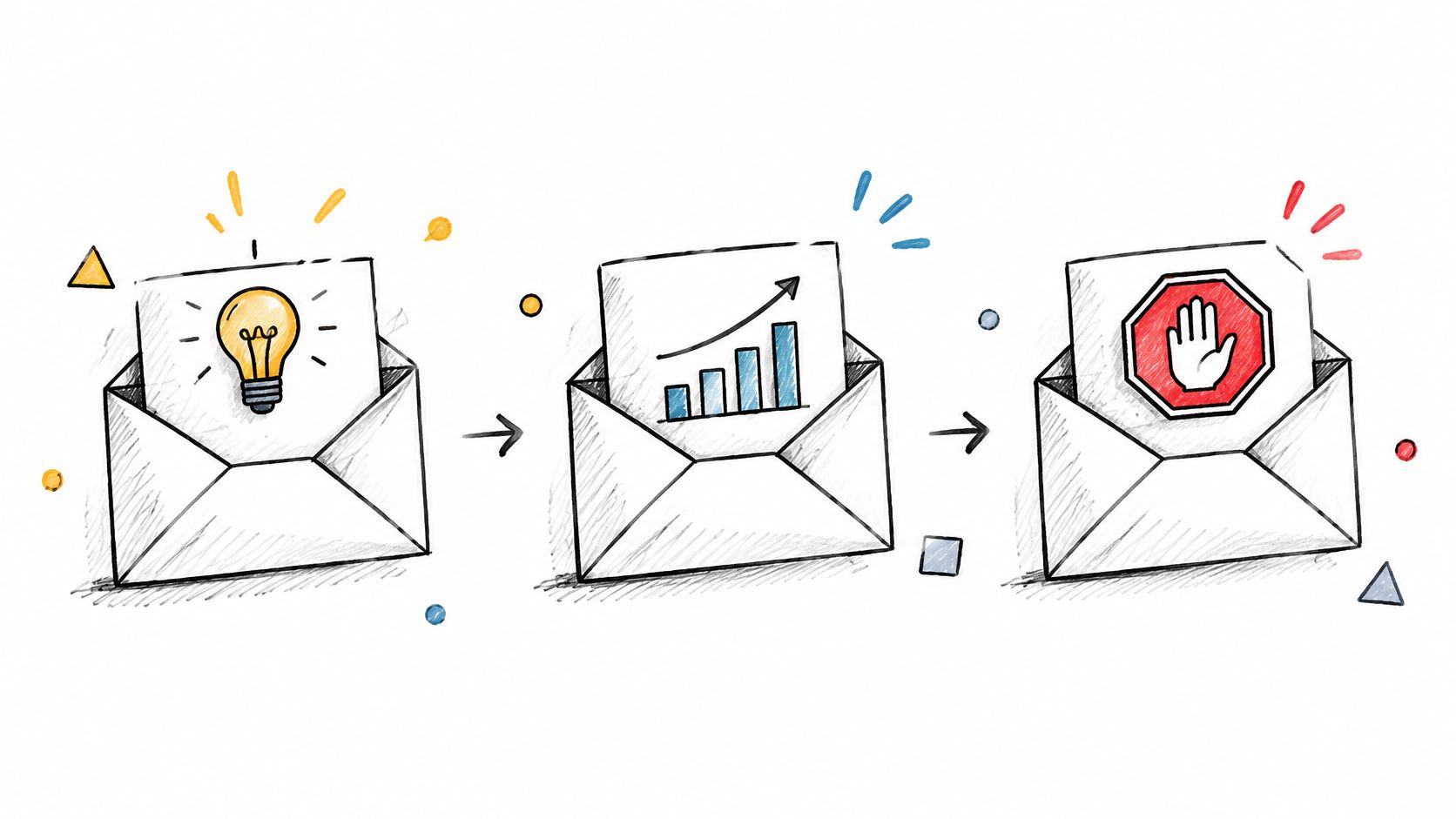
Give each follow-up a different job
Useful detail
Hi {{first_name}}, following up on the SDR hiring note I sent last week. When a new rep takes over a territory, does someone update lead ownership manually, or does your CRM handle the reassignment? I have a one-page ownership-map example that shows how teams document that handoff. Would it be useful to see?
Ownership check
Hi {{first_name}}, one quick check before I follow up again: does SDR lead routing sit with your revenue operations team, or does a sales manager own it? If it's another team, I can leave this with you rather than keep asking the wrong person.
Close-out
Hi {{first_name}}, I'll close out my note about lead ownership during your SDR hiring. If routing becomes something you're reviewing, feel free to reply and I'll send the ownership-map example. Otherwise, I won't follow up again.
Personalization comes from the unanswered issue, not another scraped fact. For an agency prospect, offer a client-handoff example. For a founder, address who handles the work when there's no dedicated operations team.
Stop scheduled messages when someone replies, books, unsubscribes, or reaches the planned close-out. Route out-of-office replies separately so a temporary absence doesn't become either a sales conversation or an endless sequence.
The usual mistake is automating persistence without managing replies. You can automate Gmail inbox filters to organize responses, but filters don't replace checking the conversation before the next send.
Need a starting draft? Try Flowkon's follow-up email generator, then edit the message to add a genuinely new detail and check the conversation before sending it.
Post-Connection LinkedIn-to-Email Follow-Up Without Repeating Yourself
A LinkedIn acceptance isn't permission to flood another inbox. Use email when you have a legitimate reason to continue there, preferably after a substantive exchange or a relevant question.
Suppose a finance leader comments on your post about forecast reviews, then connects. Your email can offer the worksheet behind that discussion. Accepting your connection request is a much weaker reason to switch channels.
Continue the topic, not the pitch
Subject: the forecast review worksheet
Hi {{first_name}},
Thanks for the exchange on LinkedIn about {{specific_topic}}. You mentioned {{verified_concern}}, so I thought the worksheet for {{relevant_task}} might be useful.
Would you prefer I send it by email or keep the conversation on LinkedIn?
This message gives the recipient control over the channel. It also avoids pretending that a connection acceptance was a buying signal.
Check the conversation first: Read the LinkedIn thread before scheduling an email. A reply in either channel should interrupt the other channel's pending pitch.
Record channel preferences: If someone asks to stay on LinkedIn, make that visible to every rep working the account.
Stop on engagement: Once the prospect responds, replace the generic sequence with a human-owned next action.
The common mistake is copying the LinkedIn message into email and calling it multichannel outreach. You've added another notification, not another reason to respond.
Use a shared campaign plan to prevent overlapping touches, following this guide to combining LinkedIn and email outreach. If you automate LinkedIn activity, don't treat pacing controls or conservative activity levels as guarantees against restrictions. Maintain oversight, review platform rules, and stop activity when account warnings appear.
Post-Meeting Recaps That Turn Discussion Into Commitments
A recap should let the buyer forward your email internally without rewriting it. Reflect their problem, decision criteria, and agreed actions, not the order of slides in your presentation.
Prompt follow-through matters. In Gong's seller follow-up analysis, following up within 24 hours was associated with a 14% increase in win rate. That association supports a prompt workflow, not a guarantee that sending faster will rescue a poorly qualified deal.

Make the recap easy to correct
Subject: {{company}} reporting review and next steps
Hi {{first_name}},
My understanding is that you need {{buyer_stated_goal}}, and the main concern is {{buyer_stated_blocker}}. You'll evaluate the setup against {{agreed_criteria}}.
We agreed on these next steps:
Our action: {{seller_owner}} will deliver {{deliverable}} by {{agreed_date}}.
Your action: {{buyer_owner}} will provide {{required_input}} by {{agreed_date}}.
Decision process: {{approver}} needs {{approval_requirement}} before {{next_milestone}}.
Have I captured that accurately, especially the approval step?
A useful personalization input is the buyer's own description of the problem. If they said they don't trust the forecast, don't replace that with a vague promise about revenue efficiency.
The stop rule is confirmation or correction. Once the buyer responds, close the recap reminder and assign the agreed tasks. If the project is paused, update the CRM rather than continuing date-confirmation emails.
The frequent mistake is recording a proposed action as an agreed commitment. Separate what the buyer accepted from what you're recommending, and never invent an approver, deadline, or security requirement to make the opportunity look further along.
Dormant Opportunity Reactivation With a Real Reason to Reopen
Start with the closed-lost or stalled reason in your CRM. If the buyer paused because your product lacked a required capability, a genuine product change can justify another conversation. A new logo on your website probably can't.
Reactivation needs changed circumstances, not just an aging opportunity report. Check the contact's current role, the original objection, and any suppression record before you write.
A message built around the original blocker
Subject: revisiting {{project}}
Hi {{first_name}},
When we last spoke, you paused {{project}} because {{documented_reason}}.
Since then, {{verified_change}}. That may address the concern about {{specific_requirement}}, although I'd want to confirm it against your current setup.
Is this worth revisiting, or should I leave the project closed?
Keep the change narrow and factual. If pricing caused the loss and nothing about pricing or scope has changed, don't imply that a feature release solves the objection.
Segment by stall reason: Separate budget timing, missing functionality, competitive losses, and projects that never received approval.
Use a distinct campaign tag: Keep reactivation reporting separate without disguising the sender's identity.
Respect the answer: A request to reconnect later should become a dated task, not permission for continuous follow-ups.
An opt-out is not a dormant opportunity. The FTC's CAN-SPAM compliance guide requires commercial B2B messages to include accurate sender information, a valid postal address, and a clear opt-out method, with opt-outs honored within 10 business days.
Stop when the prospect declines, opts out, confirms the blocker remains, or reaches your campaign's close-out. The common mistake is treating every old contact as reusable inventory. A credible reactivation message explains what changed and accepts that the buyer may have moved on.
Referral Requests That Make the Introduction Easy
A referral request spends relationship capital. Ask when the contact has a reason to feel comfortable introducing you, such as a successful go-live, a resolved problem, or a positive review.
Name the person and explain the relevance. Asking a customer to find anyone in finance makes them do the targeting, qualification, and writing.

Supply a forwardable note
Subject: introduction to {{contact_name}}
Hi {{first_name}},
Now that {{verified_milestone}} is complete, would you feel comfortable introducing me to {{contact_name}}? Their responsibility for {{relevant_area}} looks connected to the work we've been doing.
You could forward the note below if it accurately reflects your view. No problem if you'd rather not make the introduction.
Forwardable note
Hi {{contact_name}}, I've been working with {{seller_name}} on {{actual_project}}. Their work on {{relevant_capability}} may be relevant to your plans for {{initiative}}. Would you be open to an introduction?
The important phrase is if it accurately reflects your view. Don't write praise the referrer hasn't expressed or turn a limited engagement into a sweeping endorsement.
An introduction should transfer context, not manufacture trust the referrer hasn't offered.
Personalize the request around the relationship and the recipient's remit. A partner can explain why your services complement theirs; a customer can describe the work you completed together.
Stop the request sequence when the contact agrees, declines, or makes the introduction. After the handoff, thank them and avoid pulling them into routine sales follow-ups. Record the referral source in your CRM, but don't share confidential deal details with the referrer without the buyer's permission.
Trigger-Based Outreach That Connects the Event to the Offer
A funding announcement tells you something happened. It doesn't tell you that the company needs your product.
Trigger-based outreach deserves its own template because timing changes the offer. A new operations leader may need a diagnostic worksheet; a product launch may justify a reporting example. The event is the opening context, not the sales argument.
A Marketful benchmark compilation reports 11.4% replies for messages incorporating trigger events and company research versus 2.8% without personalization. It's secondary, directional evidence, so don't treat the difference as a forecast for your campaign.
Show the operational connection
Subject: reporting after {{product_launch}}
Hi {{first_name}},
Your announcement says {{company}} is adding {{verified_product_or_market}}. Will your team report that pipeline separately, or keep it inside the existing sales stages?
If reporting is under review, I can share {{actual_resource}} for mapping product-level opportunities without duplicating the pipeline.
Would that be relevant to your role?
The personalization input isn't the announcement alone. It's the connection between the announcement, the recipient's responsibility, and the question you can help answer.
Verify the event: Save its source and publication date in the lead record.
Check account fit: A real trigger at the wrong company still produces irrelevant outreach.
Expire the signal: Remove stale events rather than describing an old launch as recent.
Handle missing information: Skip unsupported variables instead of filling gaps with plausible claims.
Stop when the event no longer supports the offer, the recipient redirects you, or the prospect engages or opts out. Avoid using layoffs, personal news, or other sensitive events as opportunistic hooks.
The common mistake is congratulating the buyer and immediately delivering an unchanged pitch. If the event doesn't change your question or offer, it probably doesn't justify a separate campaign.
Demo No-Show and Proposal Follow-Up Emails That Find the Blocker
A missed demo and an unanswered proposal need different responses. The first needs a simple way to reschedule; the second needs clarity about approval, scope, risk, or timing.
Don't respond to silence with an automatic discount. Find out whether price is the obstacle before changing commercial terms.
Recover a missed meeting
Subject: rescheduling {{meeting_topic}}
Hi {{first_name}},
We didn't connect for today's demo. Would {{available_option}} or {{alternative_option}} work instead?
I'll keep the discussion focused on {{buyer_stated_goal}}. If that's no longer a priority, let me know and I'll close the scheduling loop.
Personalize this with the reason the buyer accepted the meeting. Don't write a guilt-inducing message or imply that you know why they missed it.
Clarify the proposal decision
Subject: approval steps for {{project}}
Hi {{first_name}},
Before we revise the proposal, could you confirm who needs to approve {{project}} and whether procurement has a vendor-review process?
You mentioned {{buyer_deadline}}. Is there an unresolved question about scope, security, or budget that would prevent that timeline?
Send recovery emails promptly, then use a planned reminder rather than repeatedly offering new meeting slots. Stop when the buyer reschedules, identifies a blocker, declines, or reaches your close-out point.
For proposals above your team's agreed approval threshold, confirm that the sponsor receives the document, not just the original contact. Keep commercial details within the buyer's authorized review group.
The common mistake is asking whether they've read it without helping them reach a decision. Use Truespeak's proposal follow-up guide to sharpen that question, and compare these sales email templates for each stage of B2B outreach when the opportunity needs a different next step.
How the eight B2B sales email templates differ by stage, goal, and personalization input
| Item | Best Stage | Core Goal | Personalization Input |
|---|---|---|---|
| Cold First-Touch Prospecting Email | Initial outreach | Earn a reply with a relevant, low-friction question | Prospect's role, current situation, or buying signal |
| Follow-Up Email Sequence After No Reply | After no response to initial outreach | Re-engage with new angles and useful information | Previous message, possible reason for silence, and relevant examples |
| Post-Connection LinkedIn-to-Email Follow-Up | After a LinkedIn connection is accepted | Continue the conversation through email | LinkedIn connection context and prospect's priorities |
| Post-Meeting Recap and Next Steps Email | Immediately after a sales meeting | Confirm shared understanding, owners, and next steps | Buyer's stated needs, concerns, action items, and dates |
| Dormant Opportunity Reactivation Email | Stalled or closed-lost opportunity | Reopen the conversation with a timely reason | Previous discussion, stall reason, and relevant changes |
| Referral Request and Warm Introduction Email | After building trust with a customer or contact | Secure a specific, warm introduction | Target contact, reason for introduction, and referrer's relationship |
| Trigger-Based Outreach Email | When a relevant buying signal occurs | Connect a timely event to a relevant next step | Specific trigger, its impact on the prospect, and role |
| Demo No-Show and Proposal Follow-Up Email | Late-stage deal after a missed meeting or proposal | Recover momentum and clarify approval steps | Missed step, buyer's goal, rescheduling availability, or approval process |
Pick One Template to Fix This Week and Measure the Result
Pick the stage where your team loses momentum. If prospects reply but meetings don't happen, rewriting the cold opener won't fix the immediate problem. Start with scheduling or recovery emails.
Choose a template, assign an owner, and define what success means before sending. For cold outreach, that might be qualified replies and meetings. For recaps, it might be confirmed next steps with a named owner and an agreed date.
Write the trigger: Specify exactly when the message should enter the workflow.
Choose the personalization input: Identify the CRM field, conversation note, or public source the rep must check.
Define the stop rule: Document which replies and events cancel pending messages.
Record the outcome: Distinguish positive replies, objections, referrals, opt-outs, and automatic responses.
Compare the revised version against the previous version over a defined test window. Keep audience, sender, offer, and sending conditions as consistent as practical, and change a variable at a time. If you change the list and the message together, you won't know which change helped.
Don't choose a winner from opens alone. A Blazehive benchmark compilation reports 6.2% replies for sequences sent to 21–50 recipients versus 2.4% for those sent to 500 or more. Those groups aren't a controlled experiment, but the comparison is a useful warning against confusing broader reach with better targeting.
Check the workflow before scaling
Inspect the actual messages, including missing-variable fallbacks, reply routing, and unsubscribe handling. Send test messages to your team and read them on a phone. A template that looks tidy in a campaign editor can still produce awkward or unsupported copy.
Delivery requirements also sit outside the body text. Gmail's sender guidance requires bulk senders exceeding 5,000 messages daily to Gmail accounts to meet authentication and applicable one-click unsubscribe requirements. An ordinary unsubscribe URL in the message body doesn't by itself satisfy the one-click requirement.
Flowkon offers pre-built campaign templates you can adapt to these structures. Its Email Campaign module supports scheduling and open and click tracking, while a shared LinkedIn and email campaign plan helps teams coordinate their outreach.
Before the next launch, approve the message, trigger, and stop rule together. Then review the replies themselves, not just the dashboard. Keep the wording that produces relevant conversations, and remove anything that creates confusion or pressure without helping the buyer decide.
Flowkon combines LinkedIn and email outreach in a visual sequence builder with personalized templates and a shared inbox. Visit Flowkon to adapt the template for your biggest pipeline gap and organize its follow-ups in a coordinated campaign.