.webp)

A founder has a prospect list in one spreadsheet, LinkedIn messages in one inbox, email replies in another, and campaign activity that never makes it into the CRM. The team's sending plenty of outreach, but it's still hard to tell which prospects are worth pursuing and who needs a follow-up. The best sales outreach tools don't just send more messages. They help you target the right people, coordinate outreach, manage replies, and keep the CRM useful.
The right setup depends on your sales motion, existing systems, data quality, team size, and how much automation you need. A 2019 analysis of 12 million outreach emails reported an 8.5% overall response rate, while a separate benchmark covering 74.3 million cold emails found a 0.60% average reply rate and 0.10% positive replies. The practical takeaway isn't to chase a send-volume target. It's to choose a tool that supports focused targeting, relevant messages, controlled follow-up, and measurement (cold email benchmark analysis).
Below are ten options organized around how teams sell, from LinkedIn-and-email prospecting to CRM-centered execution and high-volume email. You'll find the trade-offs that tend to matter in implementation, including data handling, CRM write-back, governance, and pricing visibility. If you're also comparing automated workflows, how AI employees handle sales outreach offers related context.
1. Flowkon for coordinated LinkedIn and email
Flowkon is a cloud-based outreach platform for sales teams, agencies, founders, and recruiters who want to manage LinkedIn and email prospecting in one workflow. Its visual campaign builder combines connection requests, follow-ups, and email touchpoints with timing, triggers, conditions, and personalized templates. That can be useful when a prospect's response on one channel should change what happens next, rather than leaving reps to coordinate separate campaigns by hand.
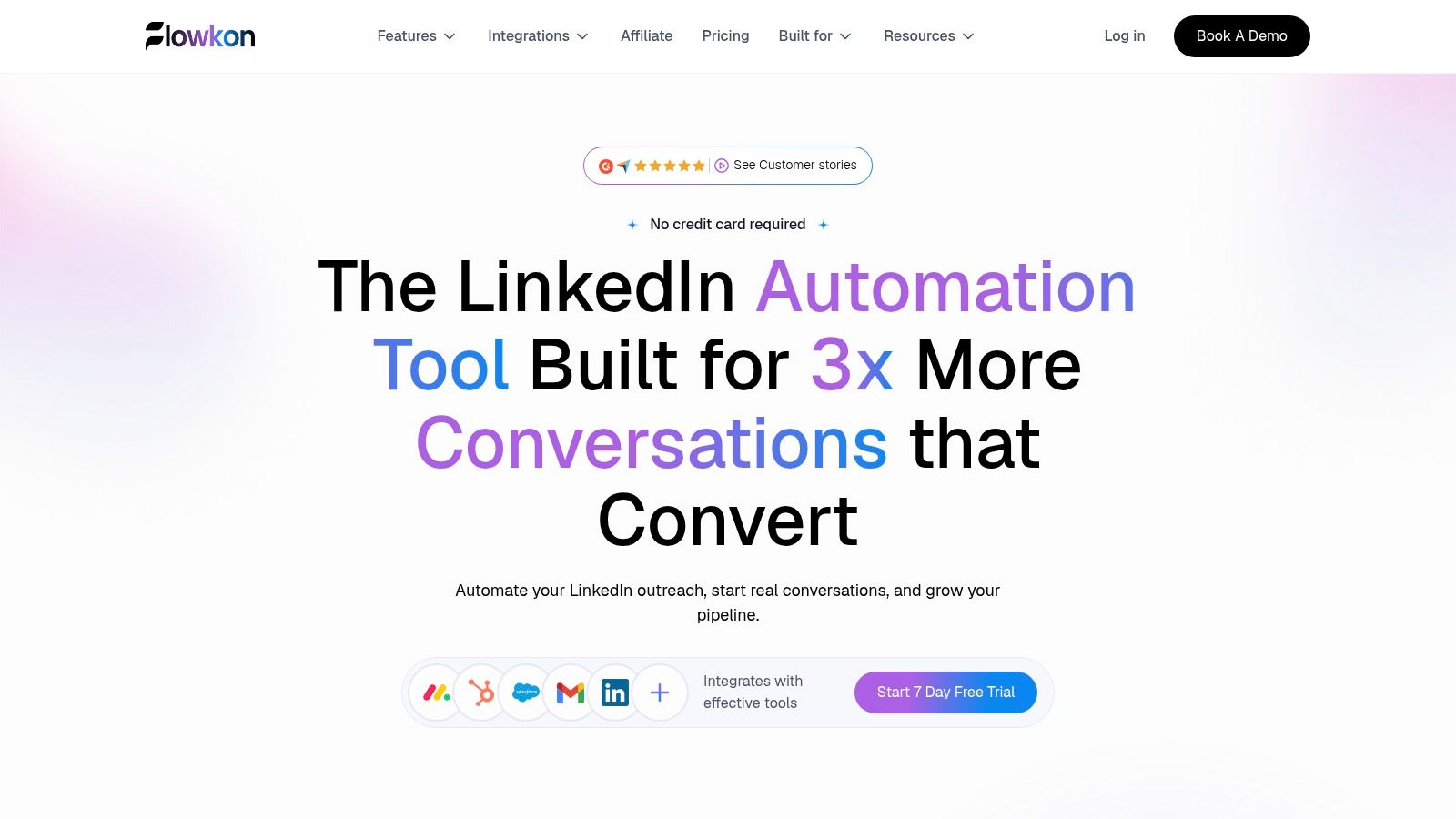
Lead enrichment, email finding, and verification help teams build more focused prospect lists. A unified inbox brings LinkedIn messages and email replies together, while campaign analytics and CRM synchronization help connect prospecting activity to records in HubSpot, Salesforce, Pipedrive, Zoho, and Monday.com. Team workspaces, role-based permissions, and read-only reporting can also suit an agency managing multiple accounts or a sales leader who needs visibility without editing campaign settings.
Where Flowkon fits
Pre-built templates are intended to help teams launch quickly, and Flowkon says campaigns can be set up in under 30 minutes. It advertises a seven-day free trial that doesn't require a credit card. Its website displays a 5.0/5 G2 rating and customer testimonials praising the unified inbox, CRM syncing, personalization, and campaign visibility. Treat company-reported outcomes such as more replies or meetings as vendor claims, not independently verified results.
Pricing isn't specified in the supplied product information, so confirm the current plan and total cost directly with Flowkon. The meeting scheduler is listed as coming soon. LinkedIn automation also requires careful governance: LinkedIn prohibits unauthorized software that automates activity or scrapes data, so review current terms and don't treat activity controls as a guarantee of compliance (LinkedIn's prohibited software policy).
Recommendation: Choose Flowkon if your team needs LinkedIn and email campaigns, replies, and CRM updates in one workflow; don't expect automation to fix weak targeting.
2. Outreach for enterprise sales operations
Outreach is built for organizations that need structured sales engagement across email, voice, SMS, and calendar workflows. Its multistep sequences, rules, and scheduling controls can support teams that want managers and reps operating from shared processes. A native voice dialer, call recording, caller ID management, SMS options, and mobile app add breadth for teams coordinating more than email.
The fit is strongest when sales operations needs administrative control, standardized workflows, and analytics across a larger organization. Integrations with Salesforce and Microsoft ecosystems can matter when the CRM and productivity stack already shape how reps work. The platform also offers an MCP server for connecting Outreach data with external AI agents, which may be relevant to teams with a defined technical use case rather than a general desire to add more automation.
What to weigh before buying
Implementation can be heavier than with tools aimed at smaller teams. That's not automatically a drawback: complex permissions and process controls can be valuable when a large sales organization needs consistency. But a small team may pay for administrative depth it doesn't use, while spending time configuring workflows instead of testing prospecting messages.
Outreach doesn't publish specific plan prices in the supplied information, and some capabilities may be add-ons. Ask for an itemized quote that clarifies which channels, support, and advanced features are included. Also map the CRM fields and sequence events you need before implementation, so the platform doesn't become a second source of truth.
Recommendation: Choose Outreach if a larger sales team needs standardized, multichannel workflows and strong administrative controls.
3. Salesloft for coaching and account-level engagement
Salesloft is a full-funnel sales engagement platform for mid-market and enterprise organizations. Its cadences support email, calls, and LinkedIn or social touches, while Conversation Intelligence and call coaching give managers a way to review sales conversations and coach reps. AI content, agents, and a knowledge library can help teams guide messaging across accounts.
This makes Salesloft more compelling when the problem extends beyond prospecting. A sales leader who needs coaching, account-level engagement, and forecasting may value the wider operating picture. Forecasting is available as an option, and the Advanced and Elite packages are designed for organizations that need a more developed sales workflow.
What to Consider Before Choosing Salesloft
Salesloft uses sales-led pricing, and specific prices aren't listed in the supplied information. Get a quote that spells out the package, optional forecasting, implementation, and any capabilities your team expects to use. Its analytics and coaching may be more than a lean outbound team needs, particularly if the priority is only building and refining prospect sequences.
LinkedIn steps are less lightweight than those in email-first tools. Don't assume that a cadence containing a social touch means the platform performs LinkedIn activity automatically. Confirm how each step works, what reps must do, and whether the approach aligns with LinkedIn's current User Agreement, which prohibits unauthorized automated access and activity (LinkedIn User Agreement).
Recommendation: Choose Salesloft if coaching and account-level engagement matter as much as prospecting sequences.
4. HubSpot Sales Hub for CRM-centered execution
When HubSpot is already the system reps use to manage prospects, Sales Hub is a sensible place to start. It combines sales execution with HubSpot CRM, including sequences for one-to-one sales emails and follow-ups, task queues, an inbox, and calling. Keeping prospect records and sales activity together can reduce the integration work that comes with bolting a separate engagement tool onto the CRM.
HubSpot publishes pricing tiers and maintains a large integration marketplace. The supplied product information notes more than 2,000 marketplace integrations, which may help teams connect supporting systems without building every workflow from scratch. Salesforce integration is also available for organizations that use both CRMs, though operating two systems requires clear ownership of fields and activity records.
The practical fit
Sales Hub works best when a team wants outreach close to its CRM and can accept the limits of that model. Sequences are intended for one-to-one sales emails, not marketing sends. Some sequence capabilities are richer on Pro or Enterprise, while power-dialing and multichannel depth lag dedicated engagement suites.
Before enrolling prospects, decide which system owns contact status, opt-outs, and sequence activity. For guidance on coordinating touchpoints across channels, see this guide to multichannel outreach. If LinkedIn is a core part of the motion, confirm whether HubSpot covers the required execution or whether reps will need a separate workflow.
Recommendation: Choose HubSpot Sales Hub if your team already works in HubSpot and wants outreach activity close to its CRM records.
5. Apollo for data-led prospecting
Apollo combines a B2B contact database with sales engagement, bringing contact and company data, enrichment, sequences, a dialer, CRM integrations, and AI features for research and messaging into one product. It's worth considering when contact discovery is the bottleneck and the team wants to limit the number of tools it has to manage.
The data workflow uses a credit model, including for API access. That can make the total cost less obvious than the headline plan: usage can push a team toward a higher tier as it searches, enriches, and exports more records. Apollo offers self-serve plans as well as enterprise packaging, so teams can test a workflow before approaching a more formal procurement process.
Validate before scaling
Data accuracy can vary by segment. Before launching a large campaign, verify a representative sample of contacts against your actual target roles, markets, and account types. Check whether email addresses are current and whether the records contain enough context to write relevant messages. A bundled database saves vendor coordination only if the records support the motion you're running.
Apollo also includes AI features for research and messaging, but those features don't replace human review. A useful test is to have a rep inspect the source information behind each personalization point, then edit messages that sound generic or make unsupported assumptions. If enrichment credits are central to your workflow, model the expected usage and upgrade path before rolling the tool out across the team.
Recommendation: Choose Apollo if finding and enriching prospects is your main bottleneck, and verify sample records before scaling.
6. lemlist for email-led multichannel campaigns
lemlist suits email-led teams that want to add LinkedIn actions, calls, and SMS to their outreach, with WhatsApp available as an add-on. Its multichannel sequences, lead database, email and phone finder, warm-up and deliverability hub, and lemAgent research and personalization features give a smaller sales team several campaign components in one product.
The broad channel coverage is useful when a rep needs to coordinate different touches without switching between several campaign tools. Setup is designed to be quick, and lemlist provides guidance and playbooks for multichannel outreach. Published pricing varies by plan and billing frequency, so check the current terms and determine whether the channels and data credits you need are included.
Don't confuse coverage with governance
Data credits and add-ons can raise the cost for teams doing frequent enrichment. Reporting is lighter than in enterprise sales engagement suites, so a manager who needs detailed team, territory, or opportunity attribution should test the available reports before committing. Decide which outcomes you'll track, such as replies and qualified meetings, and whether the platform can connect those events to your CRM.
LinkedIn actions also need a careful review of execution method and current platform policy. LinkedIn's User Agreement bars unauthorized automated methods for sending messages, accessing or downloading contacts, and interacting with content. For a closer look at workflow differences, use this Flowkon versus lemlist comparison.
Recommendation: Choose lemlist if email leads your outreach and you want to add other channels without adopting an enterprise suite.
7. Reply.io for conditional multichannel sequences
Reply.io fits teams whose outreach motion depends on branching: email, LinkedIn, calls, SMS, and WhatsApp sit in one sequence, and its Jason AI SDR can generate copy, personalize steps, and draft or handle replies under approval. The useful part is conditional logic. A prospect who answers, goes quiet, clicks, or reaches step three can follow a different path instead of receiving the same next touch.
Run it as supervised automation. Let Jason prepare a response when a prospect asks about timing, then require a rep to approve anything involving price, terms, security, or a buying signal. If the team cannot review replies fast enough, narrow the automation to drafting and task creation rather than live sending.
Map branches before you automate
Reply.io sells email-only and multichannel options, with LinkedIn automation tied to paid tiers and mailbox or add-on fees that can change the actual bill. Price the exact configuration: seats, mailboxes, LinkedIn actions, SMS or WhatsApp usage, and any enrichment or agency needs. Ask for a live demo of one full branch, including what triggers a rep task, what the AI may send, how replies return to the inbox, and how opt-outs are handled.
Deliverability tools and warm-up help, but placement still depends on list quality, relevance, and sending discipline. Watch bounces and reply quality by segment, and pause branches that create tasks reps ignore. The channel list pays off only when each path has an owner, an exit rule, and a clear handoff to a human.
Recommendation: Choose Reply.io if your team needs conditional multichannel sequences and can supervise AI-drafted replies.
8. Klenty for email and phone-heavy teams
Klenty is designed for teams balancing email and phone outreach at scale. Its multichannel cadences, parallel or power dialers, AI coaching and transcription, and HubSpot and Salesforce automation can suit an SDR group that depends on calling as well as email. Higher tiers add account-based features, while bidirectional field mapping can help keep CRM records aligned with sales activity.
The calling suite is a meaningful strength if reps spend a substantial part of their day on the phone. Coaching and transcription can also help managers review conversations and improve messaging. But the team should decide in advance what call outcomes need to be logged and how those outcomes affect the next sequence step.
Price the data separately
Klenty publishes tiered pricing, but Prospect IQ lead discovery uses separate credit-based pricing. Include those credits in the total-cost estimate if prospect discovery is part of the planned workflow. Generous email volumes don't necessarily mean a low total bill when data, enrichment, and implementation needs are added.
LinkedIn and social capabilities are lighter than Klenty's email and calling features. If a campaign depends on coordinated LinkedIn outreach, confirm whether the product supports the specific actions you need or whether reps will manage that channel separately. A tool should fit the channel mix the team can execute well, not just the channels it lists.
Recommendation: Choose Klenty if calling and email are central to your SDR workflow and CRM activity needs to stay aligned.
9. Instantly for high-volume cold email
Instantly is an email-first platform for agencies and growth teams running many sending accounts at once. Account connection and rotation, automated warm-up, inbox placement tests, and blacklist monitoring cover the infrastructure side of high-volume sending. Lead data and AI writing or agent features sit on upper tiers.
The fit question is operational maturity. Reply rates on high-volume sends are typically well under one percent, so measure outcomes and list quality rather than treating send volume as a result. A team still searching for its audience will burn through domains faster than it learns anything useful.
Pricing scales with sending accounts and email volume rather than seats, and the entry tiers exclude some of the data and AI capabilities. Model the plan you would run, including any lead database credits, before comparing it against per-seat alternatives.
Validate deliverability on your own domains
Some users have raised concerns about warm-up metrics and changes to feature access between plans. Test with your own sending domains and representative lists before committing real volume. Confirm how reporting attributes replies across rotated inboxes and what the team does when bounce or complaint rates move.
Instantly has no native LinkedIn steps. Teams that want email plus social touches will run a parallel workflow with its own suppression and follow-up rules. That suits a specialist email operation, and it adds coordination work for anyone expecting one sequence across channels.
Recommendation: Choose Instantly if you already run a disciplined, high-volume cold-email operation and don't need native LinkedIn steps.
10. Smartlead for agency email infrastructure
Smartlead is built for agencies and high-throughput teams that need to manage multiple email accounts and campaigns. Its mailbox management, warm-up pools, deliverability resources, and agency-oriented features focus on email infrastructure rather than broad sales engagement. Verified contacts are available through the SmartProspect add-on.
Its pricing scales around sending volume rather than seats, which can be attractive when a team manages outreach for several clients. That model also makes it important to understand what the plan counts as volume, what the add-on costs, and whether separate client workspaces or white-label needs change the quote. Compare the full operating cost, not just the base subscription.
For agencies: Keep client data, campaign access, and suppression records separated by account. Shared sending infrastructure can save time, but it shouldn't blur who owns the data or which client's opt-outs need to be honored.
Smartlead is email-only, with no native LinkedIn steps. Enrichment is an add-on, and the interface and support service levels are leaner than enterprise suites. It can fit an agency with a mature email process; it's less suitable when the client needs shared inbox management across channels, formal CRM attribution, or broader sales-team controls.
Recommendation: Choose Smartlead if your agency manages multiple email accounts and prioritizes mailbox infrastructure over multichannel engagement.
How Flowkon Fits Into One Team's Outreach Stack
Customer account pending verification: Confirm the team's tools, workflow, and campaign results before publishing as a testimonial. The rates below reflect selected campaigns, not typical results.
What changed when your team started using Flowkon?
“Flowkon is where our prospect conversations happen. Apollo helps us find leads, while Flowkon keeps outreach and follow-ups moving. In our best campaigns, we saw 58% to 87% LinkedIn connection acceptance and 20% to 35% reply rates.”
How does Flowkon fit into your stack?
“We bring prospects in from Apollo or Sales Navigator, manage LinkedIn and email touches in one campaign, and sync replies and lead status to our CRM. That means less time checking separate tools and more time responding to interested prospects.”
Which feature matters most?
“Conditional multichannel flows. When someone connects, we can follow up on LinkedIn; when an email address is available, we can use that instead. Personalization placeholders help us make each message more relevant.”
Top 10 Sales Outreach Tools Compared
Best for, at a glance: Choose Flowkon for coordinated LinkedIn and email outreach, Outreach or Salesloft for larger sales organizations, and HubSpot Sales Hub if your team works primarily in HubSpot. Apollo fits data-led prospecting; lemlist and Reply.io suit multichannel campaigns; Klenty is strongest for phone-heavy teams. For email-focused operations, compare Instantly for high-volume sending and Smartlead for agency mailbox management.
ToolChannelsKey strengthBest forPricing noteFlowkonLinkedIn, emailShared inbox and CRM syncCross-channel teams, agencies7-day trial; ask for pricingOutreachEmail, calls, SMSEnterprise controlsLarge sales teamsQuote required; check add-onsSalesloftEmail, calls, social touchesCoaching and conversation insightsMid-market, enterpriseQuote requiredHubSpot Sales HubEmail, callsBuilt into HubSpot CRMHubSpot usersPublished tiersApolloEmail, callsProspect data plus outreachData-led prospectingPublished tiers; usage creditslemlistEmail, LinkedIn, calls, SMSDeliverability and personalizationEmail-led teamsPublished plans; check add-onsReply.ioEmail, LinkedIn, calls, SMS, WhatsAppConditional sequences and AI draftsMultichannel teamsPlan and mailbox costs varyKlentyEmail, calls, social touchesDialers and CRM mappingPhone-heavy SDR teamsPublished tiers; data costs extraInstantlyEmailMultiple sending accountsHigh-volume email teamsVolume-based plansSmartleadEmailMailbox managementEmail-focused agenciesVolume-based; enrichment extra
Choose the Stack You Can Operate
The best sales outreach tool is the one your team can run consistently, govern responsibly, and connect to the records used to manage pipeline. Choose a CRM-centered option when the priority is fewer systems and cleaner activity history. Choose a LinkedIn-and-email platform when representatives need coordinated cross-channel follow-up and a shared view of conversations.
If contact discovery is the bottleneck, evaluate a data-led product such as Apollo and verify the records before scaling. If the team already has a tested high-volume sending operation, an email-first platform such as Instantly or Smartlead may fit better than an enterprise suite with channels you won't use. Multichannel outreach is increasingly common: one industry survey reported that 58% of businesses use multiple outreach channels, and 81% said combining prospecting channels produces better results (sales statistics and industry trends). Those figures don't mean every team should use every channel. Add channels only when they have a clear role in your buying motion.
Run a small, measurable pilot
Before you sign a longer contract or move every rep onto a new platform, test a realistic workflow. Use a defined ICP, carefully checked records, and messages that reflect the actual value you can offer. Decide what counts as a useful reply or qualified meeting, then review results and exceptions manually before expanding the campaign.
Use this evaluation checklist:
- Trial workflow: Build and run the sequence your team will use.
- CRM write-back: Confirm contacts, activities, replies, and campaign attribution land in the right records.
- Inbox handling: Check how replies appear and who owns follow-up.
- Permissions: Test access for reps, managers, stakeholders, and client teams.
- Reporting: Make sure the platform distinguishes delivery, replies, qualification, meetings, and later outcomes.
- Deliverability testing: Validate data, monitor bounces, and check that email activity is measured clearly.
- Activity controls: Review suppression, opt-outs, pacing, account monitoring, and manual escalation.
- Total cost: Include credits, add-ons, implementation, and any supporting tools.
For teams seeking a cloud-based workflow across LinkedIn and email, Flowkon brings campaign building, conversation management, CRM synchronization, and team governance together. Its CRM connections include HubSpot, Salesforce, Pipedrive, Zoho, and Monday.com; compare the required data flows with your existing stack, including the systems described in ContextFlow integrations.
Map the current prospecting process before choosing. Identify where reps copy data, miss follow-ups, or switch inboxes, then remove the manual handoffs that cause the most friction. Select the tool that fits your team's motion and governance needs, not the one with the longest feature list.
Flowkon combines LinkedIn and email campaigns with a unified inbox, CRM synchronization, and team permissions to help sales teams coordinate prospecting. If that matches your workflow, visit Flowkon to review the platform and decide whether it's a fit for your next outreach pilot.





.svg)

