.webp)


More senders shouldn't mean more chaos. But when per-seat pricing climbs, replies scatter across inboxes, and your CRM tells a different story from your campaigns, it's time to look beyond HeyReach.
HeyReach still makes sense for multi-sender LinkedIn campaigns and a shared inbox. If you need email in the same sequence, clearer reply handling, or better controls for multi-account LinkedIn outreach, the best HeyReach alternative depends on how your team actually works. Flowkon is our strongest all-round pick for teams that want LinkedIn and email sequencing, centralized replies, CRM sync, and client-level governance in one place.
We tested the tools on setup, campaign controls, reply handling, pricing, and account-risk features, not just sending volume. That broader view matters when buyers use an average of 10 interaction channels during a purchase. McKinsey's research on how B2B winners keep growing across channels found more than half of respondents want a seamless omnichannel experience. If your bigger problem is prospect data rather than sequencing, this bank prospecting data comparison covers a different buying decision.
1. Flowkon
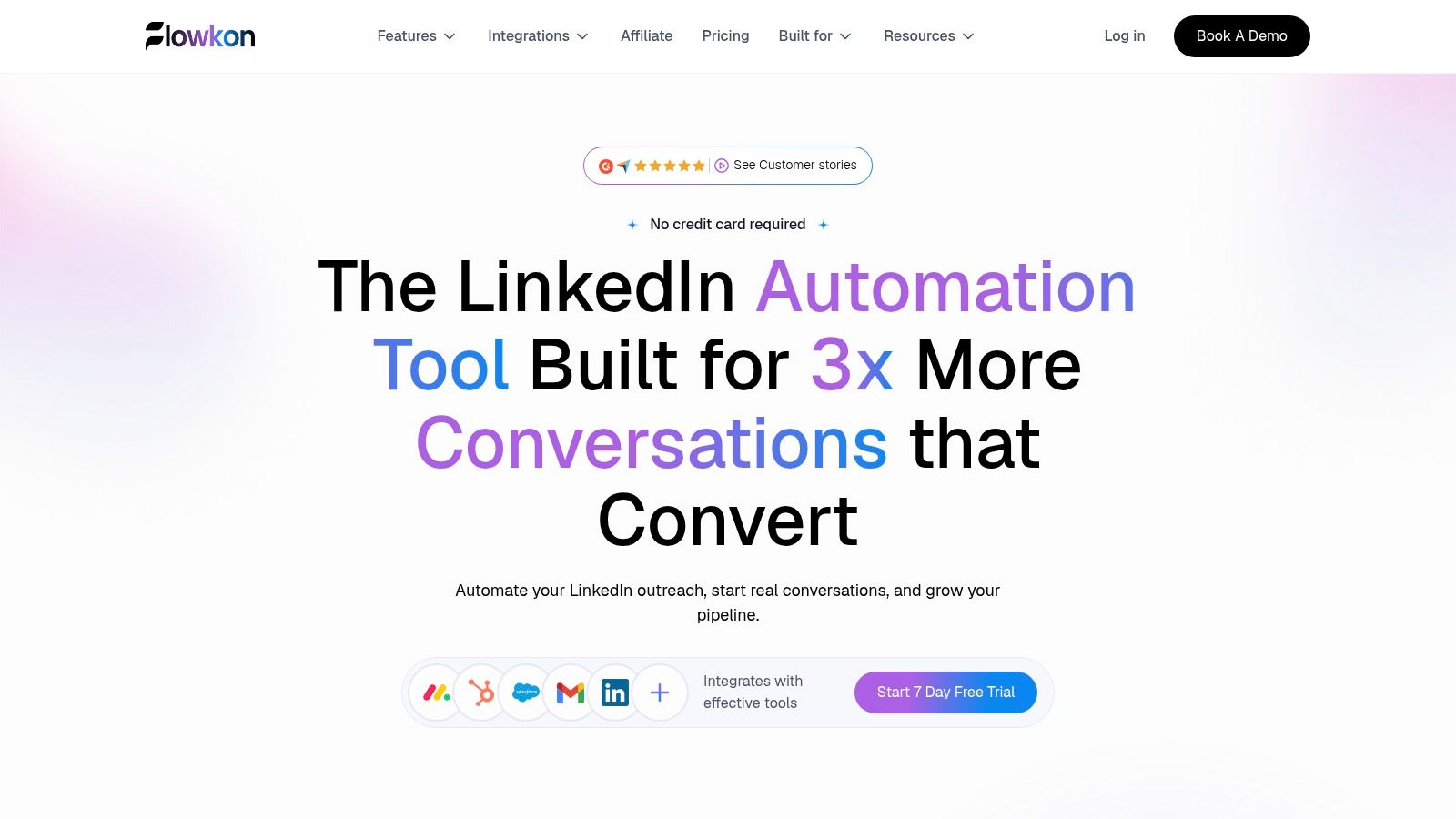
Flowkon puts LinkedIn and email in one campaign, which removes the split-stack problem where reps run a LinkedIn sender and a separate email tool side by side. The visual campaign builder covers connection requests, follow-ups, email touchpoints, timing rules, and conditional logic, so sequence changes happen in one place rather than across two subscriptions.
What we liked in testing
- Centralized inbox: LinkedIn DMs, InMails, and email replies land in one place, which cuts tool switching when several accounts are live.
- Enrichment and verification: Built-in lead enrichment plus email finding and verification reduce bounce-related guesswork before you send.
- CRM sync: Native links to HubSpot, Salesforce, Pipedrive, Zoho, and Monday.com keep contacts and activities aligned.
- Workspace controls: Workspaces, role-based permissions, and read-only reporting help agencies separate clients cleanly.
An agency running separate client workspaces shows why that last point matters: operators send, managers approve templates, and clients see reporting without touching campaign settings. That separation is hard to maintain through a single shared login.
Flowkon offers three tiers for individuals, growing teams, and enterprises, plus a 7-day free trial with no credit card required. The tier overview doesn't list per-seat prices, so check the live pricing page and compare your total cost per identity with HeyReach pricing before committing. Flowkon also reports a 5.0/5 G2 rating and its own performance figures; treat those as vendor-reported claims, not guaranteed results.
Flowkon's account controls can help teams manage outreach, but they cannot eliminate the risk of violating LinkedIn's policies. Best for sales teams, agencies, founders, and recruiters who need coordinated LinkedIn and email outreach with workspace controls.
2. Skylead

Skylead suits teams that think in conditions. If a prospect views a profile but doesn't connect, you can branch to email. If they connect but stay silent, the sequence can wait, retry, or switch channels. That branching is the main reason to pick it over a linear sequencer.
- Smart conditional sequences: LinkedIn and email steps adapt to prospect behavior.
- Unified inbox and email finder: Replies and contact discovery sit in the same workspace.
- Agency options: White labeling and flat-rate packages support client work.
A small agency can run one conditional flow per client instead of stitching together separate LinkedIn and email tools. The trade-off is complexity. A solo founder sending one simple campaign pays for branching logic they rarely use.
On cost, the listed price is $100 per seat per month on Skylead's pricing page, and AI or enrichment usage can add to that. For a direct feature split, see how Flowkon and Skylead compare on sequencing and inbox handling. Best for established multichannel teams and agencies that will rely on conditional workflows.
3. La Growth Machine

Choose La Growth Machine when enrichment is your bottleneck, not sending. It combines lead enrichment, sequencing, and inbox management, so you spend less time moving lists between a data tool and an outreach tool.
Where it fits
- Enrichment first: Verified email data feeds directly into LinkedIn and email sequences.
- More channels on higher tiers: Calls and X join LinkedIn and email as you move up plans.
- Unified inbox: LinkedIn and email replies consolidate on Pro and above.
A RevOps lead building account lists from several sources will feel the benefit quickly, because enrichment provenance stays attached to the campaign. A rep who already has clean lists gains less.
Pricing is per identity, so costs rise as you add profiles. The unified inbox and advanced CRM integrations also depend on plan level, and setup takes longer than a LinkedIn-only tool. If you're mapping the wider category, this 2026 sales engagement software list helps place it against broader platforms. Best for enrichment-heavy prospecting teams.
4. Lemlist

Lemlist is an email platform that added LinkedIn, not the other way around. That's a strength if email carries your pipeline and LinkedIn supports it. It's a weaker fit if LinkedIn is where most conversations start.
Email still deserves that weight. The DMA's 2025 Email Benchmarking Report on delivery and engagement found 98% overall delivery rates in 2024, a 35.9% open rate, and a 2.3% unique click rate across its dataset. Those figures cover broader email activity, not cold prospecting alone, but they show why delivery and click tracking should sit beside LinkedIn reply data.
- Multichannel sequences: Email, LinkedIn, calls, and SMS in one flow on the right plan.
- Deliverability tooling: Email warm-up and a centralized inbox.
- Data options: Lead database, enrichment, and AI-assisted personalization.
LinkedIn automation requires the Multichannel plan, per-user pricing grows with the team, and enrichment or intent signals can cost extra. Compare the model in Flowkon compared with Lemlist for multichannel outreach. Best for email-led outbound teams.
5. Expandi

Expandi is the LinkedIn-first option on this list. It focuses on cloud-based campaign automation, configurable action limits, profile warm-up, and a dedicated country-based IP address per account.
No warm-up feature, IP setup, or daily limit makes LinkedIn automation officially approved. Controls manage activity. They don't remove platform risk.
That caution matters because LinkedIn states in its help guidance on prohibited third-party software that tools may not scrape data, modify the site, or automate actions such as sending messages or adding contacts. Judge LinkedIn automation safety by throttling, pause controls, audit visibility, and human approval, not by a vendor's promise that you're safe.
- Account controls: Configurable limits and warm-up options per profile.
- Agency plan: Role controls, centralized campaigns, reports, and white-label options.
- Trial: A 7-day free trial is advertised.
The listed Business price may be high for an individual, and agency pricing requires contacting sales. See Flowkon compared with Expandi on controls and workflow for a side-by-side view. Best for LinkedIn-first teams, agencies, and recruiters.
6. Waalaxy

If you've never run LinkedIn outreach and want a guided start, Waalaxy is the low-complexity entry point. Pre-built sequences and automated follow-ups get a first campaign live without you designing branching logic from scratch.
- Templates: Ready-made flows shorten setup for beginners.
- Imports: Pull prospects from LinkedIn, Sales Navigator, and Recruiter Lite.
- Team basics: CRM synchronization and collaboration features.
A solo founder testing whether LinkedIn outreach works for their offer can learn the mechanics here at a lower entry price than most full multichannel platforms. That's often enough for a first test, and there isn't a true best free HeyReach alternative that matches a paid platform's controls, so trial carefully instead.
The limits show up as you grow. Email sequencing requires the Business plan, invitation allowances and email-finder credits are plan-limited, and per-user pricing rises with headcount. Best for individuals and very small teams running guided, low-complexity campaigns.
7. Dripify

Dripify appeals to people who think visually. Its drag-and-drop builder lays out LinkedIn and email steps as a flow you can read at a glance, which makes sequence errors easier to spot before launch.
Practical strengths
- Visual sequences: LinkedIn and email steps in one builder.
- Email discovery: Verified business email finding tied to outreach.
- Reporting and inbox: Campaign performance and replies in dedicated views.
A two-person team can share templates and keep messaging consistent without adopting a larger sales-engagement suite. Shared templates on team plans help, though they're also where costs start to climb.
Some team and campaign-management features depend on plan level, and per-user pricing adds up across larger teams. Treat vendor productivity claims as hypotheses and test them against your own acceptance and reply data. Best for individuals and smaller teams that want structured, visual sequences.
8. Salesflow

Salesflow is aimed at teams that buy seats in groups. Its model offers lower per-seat rates for larger teams or longer commitments, which changes the maths compared with tools priced strictly per sender.
- LinkedIn and email workflows: Campaign management across both channels.
- Integrations: CRM connectivity including HubSpot, plus API and webhook options.
- Team tiers: Published tier information helps you model cost before committing.
For an SDR manager onboarding a cohort at once, tiered pricing and CRM connectivity matter more than advanced branching. For a founder adding one seat at a time, minimum seats and contract terms can work against you.
Check the live plan page before you budget, because included features and rates should be verified at purchase. Best for growing sales teams and agencies running team-based campaign operations.
9. Reply.io

Reply.io isn't really a HeyReach replacement. It's a broader sales-engagement platform where LinkedIn sits alongside email, calls, SMS, and WhatsApp, sometimes as a manual task rather than an automated action.
That mix can be healthier than pure automation. LinkedIn's 2025 research on AI in B2B sales reports that 56% of sales professionals use AI daily and that sellers reporting improved response rates from AI-assisted personalization see an average 28% lift. Measure tools like this on research time, personalization quality, and reply rate by step, not actions sent.
- Broad channels: Email, LinkedIn, calls, SMS, and WhatsApp sequences.
- Conditional steps: Reply-based handling moves prospects out of automation.
- Reporting: Centralized activity and campaign views for SDR managers.
It's more complex than a LinkedIn-only team needs, and LinkedIn automation may be priced separately from the base subscription. Best for structured SDR teams running coordinated outbound.
10. PhantomBuster

PhantomBuster complements an outreach stack more than it replaces HeyReach. Its pre-built automations, called Phantoms, handle prospecting, data extraction, and enrichment workflows that feed other tools.
- Flexible workflows: Configurable automations beyond a single channel.
- Data movement: API access plus CSV and JSON exports.
- Workspace pricing: Resources are shared among members rather than charged per seat.
A growth operator who needs a specific list-building workflow will value that flexibility. A sales manager who needs reps answering replies in a shared inbox won't find that workflow here, and they'll still need a sequencer.
Execution hours and automation slots are limited by plan, and setup is hands-on. A 14-day trial is advertised, with API access in paid plans. Best for teams where a flexible data workflow matters more than a unified outreach inbox.
Key Features Comparison of 10 HeyReach Alternatives in 2026
PlatformCore outreachStandout capabilitiesBest forPrice / valueFlowkonLinkedIn + email sequencesUnified inbox, verified email discovery, CRM sync, workspace controls; reported 5.0/5 G2 ratingSales teams, agencies, founders, and recruiters7-day free trial; paid pricing not specifiedSkyleadLinkedIn + email sequencesConditional workflows, unified inbox, warm-up, agency white-label optionsSales teams and agencies managing multiple accountsListed at $100/seat/month; add-on usage may cost extraLa Growth MachineLinkedIn + email; calls and X on higher tiersLead enrichment, templates, CRM features vary by planTeams wanting several channels in one workflowPer-identity pricing; costs rise with profilesLemlistEmail-led outreach; LinkedIn on Multichannel planCalls, SMS, lead data, deliverability tools, AI personalizationTeams prioritizing email with additional channels14-day trial; enrichment and some options may cost extraExpandiCloud-based LinkedIn automationDedicated country-based IP, warm-up, agency controlsSales teams, recruiters, and agencies7-day trial; agency pricing requires contacting salesWaalaxyLinkedIn; email campaigns on BusinessReady-made sequences, CRM sync, team collaborationUsers seeking an approachable, lower-cost entry pointLower entry tier; email and finder credits are plan-limitedDripifyLinkedIn + email sequencesVisual builder, verified email discovery, inbox, reportingIndividuals and smaller teamsPricing not specified; some features depend on planSalesflowLinkedIn + email campaignsCRM integrations, API/webhooks, agency plansGrowing sales teams and agenciesTiered per-seat rates; lower rates may require larger teams or longer termsReply.ioEmail, LinkedIn, calls, SMS, and WhatsAppConditional workflows, AI personalization, activity reportingSDR teams needing broad sales engagementCost varies by plan, seats, and add-onsPhantomBusterProspecting and data automationsPre-built workflows, API, data exports, shared workspace resourcesUsers building custom prospecting and enrichment workflowsResource-based plans; execution limits vary by tier
Choose the Workflow You Can Run Well
Start with team shape, not feature count. A solo founder needs guided setup and predictable cost, so Waalaxy or Dripify often fits. An SDR team needs reply routing, CRM sync, and reporting by sequence step, which points to Flowkon, Salesflow, or Reply.io. An agency needs workspaces, permissions, and client reporting. That requirement alone narrows the field to Flowkon, Skylead, and Expandi.
One distinction matters before you compare pricing: some of these tools replace HeyReach, while others sit next to a LinkedIn-first stack. PhantomBuster feeds data into your workflow rather than running outreach itself. Lemlist and Reply.io treat LinkedIn as one channel inside a broader engagement platform. If sender account management is your bottleneck, pick a tool built around it. If the gap is reply handling across channels, prioritize the inbox and CRM fit instead.
For LinkedIn outreach for agencies, governance decides more than sending capacity. LinkedIn's User Agreement on bots and unauthorized automation prohibits automated methods to access the service, add contacts, or send messages. A higher-volume tool can carry more business risk than a lower-volume one with audit logs, suppression controls, and a central pause. Score that carefully before you migrate client accounts.
Match the tool to the job
- Coordinated LinkedIn and email with CRM sync: Flowkon
- Established multichannel branching: Skylead
- Enrichment-heavy prospecting: La Growth Machine
- Email-led or broad outbound: Lemlist or Reply.io
- LinkedIn-first automation: Expandi
- Data workflows feeding another tool: PhantomBuster
Buyer behavior supports restraint. Gartner reported in its 2025 sales survey on rep-free buying preferences that 61% of surveyed B2B buyers prefer a rep-free buying experience for at least part of the journey. Use LinkedIn to start a relationship, email to share useful detail, and a human when fit questions appear. If you add email, the FTC's CAN-SPAM compliance guide for businesses requires accurate sender details, a clear opt-out, and a valid physical postal address. UK teams should also follow the ICO's guidance on business-to-business marketing and corporate subscribers, which treats sole traders differently from companies.
Before migrating from HeyReach, export campaigns, templates, and suppression lists. Run one small test campaign in the new tool, compare acceptance, replies, and CRM completeness against your current baseline, then move volume gradually. Verify all pricing and features on current vendor pages, since plans change. For a wider view, this guide for outbound sales teams covers adjacent platform choices. Among these HeyReach alternatives, pick the workflow your team can monitor, pause, and improve rather than the one that sends the most.
If coordinated LinkedIn and email sequences, a centralized inbox, and CRM sync match how your team works, start a trial and run one small test campaign against your current baseline. Visit Flowkon to explore the workflow and see whether it fits your team before you migrate volume.







.svg)

