.webp)

If you ask any SDR how they keep track of their follow-ups, the answer you'll usually receive is that they use a spreadsheet, which once made sense, have several LinkedIn tabs open at the same time, and make a mental remark to "get back to them next week," which simply never does.
The system works fine when you are taking care of thirty prospects but stops working properly when you have three hundred. The system works fine when you are taking care of thirty prospects but stops working properly when you have three hundred.
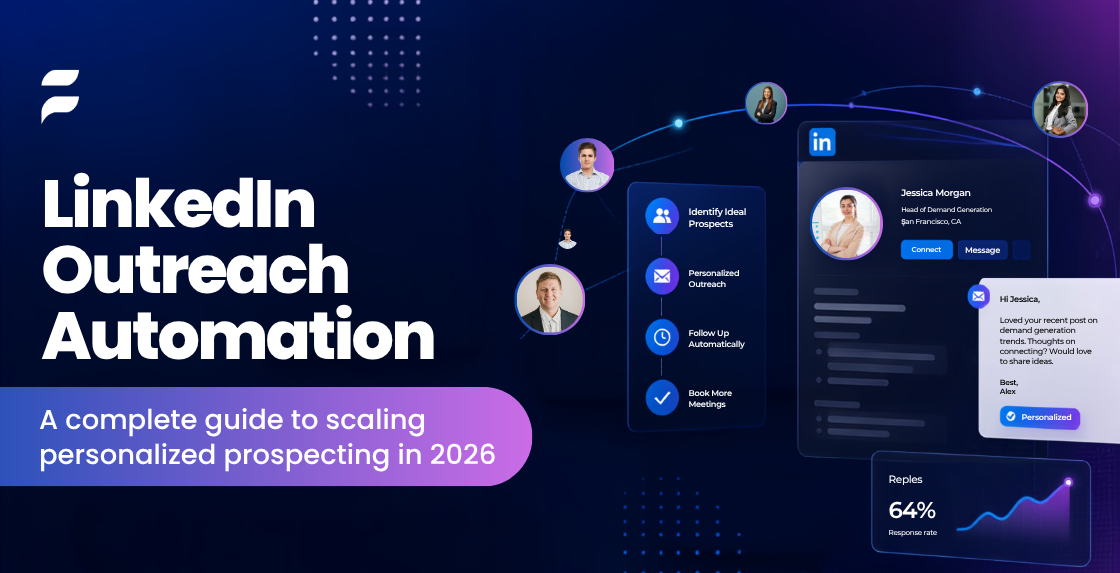
It is at this stage that the majority of sales teams begin to look at LinkedIn outreach automation. They aren't doing so to spam more people, but because manual prospecting reaches a limit that no level of discipline can overcome.
When the volume of pipeline increases, the issue ceases to be about 'who I should message' and instead becomes 'how I can remain consistent in hundreds of conversations without losing the personal touch which originally made LinkedIn so effective.'
This article is essentially concerned with the tension between scale and personalization.
Why Most Outreach Campaigns Fail Before the First Message
Most of the outreach doesn't fail as a result of poor copywriting; it fails before any message has been sent, typically for one of four reasons.
The definition of ICP is poor since teams usually aim at "decision-makers in SaaS" without specifying a particular role, company size, and the triggering event. As a result, the messaging produced is broad and easily forgotten.
The creation of mailing lists is inadequate. When names are obtained from a general search rather than from building targeted lists, each message has to be indistinct enough to suit everyone, as a result of which it ends up applying to no one.
When it comes to messaging on a large scale, there's a tendency for a team, once it has decided to automate, to draft a single message and send it out to a thousand people. Although the figures seem efficient, the reply rate shows that this is not the case.
There is no established procedure; follow-ups have to rely on the person who remembers to carry them out, and as representatives get busy, messages are overlooked, and warm leads become cold not because they have been rejected but because of neglect.
Automation can't by itself remedy any of these problems; it only carries out your process more quickly, whether that turns out to be a good or a bad thing.If the process has problems then automation will make those problems worse.
What does LinkedIn outreach automation mean?
What LinkedIn outreach automation involves is software that handles the repetitive and large-scale parts of searching for people on LinkedIn, like sending connection requests, doing follow-ups at a time, tracking responses, and connecting the actions with your CRM.
The goal of this software is to remove the work, not to replace the thinking and the writing that really make outreach work.
The goal is to stay consistent. If a person tried to manage two hundred conversations by hand, they would definitely miss some of them.
A well-set-up automation process never forgets, never gets distracted, and never misses a follow-up just because it was a busy Friday afternoon.
What typically gets automated:
- connection request sending, based on saved search or list criteria
- Scheduled follow-up sequences
- Profile visits and light engagement (likes, views) to warm up a prospect
- Data sync between LinkedIn activity and CRM records
- Reporting on response and connection rates
What should stay human:
- The actual message copy and personalization logic
- Replying to interested prospects
- qualifying conversations
- Deciding when a lead is sales ready
Consider the table to be a working boundary, so that any matter involving a specific individual remains with the representative, while anything that is entirely mechanical and repeatable can be automated.
The 5P Framework for Better Outreach
If you have watched a sufficient number of campaigns succeed or fail, a pattern emerges among those that keep on performing, and it can be summed up by five points, in that order.
When sending a message, the sender must first ensure that their LinkedIn profile appears to be that of someone deserving a reply. A profile that is only partly completed and lacks a photo weakens even the most well-written message.
This is the step that teams most frequently fail to take since it doesn't seem important; in fact, it is more important than the message itself in the first three seconds.
Profile: Make the message personal by going beyond simply saying 'Hi {firstName}' and instead referencing something specific, such as a recent post, a common connection, a company achievement, or a change in role.
Personalize: It's this level of personalization that accounts for the difference between a 2% reply rate and a 15% one. While automation can retrieve the relevant information- for example, a job change or a company event- the actual sentence having to use that information effectively still requires a human touch, or at least a well-developed template that includes real variety.
Pace: Regarding pace, sending out the messages too quickly appears suspicious and like spam to both potential recipients and to LinkedIn's own detection mechanisms, while sending them too slowly means losing momentum; the appropriate pace typically corresponds to the way a careful person would actually get in touch, that is, with a small number of requests each day, placed at natural intervals, rather than sending two hundred all at once at 9:00 a.m.
Progress: Advancement is necessary since each prospect must be placed at a specific point in a sequence rather than remaining in a broad 'sent' category. It is progress tracking that transforms outreach from simply being a series of individual messages into an actual pipeline consisting of stages.
Performance: Without performance measurement, none of this is of any use. The connection acceptance rate, the reply rate, the rate at which meetings are booked, and the point in the sequence where people drop off. Teams that look at this information on a weekly basis improve more quickly than those that create a good sequence once and then never look at it again.
Building a Modern Outreach Workflow
A typical LinkedIn outreach process is generally of a consistent type, even though the tools used at each stage may differ.
ICP. Start by specifying who you want to target so that a salesperson could give a single-sentence description of the ideal customer.
Prospect Research. Do prospecting research and create lists using business demographics and behavioral signals, not just the job title.
Sales Navigator. Use the filters to obtain your qualified lists and then import them into your outreach tool; it is at this stage that a great deal of unnecessary effort is eliminated before any message is sent.
Connection Request. A connection request, brief and made with low pressure. It isn't the right time for a sales pitch.
Personalized Message. The message is personalized; after connection, it is the first actual message that refers to something specific about the prospect's position, company, or most recent activity.
Follow-up. A series consisting of two to four follow-ups, with each one taken a few days after the previous one and each one adding new value rather than simply saying 'just following up.'
Email. For potential customers who do not reply on LinkedIn, sending them a separate email usually restarts the conversation. It is because LinkedIn and email automation work together that they perform better than either channel on its own.
Meeting. When a prospect gets involved, the aim then changes from carrying out outreach to arranging a meeting.
CRM Update. Updating the CRM since all significant interactions are automatically recorded, which means the sales representatives don't have to manually enter their activities into Salesforce or HubSpot at the end of the week.
Reporting. There should be weekly reports showing, according to segment and message variant, what is working, so that the sequence continually improves rather than running indefinitely on autopilot.
Platforms such as Flowkon are based on this exact process, linking the LinkedIn and email stages through CRM integration and by providing a unified inbox so that sales reps won't have to switch between four different tools to check where a conversation has got to. Explore more for information on automating LinkedIn and email activities.
Common Outreach Mistakes
Automating too early. It's a mistake to automate too soon. There are cases where a process is automated even though it has never been manually verified. To find out whether a sequence works, first go through it by hand using between twenty and thirty prospects. If it fails to elicit responses when carried out manually, then automating it will just get you more non-responses even more quickly.
Poor Segmentation. The segmentation is poor; if you assign only one sequence to each persona, you'll get average results in all cases. Instead, segment according to industry, role, or trigger event and prepare separate messaging for each.
Generic Messaging. This is general messaging; if a message is sent to any individual on your list without being altered, then it will have the effect of being sent to nobody in particular.
Too many Follow-ups. Enough follow-ups have been made; at some point, persistence begins to become annoying. Generally speaking, four or five attempts via LinkedIn and email are about all you can expect before the law of diminishing returns turns bad.
Wrong KPIs. Bad key performance indicators. Although the connection acceptance rate appears satisfactory on the dashboard, it doesn't generate revenue. Instead of just monitoring the volume of activity, keep track of meetings booked and of pipeline generated.
LinkedIn Outreach Automation vs LinkedIn and Email Automation
Outreach that relies only on LinkedIn does work, but it has its limits. Since not every potential client visits LinkedIn every day and, in some cases (especially within more traditional industries), certain positions still mainly operate through their inboxes, multi-channel outreach, which combines the use of LinkedIn with email automation, usually performs better than campaigns that use a single channel because it reaches prospects where they actually pay attention.
For most teams that have gone beyond the early testing phase, a coordinated campaign using both LinkedIn and email, delivered via a single sales engagement platform, yields a better pipeline than using either channel on its own.
How to Choose the Right LinkedIn Automation Tool
It is more useful to assess the platforms by the criteria that actually predict long-term success rather than by comparing their feature checklists.
How deep can personalization go? For example, can the tool retrieve dynamic data points, such as recent job changes or company news, and incorporate them smoothly into the templates?
Regarding CRM integration, does activity automatically sync with your current CRM, or is it necessary for someone to manually log the conversations?
Could the analytics show the reply rates and the meeting-booked rates by segment and message variant, not just the overall totals?
Is safety ensured by the platform in respect of LinkedIn's usage limits and pacing guidelines to guard your account from being restricted?
Can managers see the performance at the representative level, share templates, and ensure that the best-performing sequences are standardized across the team?
Scalability: Will the tool continue to function properly when your team expands from three people to thirty, or will the pricing and structure fail at that level?
Buyer Checklist
- Supports both LinkedIn and email in one sequence
- Native CRM integration (not just a Zapier workaround)
- Sales Navigator list import
- Unified inbox for tracking replies across channels
- Reporting broken down by segment, not just totals
- Configurable sending limits to protect account health
- Team-level template sharing and permissions
Flowkon's approach- which combines the Sales Navigator import, a unified inbox, and CRM integration within a single workspace is a useful indication of what "scalable" actually looks like in practice. You can explore the LinkedIn automation features or look at the pricing.
Conclusion
Automation of LinkedIn outreach isn't about substituting relationship-building with software. It is about getting rid of the manual and repetitive aspects of prospecting so that sales reps can spend more of their time and attention on the things that really need a human touch: writing a message that refers to something specific, having a genuine conversation, and knowing when a lead is ready to speak.
Those teams that obtain the greatest benefits from automation regard it as part of their infrastructure rather than as a shortcut; before expanding their process, they check it manually instead of sending out a single template to all people.
They segment their messages, and they frequently review their performance data in order to keep making improvements. The discipline is supported by automation, but it does not take the place of it.
Begin on a small scale, assess what is working, and then expand the aspects of your process that are already receiving replies.


%20(1).png)




.svg)

