.webp)

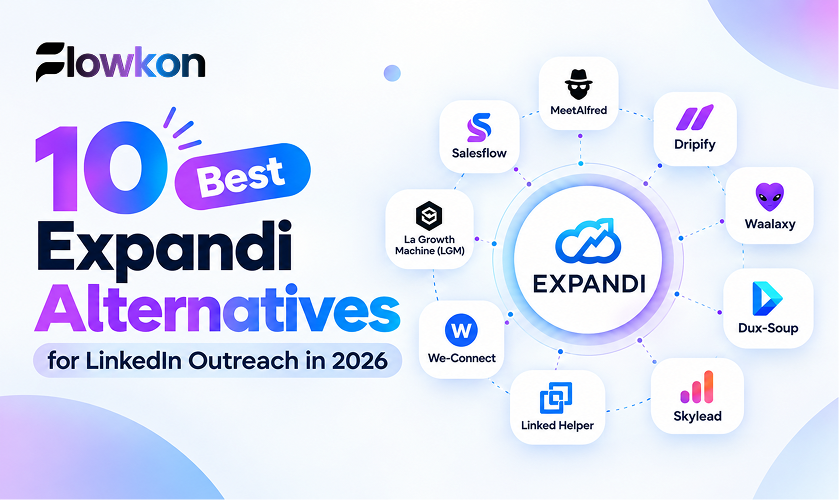
Comparing Expandi alternatives is not just a feature exercise. The more useful question is which alternative to Expandi fits your operating model without creating avoidable risk around account safety, disconnected email outreach, fragmented reply handling, or costs that become harder to manage as usage grows.
This comparison is structured around the factors that usually matter most once outreach is live. In practice, many teams run into problems after launch, when replies start landing in different places, reps work from inconsistent data, or account activity becomes harder to monitor across tools. The evaluation starts with account fundamentals, warm-up, pacing, usage monitoring, and cloud or desktop execution. It then looks at multichannel sequencing, inbox and CRM operations, pricing signals, and best-fit use cases for SDRs, agencies, founders, and recruiters.
It is also worth separating product claims from operating reality. Vendor-reported outcomes, such as higher reply rates or faster launch time, are useful context, but they are not guarantees. In practical terms, the comparison comes down to a few core questions, which Expandi alternatives support a safer LinkedIn workflow, which ones connect LinkedIn and email cleanly, and which ones still require teams to manage multiple disconnected systems.
Table of Contents
1. Flowkon
If you're replacing Expandi because LinkedIn and email live in separate tools, Flowkon is worth considering. It runs as a cloud-based outreach platform and combines LinkedIn automation, email sequencing, verified email discovery, and a centralized inbox in one workflow. That setup tends to make more sense once a team moves beyond single-channel testing. You can also review the side-by-side positioning on the Flowkon vs Expandi comparison.
Safety comes first in Expandi alternatives
The first thing I'd check in any alternative to Expandi is how it handles account health. Flowkon is positioned around account warm-up, intelligent action controls, and daily usage monitoring, which are the basics you want to see before looking at messaging features.
LinkedIn's automation policy
That matters because LinkedIn says it doesn't allow third-party software or browser extensions that scrape, modify the appearance of, or automate activity on LinkedIn's website, and says such automated activity violates its User Agreement. LinkedIn also notes that accounts restricted for automated activity may be re-enabled after disabling the offending software or extension, which is a reminder that risk management is operational, not theoretical. LinkedIn's automation policy is the baseline, not a guarantee of safety from any vendor.
Practical rule: if a platform can't explain pacing, warm-up, and usage monitoring in plain language, don't let the demo move on to templates or AI copy.
Multichannel execution without the usual handoffs
One reason Flowkon stands out in this category is that it does not treat email as a separate add-on. Its single campaign framework links LinkedIn and email steps with triggers, delays, and conditional logic, so an accepted invite can move someone into a message sequence while a quieter lead can fall back to email without manual routing.
That's the operational difference. Teams that split LinkedIn and email across two systems usually create hidden work, duplicate contact records, and slow follow-up, especially when a prospect replies in one place and the owner checks another inbox later. Flowkon includes a unified inbox and native CRM syncs, including HubSpot, Salesforce, Pipedrive, Zoho, and Monday.com, which helps reduce that fragmentation.
The vendor reports outcomes such as up to 3x higher reply rates, 80%+ connection acceptance, faster campaign launches in under 30 minutes, and a 40% increase in meetings booked, along with a 5.0/5 average on G2. Treat those as vendor-reported claims, not guarantees. The more useful takeaway is that the product is designed around faster setup, one reply layer, and enough governance to support multiple accounts.
Best for: SDRs, sales teams, agencies, founders, and recruiters who need LinkedIn + email in one connected workflow, plus CRM attribution and a centralized reply layer.
Main considerations: pricing isn't fully transparent on the site, and like any LinkedIn automation tool, it still carries platform risk if you push volume or ignore account hygiene.
2. Meet Alfred
Meet Alfred fits a different buyer, the team that wants LinkedIn, email, and X in one place without paying top-tier prices. It's a cloud platform, which matters early in the evaluation, because browser-dependent tools tend to add friction when account safety and consistency matter.
Why Meet Alfred works as an alternative to Expandi
Meet Alfred covers common outreach paths, including invites, InMail, groups, events, email steps, and X. It also includes a CRM-style inbox, which helps teams avoid the “reply is somewhere, but nobody knows where” problem that shows up fast once more than one rep is running campaigns.
The downside is that covering more channels does not always mean stronger operating control. Its campaign model is more basic than the strongest multichannel systems, and some actions depend on your LinkedIn plan or credits. The platform is often attractive for teams that want a quick start and public pricing, but less attractive for teams that need deep team governance or highly structured routing.
Where it works and where it doesn't
A useful way to think about Meet Alfred is as a practical starter for small teams that want a low-friction multichannel bundle. It's useful when you need simple campaign templates, basic inbox handling, and enough automation to keep a light outbound motion running.
It's weaker when your process depends on advanced branching between LinkedIn and email, or when you need more control over account-by-account operations. If you're an agency, you'll likely feel the limits sooner because client work quickly exposes inbox fragmentation and the need for cleaner routing.
Stronger tools don't just send more. They reduce the number of places your team has to think.
Good fit: solo users and small teams that want multichannel coverage without a heavy implementation lift.
Watch-outs: basic plan limitations, dependency on LinkedIn plan features, and a less compelling fit for teams that care about deeper safety operations.
3. Salesflow
Salesflow is one of the more straightforward answers for teams that want conditional LinkedIn and email workflows with cloud execution. It's a better fit than most tools when you need branching outreach rather than just a sequence builder.
Dynamic Outreach is the important part
Salesflow's Dynamic Outreach model lets you branch across LinkedIn and email with if-then logic. That's what makes it useful for teams that don't want every prospect forced through the same path, because one contact may deserve a connection request first while another should go straight into a follow-up sequence.
It also has a centralized inbox and native HubSpot sync, which matters if your team measures pipeline quality, not just message volume. If outreach data doesn't land back in the CRM cleanly, managers end up doing manual cleanup that no one budgets for.
Designed for growing teams, not one-person side projects
Where Salesflow usually wins is on team and agency structure. The product is positioned for multi-user operations and cloud execution, with guardrails like randomized activity and invite withdrawal built into the workflow. That makes it easier to manage than a local or extension-based setup when multiple people are touching the same campaign logic.
The compromise is that some features depend on the tier, and enterprise-style requirements may still push you into sales conversations. That's normal in this category, but it means buyers should confirm exactly which syncs, controls, and workflow components are available before they commit.
Best for: sales teams and agencies that want conditional multichannel outreach, centralized reply handling, and cloud-based execution.
Not ideal for: buyers who want the lowest entry price or a very simple solo-user setup.
4. Dripify
Dripify is a practical fit for teams that want cloud-based LinkedIn automation without moving into a full revenue stack. It avoids the browser-extension workflow, so campaigns keep running without someone leaving a machine open all day.
Good sequence control, lighter operations
Dripify includes a drag-and-drop builder for LinkedIn and email sequences, a smart inbox, team roles, analytics, and activity controls. That gives operators a clear way to launch campaigns, monitor replies, and keep execution organized without digging through a heavy admin layer.
The downside shows up in CRM operations. Dripify is solid on LinkedIn workflow basics, but it has fewer native CRM integrations than some peers, so teams that rely heavily on direct Salesforce or HubSpot operations may end up adding extra glue; the Flowkon vs Dripify comparison shows how the two handle CRM sync side by side. For a small team, that may be acceptable. Once several managers need clean attribution, the handoffs get harder to manage.
Where it tends to win
For solo operators and small teams, Dripify is easy to adopt because setup is straightforward and the action coverage is wide enough to support real outreach workflows. It handles common LinkedIn actions, email enrichment, and higher-tier team management, so it covers more than basic prospecting.
The best use case is a team that wants cloud-based LinkedIn automation with enough email support to stay productive. It starts to strain when the process depends on deeper inbox governance, tighter CRM plumbing, or a more unified outbound workflow.
Use it when: you want cloud-based LinkedIn automation with enough email support to stay efficient.
Skip it when: your team needs richer CRM synchronization and a more unified revenue workflow.
5. Waalaxy
Waalaxy is usually the cheapest entry point teams notice, and that matters if the goal is to start simple. It is easy to test, easy to understand, and a reasonable path for users who want LinkedIn-first outreach before adding more moving parts.
Simplicity is the product
Waalaxy includes prebuilt sequences, reply detection, CSV imports, and team features, with optional multichannel on higher tiers. For solo operators, that can be enough to launch outreach without spending time on setup decisions.
The paid inbox add-on deserves attention. If centralized replies are part of the workflow, that extra cost changes the value quickly. Email finder credits and multichannel access do the same, because the product shifts from a low-friction starter tool into a more layered setup with more pieces to manage.
A useful starter, not the deepest system
Waalaxy fits teams that want an affordable on-ramp and can accept some feature separation. It works well while a team is still validating messaging, audience fit, or a basic LinkedIn workflow.
It is less compelling when the business needs a connected operating model across LinkedIn, email, inbox, and CRM, which is where the Flowkon vs Waalaxy comparison is useful. At that point, teams often add one layer after another and end up stitching together what looked like a cheaper stack.
Best for: solo LinkedIn operators and very small teams that want a low-friction start.
Trade-off: the inbox and multichannel experience can feel like separate pieces instead of one connected workflow.
6. Dux-Soup
Dux-Soup is one of the most established names in the category, and its value is in deployment flexibility. If your team wants a mix of local control, cloud execution, and clear documentation, it belongs on the shortlist.
Deployment choice is the differentiator
The platform offers Pro as a Chrome extension, Turbo for campaigns and integrations, and Cloud for off-device execution. That gives buyers a real choice between a lightweight local setup and a continuously running cloud model.
For experienced teams, that flexibility can be useful. For less technical users, it can also create decision fatigue because the product's shape depends on how you plan to run it. If you're trying to manage multiple accounts, coordinate CRM routing, or keep automation running without a machine online, the Cloud option is the one to focus on.
Just because it's older doesn't mean it's outdated
Dux-Soup still makes sense for buyers who care about low entry cost and extensive documentation. It also supports integrations, CSV import and export, and team or agency dashboards, so it can fit into a practical outbound stack without much drama.
The trade-off is that the experience can feel less modern than newer all-in-one suites. If your team wants a cleaner multichannel UI, richer inbox handling, or more opinionated workflows, Dux-Soup may feel like a competent utility rather than a complete system.
Good for: teams that value deployment flexibility and don't mind a more utilitarian interface.
Less good for: buyers looking for a polished all-in-one multichannel workflow.
7. Skylead
Skylead is strongest when agencies need more than one account and want better control over the email side of outreach. It combines LinkedIn automation with unlimited email accounts, built-in verification, and agency-friendly workspace features.
The agency angle is real
The platform's appeal is that it doesn't treat email as a separate support system. It includes smart sequences, enrichment, verification, image and GIF personalization, and a smart inbox, which helps agencies keep campaigns organized across clients.
That matters when the same team is running multiple brands. Workspaces and white-labeling reduce the chaos that usually shows up when agencies grow by adding more clients faster than they improve their process.
Strong setup, but richer than some teams need
Skylead is a good fit when you want depth and can afford the onboarding time that comes with it. The feature set is broad, so the learning curve is a real factor. For a mature agency, that can be worth it. For a small outbound team, it may feel heavier than necessary.
It's also worth noting that the more advanced the workflow becomes, the more discipline the team needs around pacing and account health. That's not a criticism of Skylead specifically, it's a reality of running serious multichannel outbound at scale.
Best for: agencies and teams that want white-label options, richer email capabilities, and a multichannel stack built around client work.
Watch-out: the feature set can take time to absorb.
8. Linked Helper
Linked Helper is often the answer for teams that want local data control and very aggressive pricing at scale. It's a desktop-based product with an optional cloud workspace, which makes its operating model different from the cloud-native tools above.
Local control is the point
If your team prefers desktop execution and wants campaigns across LinkedIn, Sales Navigator, and Recruiter, Linked Helper is worth looking at. It includes a mini-CRM, CSV export, webhooks, and AI ICP detection, so it's not just a basic automation script.
The local-data angle matters for privacy-sensitive teams, but it also comes with operational baggage. Desktop jobs need a machine or VPS to run, and that's the kind of detail that sounds small until someone on the team reboots a laptop or closes the app at the wrong time.
Good economics, different trade-offs
For agencies buying many seats, the pricing structure can be attractive. For solo users, the cost is often easy to justify. The question is whether your team is comfortable with a desktop workflow and fewer native CRM integrations than cloud-native peers.
I'd choose Linked Helper when the priority is data control, desktop execution, and budget discipline, not when you need a modern all-in-one revenue workflow.
Ideal for: privacy-sensitive teams and buyers who value local execution.
Not ideal for: teams that want a cloud-native multichannel suite with deeper CRM connectivity.
9. We-Connect
We-Connect is a cloud LinkedIn platform with a visual workflow builder, AI assist, native CRM integrations, and multichannel support on the right tier. It's a practical option when you want a more structured workflow than a basic LinkedIn tool but don't need the widest feature surface.
The workflow builder does the heavy lifting
Lead Engine is the core idea here. It lets you map LinkedIn activity with conditions and automation steps in a way that's easier to manage than a flat sequence list. That helps when you want campaigns that behave differently based on how prospects interact.
The product also includes safety controls, warm-up, and dedicated IP options, which are the parts that matter most once you're accountable for account health. Native CRM sync with HubSpot, Salesforce, Pipedrive, and Zoho gives it more operational relevance than tools that stop at message sending.
Value depends on your workflow shape
We-Connect can be strong value when the price point matches the feature set you'll use. It's especially useful for teams that want a visual builder and some multichannel depth without committing to a larger all-in-one stack.
The drawback is that some capabilities are still emerging, and the agency plan is custom. That means you'll need to validate what's available now rather than assuming every roadmap item is already production-ready.
Best for: teams that want a visual LinkedIn workflow with CRM sync and safety controls.
Main caution: confirm which features are live on your tier before you commit.
10. La Growth Machine
La Growth Machine is the most channel-rich option here if your team operates across LinkedIn, email, X, and calls. It's built for buyers who need a single place to coordinate a broad outbound motion, not just send more LinkedIn messages.
Deep multichannel coordination
The platform combines multichannel sequences with a unified inbox, enrichment credits, verified email finding, automated social warming, and account-health protections. It's also one of the more serious options for teams that care about proxies, pacing, and account safety as part of the operating model.
That's the right posture for broader outreach. When you add more channels, you need more discipline, not just more sends. LGM's structure reflects that, especially in how it bundles enrichment and team workflows into the campaign model.
Best when you already run a broad stack
This tool makes the most sense for teams that already know they want a multi-channel system and are prepared to manage the cost and complexity that comes with it. The workspace and integration layer helps, but the platform is still more advanced than some smaller teams need.
If your motion is mostly LinkedIn-led with email as support, LGM may be more than necessary. If your motion spans multiple touchpoints and the inbox needs to stay unified, it becomes much easier to justify.
Best for: teams that want LinkedIn, email, X, and calls in one system with stronger account-health protections.
Trade-off: advanced features are concentrated in higher tiers, and costs can rise as identities grow.
Top 10 Expandi Alternatives Comparison
If you're comparing the best Expandi alternatives, looking for a top alternative to Expandi, or reviewing tools like Expandi side by side, this table gives you the fastest way to scan safety, workflow depth, pricing signals, and team fit.
ProductCore featuresSafety & performanceDistinguishing pointsTarget audiencePricingFlowkonMultichannel campaign builder (LinkedIn + email), unified inbox, verified email finder, CRM syncAccount warm-up, pacing controls, usage monitoring; analytics, 5.0/5Combines LinkedIn and email in one campaign framework; includes native CRM syncSDRs, agencies, founders, recruitersTiered plans + 7-day trialMeet AlfredLinkedIn + email + X sequences, smart inbox, Zapier/webhooksPacing controls and daily limits; cloud-based execution, 4/5Includes multichannel coverage and public pricingSmall teams and agenciesTransparent pricing, annual discountsSalesflowDynamic Outreach (if/then), unified inbox, HubSpot syncDocumented guardrails, cloud execution, 4/5Built around conditional workflows for team and agency use casesTeams and agenciesTiered pricing; contact sales for enterpriseDripifyDrag-and-drop builder, LinkedIn + email sequences, email finder, A/B testingActivity controls, unique IP assignment; analytics, 4/5Supports a wide range of LinkedIn actions, including Open InMail workflowsSMBs and teamsPlan-based pricing; fewer native CRMsWaalaxyPrebuilt sequences, reply detection, CSV import; optional email multichannelTiered invite limits (300-800/mo); reply detection, 3/5Lower starting price and a simpler entry into multichannel outreachIndividuals and small agenciesLow entry price; inbox as paid add-onDux-SoupConnection/messages, campaigns, Pro/Turbo/Cloud options, webhooks/CSVLocal or cloud execution; extensive docs; variable safety, 3/5Offers extension and cloud deployment optionsPower users and agenciesLow-cost tiers; cloud for 24/7SkyleadSmart sequences, unlimited email accounts (+warm-up), finder/verificationEmail warm-up and verification; designed for higher-volume outreach, 4/5Includes agency workspace features, white-labeling, and richer email supportAgencies and high-volume teamsAgency-centric bundles; pricing scales with usageLinked HelperCampaigns for LinkedIn/SalesNav/Recruiter, local/cloud data modesLocal data control; volume discounts; desktop/VPS may be required, 3/5Focuses on local control and volume-oriented pricingPrivacy-sensitive teams and large buyersAggressive volume pricingWe-ConnectVisual Lead Engine, AI writer/auto-reply, CRM sync, multichannel (pro)Limits, warm-up, dedicated IP options; clear safety docs, 4/5Visual workflow builder with mid-range pricingSMBs and teamsClear mid-tier pricingLa Growth Machine (LGM)Multichannel (LinkedIn, email, X, calls), enrichment, unified inboxDedicated 5G proxies, social warming, smart pacing; multiple account-safety features, 4/5Covers more channels than most tools in this listTeams and agencies (EU focus)Euro pricing; higher tiers add cost per identity
How to Choose the Right Alternative to Expandi
Visual Buyer Guide, How to Choose an Expandi Alternative
✅ Best for most teams: Choose a cloud platform if you need LinkedIn, email, inbox visibility, and CRM sync in one place.
⚠️ Watch for complexity: The more channels and accounts you add, the more important pacing, routing, and monitoring become.
💡 Simple rule: Start with the workflow your team can operate consistently, then add complexity only when it solves a real bottleneck.
🧭 START||-- 📩 Do you need LinkedIn + email in one workflow?| || |-- ✅ Yes| | || | |-- 📥 Do you need a unified inbox + CRM sync?| | | || | | |-- ✅ Yes -> Look first at Flowkon, Salesflow, We-Connect, or La Growth Machine| | | || | | |-- ❌ No -> Dripify or Meet Alfred may be enough| | || | |-- 👥 Do you manage multiple client or rep accounts?| | || | |-- ✅ Yes -> Prioritize workspace controls, routing, and account monitoring| | |-- ❌ No -> Simpler multichannel tools may be enough| || |-- ❌ No| || |-- 💰 Is low-cost LinkedIn automation the main goal?| || |-- ✅ Yes -> Waalaxy, Dux-Soup, or Linked Helper are worth a look| |-- ❌ No -> Reassess whether email fallback and inbox visibility matter||-- ☁️ Do you prefer cloud or local execution?||-- ☁️ Cloud -> Better for team consistency, shared visibility, and always-on campaigns|-- 💻 Local/Desktop -> Better for hands-on control, but requires more operational discipline
Quick read
- ✅ Choose a cloud multichannel platform if your team needs LinkedIn, email, inbox visibility, and CRM sync in one place.
- 🎯 Choose a LinkedIn-first tool if you're validating messaging and want the simplest setup.
- ⚙️ Choose a desktop or local-control tool only if your team is comfortable managing the extra operational overhead.
Best fit signals
- For teams and agencies: unified inbox, CRM sync, workspace controls, and cloud execution
- For solo users: simpler campaign setup, lower cost, and fewer moving parts
- For privacy-sensitive teams: local execution and tighter data control may matter more than convenience
Considering a more connected workflow?
If your team needs LinkedIn outreach, email follow-ups, a centralized inbox, and CRM sync in one place, Flowkon is one option to evaluate. You can also try the 7-day free trial to see whether it fits your outbound process.
The smartest way to choose an Expandi alternative is to rank the decision the way an operator would. Start with account-safety controls and execution model, then decide whether you need LinkedIn-only or multichannel depth, then check inbox and CRM requirements, then team governance, and only after that compare cost as accounts or clients grow.
That order matters because the cheapest tool is expensive if it creates account risk or forces manual cleanup. In real outbound teams, the break point usually is not the first campaign launch. It happens a few weeks later, when reply handling gets messy, ownership becomes unclear, or managers realize the CRM is missing activity they assumed was synced. A browser extension can be fine for some users, a cloud workflow can be better for teams, and a desktop app can make sense when local control matters. What doesn't work is buying on features first and discovering later that the operating model doesn't fit how your team sells.
The best validation process is small and disciplined. Use one tightly defined audience, build one personalized connection-and-follow-up flow, add email fallback only where it helps, and route replies into a single place so the owner doesn't have to hunt for them. Then review acceptance, replies, deliverability, and account-health signals before you widen the campaign.
For safety, stay realistic about LinkedIn behavior. Independent guidance in 2026 recommends daily caps, randomized intervals, human-like working hours, and stable IP usage, and also warns that low acceptance rates are a red flag. One benchmark guide puts a healthy LinkedIn connection acceptance rate at 30 to 45%, an exceptional rate at 50% or higher, and under 20% as spam-like behavior, which is a useful internal check even if every audience differs. The 2026 LinkedIn outreach guide is worth reading if your team is scaling outreach at all.
Migration should be boring and methodical. Export and clean prospects, document active sequences, map fields and opt-outs, recreate one workflow before you move the whole operation, pause overlapping campaigns, and test routing before expanding. If you're moving from a LinkedIn-first setup into a connected system, verify that CRM sync, inbox handling, and account permissions are behaving the way your team expects.
If your actual requirement is a connected LinkedIn-and-email campaign with a centralized inbox, CRM synchronization, and a multi-account workspace, Flowkon is the most natural place to evaluate next. It's built for the exact problem many Expandi alternatives still leave partially solved, running outreach in one place without turning safety and team operations into an afterthought.
Flowkon is built for teams that need LinkedIn and email in one connected workflow, with a centralized inbox, CRM sync, and workspace controls that support multiple accounts. If you're comparing Expandi alternatives and want a practical alternative to Expandi for a more connected outbound process, take a look at Flowkon, or start a 7-day free trial to see whether it fits the way you run outbound.



%20(1).png)





.svg)

