.webp)


Introduction
Most LinkedIn outreach campaigns don’t fail due to poor strategy. They fail due to inconsistent execution. One day, they send 10 messages, and the next day, nothing happens. Then follow-ups get missed, conversations go cold, and slowly the pipeline dries up.
That is where Linkedin automation tools began to gain attention. Not because they are fancy, but because they solve a very basic problem. They help you show up every day.
But here is something that becomes clear only after actually using automation for a while. Most Sales teams start Linkedin outreach with aggressive campaigns, copied templates, and imaginary expectations. It works for a week, maybe. Then reply rates drop. Sometimes accounts get restricted. And then people say automation does not work.
Truth is, automation does work. Just not the way most people try to use it.
What is Linkedin Automation?
Linkedin automation is simply the process of using software to perform repetitive tasks that you would otherwise do manually.
This includes things like:
- Sending connection requests
- Following up after someone accepts
- Visiting profiles to get visibility
- Sending structured messages over time
Earlier, teams used the strategy of sending hundreds of messages in bulk. That approach is mostly dead now. Linkedin has become stricter, and users have become smarter. People can instantly identify when a message is generic.
In 2026, automation is less about reaching someone when there is a reason to reach out, not just because they match a filter.
How Does It Work?
A good Linkedin automation software does not just send messages. It builds a process around your outreach.
Step 1: Defining your targeted audience
This sounds obvious, but many skip this part.
You need clarity on:
- Who exactly are you targeting
- Why they should care
- What problem are you solving
Step 2: Outreach Flow Building
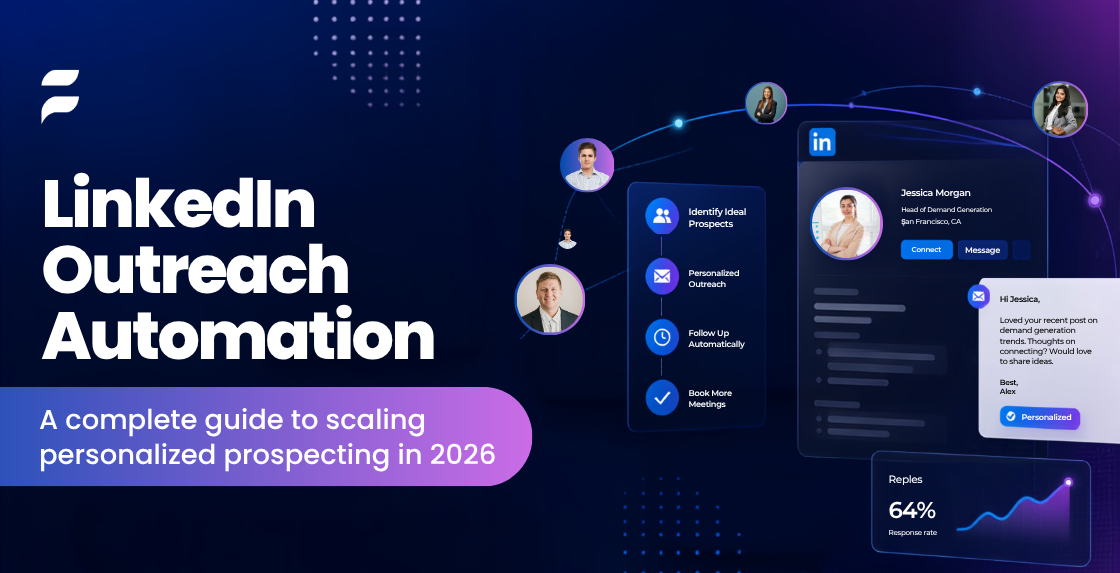
Instead of sending one message, you create a sequence. A basic outreach campaign might look like this:
- Day 1: Connection request with a small context
- Day 2: Thank you, or simple follow-up
- Day 3: Share something useful
- Day 4: Check in again
Notice something here. There is no hard selling in the first step. That is intentional.
Step 3: Add Personalization
This is where most automation fails.
Using just a name is no longer personalization. People expect some level of context. Even a small reference, such as mentioning the role or industry, can make a difference.
Step 4: Run It Slowly
This is important.
Automation should feel invisible. Actions should be spaced out. There should be limits.
Step 5: Tracking
You track replies, not just sends.
If people are not responding, the issue is usually not the tool. It is the message.
Benefits of Linkedin Automation
Once done properly, automation changes how outreach feels.
You Stop Chasing Consistency
Instead of reminding yourself to follow up, the system does it for you. This alone removes a lot of friction.
You Get More Conversations
Not because you spam more people, but because you reach the right ones consistently.
You Save Mental Energy
Writing messages again and again can get exhausting. Automation reduces that load.
You Build a Predictable Flow
When outreach is structured, results become easier to measure and improve.
It Connects with Bigger Systems
When paired with sales automation software, Linkedin outreach becomes part of a larger process rather than a random activity.
Best Linkedin Automation Tools
There are many tools out there that focus on sending actions. The real difference is not in features. It is in how the system behaves.
Flowkon is designed with a slightly different approach.
Instead of pushing users to increase volume, it focuses on keeping outreach controlled and natural. The idea is simple. If your activity looks like a real person, it works longer.
With Flowkon, the emphasis is on:
- Structured campaigns instead of random actions
- Controlled limits that reduce risk
- Better sequencing so messages do not feel rushed
It is not about doing more. It is about doing it in a way that actually sustains.
Safety Guidelines
This part is often ignored until something goes wrong. Linkedin tracks behavior patterns. Not tools, but behavior.
If your account suddenly starts sending too many requests or repeating the same message, it stands out.
A few basic rules go a long way:
- Start slow, especially with new accounts
- Keep daily actions within reasonable limits
- Avoid sending the same message to everyone
- Do not run automation 24 / 7 without breaks
- Keep your login environment consistent
Another thing people overlook is message quality. Even if your limits are safe, poor messaging can still trigger negative signals.
Risks You Should Know
Automation is useful, but it is not risk-free.
Account Restrictions
This usually happens when activity spikes too quickly or patterns look unnatural.
Low Response Rates
Automation cannot fix weak messaging. It will just scale it.
Best Practices
After working with different campaigns, a few patterns have become clear.
Keep It Simple
Over-customized messages usually perform worse. A clear, short message works better.
Do Not Rush
Trying to sell in the first message rarely works. People need context first.
Use Automation as Support
Let automation handle the process. You handle the interaction.
Small Improvements Matter
Changing a single line in your message can sometimes double the number of replies. Testing is important.
Who Should Use It
- Sales teams building outbound pipelines
- Founders who cannot spend hours on outreach
- Agencies managing multiple clients
- Recruiters are sourcing candidates regularly
If outreach is part of your daily work, automation helps reduce friction.
Use Cases
Lead Generation
It's the most common use case for Linkedin outreach automation. Reaching decision makers in a structured way.
Hiring
Instead of manually searching and messaging candidates, automation speeds things up.
Partnerships
You can reach potential collaborators without spending hours every week.
Visibility
Even simple actions like profile visits can increase awareness.
Manual vs Automation
Manual outreach has its place. It feels personal and flexible.
But it is hard to scale.
Automation solves scale, but needs control.
The best approach is a mix:
- Use automation to start conversations
- Switch to manual once someone replies
That balance works better than choosing one over the other.
Future Trends
Automation is becoming less about sending messages and more about understanding behavior.
Better Personalization
Messages will adapt based on user activity, not just static fields.
Smarter Targeting
Instead of broad filters, targeting will rely on signals like engagement.
Tighter Platform Rules
Linkedin will continue tightening policies. Safety will matter even more.
Conclusion
If Linkedin automation is used carelessly, it creates confusion. If used thoughtfully, it creates opportunities.
The difference usually comes down to a few things:
- Are you targeting the right people
- Are your messages relevant
- Are you respecting limits
Flowkon is built around this idea. Contact us today to get your 7-day free trial.


.png)


.svg)

