.webp)


In recent few years LinkedIn has gained popularity as one of the strongest B2B outreach prospecting platforms available. Recruiters, Sales teams, founders, and consultants trust it to nurture leads, build clients, and expand business networks. However, many professionals make a costly mistake when they create a new account and immediately begin sending dozens of connection requests or automated messages.
LinkedIn outreach platform is built to detect unusual activity patterns. If the activity pattern feels unnatural, the platform reacts. For that reason, experienced LinkedIn users rarely automate a new account immediately. They warm it up first.
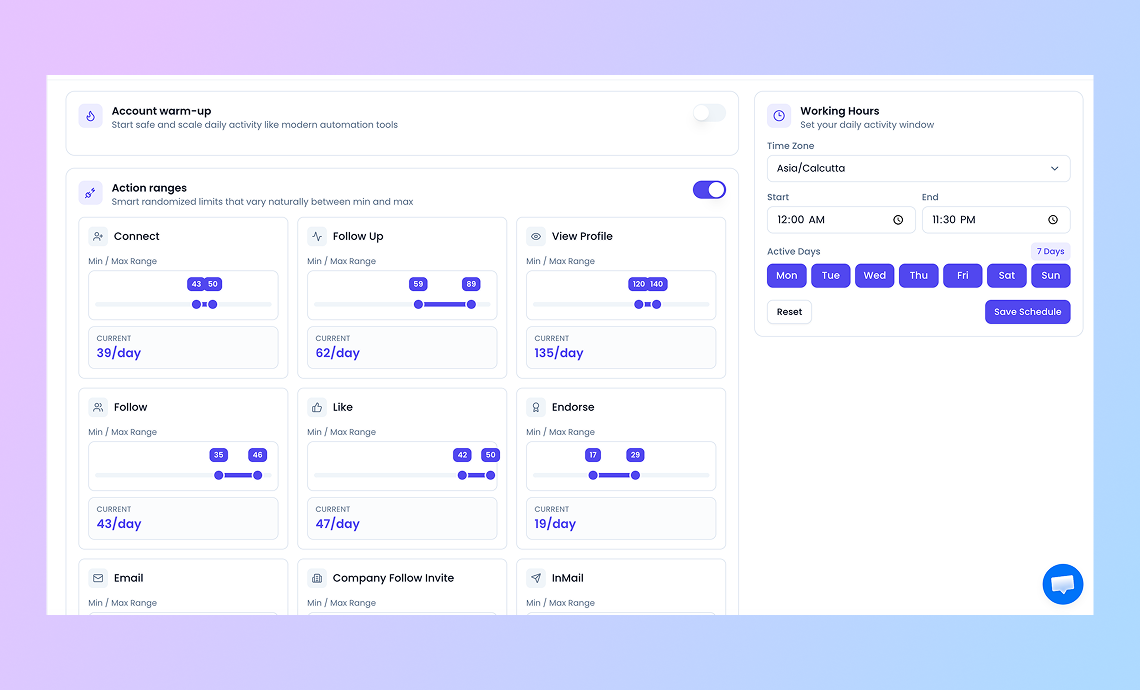
The safest approach is to warm up the account gradually before introducing automation. Account warm-up simply means building a natural activity history that resembles real human behavior. This includes profile completion, consistent engagement, gradual connection growth, and balanced daily activity.
In this article we will rundown on “How to Warm Up a New LinkedIn Account Outreach for Automation Without Getting Restricted.”
Understanding LinkedIn’s Detection Systems
LinkedIn invests heavily in anti-automation technology. Most users assume LinkedIn restrictions occur only when someone sends thousands of messages. In reality, even moderate activity can trigger warnings if it appears unusual for that account.
Real users behave inconsistently. They scroll at irregular speeds, pause between actions, interact with different types of content, and typically perform actions during business hours.
Linkedin automation behaves differently. Bots often send identical messages, perform actions at exact time intervals, and execute hundreds of actions in short bursts.
LinkedIn’s systems track these signals continuously. For this reason, warming up an account is less about volume and more about creating a natural activity rhythm.
How LinkedIn Identifies Automated Behavior
LinkedIn relies on several behavioral signals to determine whether an account is operated by a real person.
One important factor is action timing. Humans rarely perform tasks at exact intervals. When someone browses LinkedIn, they pause, scroll, read, and occasionally switch tabs. Automation tools sometimes generate extremely consistent patterns, such as sending actions every 30 seconds.
LinkedIn automation tools also study action density. If a large number of activities occur in a short window, the account may appear automated. For instance, sending thirty connection requests within a few minutes can look suspicious.
Profile interaction also matters. Genuine users typically mix their activity. They read posts, like content, comment occasionally, visit profiles, and send connection requests. Automation often focuses only on outreach actions.
Technical signals are monitored as well. LinkedIn may track IP address consistency, browser characteristics, and device behavior. Frequent changes can make the account look unusual. Taken together, these factors help LinkedIn distinguish natural usage from scripted automation.
Key Actions That Trigger LinkedIn Restrictions
Certain behaviors are strongly associated with spam activity and therefore attract attention from LinkedIn’s moderation systems.
One common trigger is excessive connection requests. Many users believe sending large volumes will accelerate networking, but sending more than 100 requests per week can raise concerns for new accounts.
Large numbers of profile views can also appear suspicious. Viewing more than 100 profiles per day without engaging with content may suggest automated scraping behavior.
Uniform messaging is another risk. Sending identical messages to dozens of users often triggers spam detection filters.
LinkedIn lead generation tool also monitors action density. If many activities occur within a short timeframe, such as messaging to 10 connections within 5 minutes, the account may be treated as automated.
LinkedIn Profile Preparation Before Warm-Up
Before sending connection requests, the first priority should be completing the LinkedIn profile properly. A complete profile increases credibility and improves connection acceptance rates.
Start by uploading a professional profile photo. Accounts without photos often receive significantly fewer accepted requests.
The headline should be clear. Avoid vague titles.
The experience section should highlight measurable achievements rather than simple job descriptions.
Adding skills, recommendations, and certifications also strengthens the profile’s authenticity. Once the profile looks credible, the warm-up process can begin.
The 30-Day LinkedIn Account Warm-Up Strategy
The purpose of a warm-up plan is to create a gradual pattern of activity that feels natural to LinkedIn’s system.
The goal during these thirty days is not rapid growth. The goal is behavioral credibility.
Week 1: Establishing Basic Activity
The first week focuses on light activity and profile interaction.
Send only five to ten connection requests each day. These should ideally be warm contacts such as colleagues, past clients, classmates, or industry peers.
Spend time browsing posts in your feed. Like a few posts and leave thoughtful comments when something genuinely interests you. Two or three comments per day is enough.
Avoid sending outbound messages during the first week unless someone replies after accepting your request.
This stage is mainly about showing LinkedIn that the account behaves like a normal user.
Week 2: Expanding Network Engagement
Once the account has completed a week of natural activity, the next step is to slightly increase engagement levels.
Connection requests can increase to approximately eight to fifteen per day. Profile visits can rise to around fifteen daily.
Begin sending a small number of messages to newly accepted connections. These messages should not be sales pitches. Instead they should focus on introductions or shared interests.
Continue interacting with posts through likes and comments. This activity creates a balanced behavior pattern.
Avoid concentrating all actions within a short period. Spread activity throughout the day to maintain natural usage.
Week 3: Gradual Outreach Growth
During the third week the account begins to resemble a fully active LinkedIn user.
Connection requests can remain between ten and fifteen daily. Profile visits may increase to around twenty per day.
Messaging can expand to five conversations daily, primarily with accepted connections.
This is also the stage where second-degree connections become valuable prospects. Connecting with individuals who share mutual contacts often improves acceptance rates.
Week 4: Stabilizing Activity Patterns
By the final week, the account should demonstrate consistent usage patterns.
Daily limits can increase slightly. Sending fifteen to twenty connection requests per day is usually acceptable if the acceptance rate remains high.
Profile visits can reach approximately twenty-five per day.
Actions should be distributed throughout working hours instead of occurring in rapid bursts. Putting delays of a few minutes between actions pretends like real human behavior.
Maintaining an acceptance rate above seventy percent is ideal. If the rate drops significantly, outreach targeting may need adjustment.
After thirty days of consistent activity, the account is typically prepared for cautious automation.
Using Automation Tools Safely
Automation should begin cautiously. The safest strategy is to automate only a small portion of daily actions at first
Gradual scaling is important. Increasing automated actions by ten to twenty percent each week helps maintain realistic activity patterns.
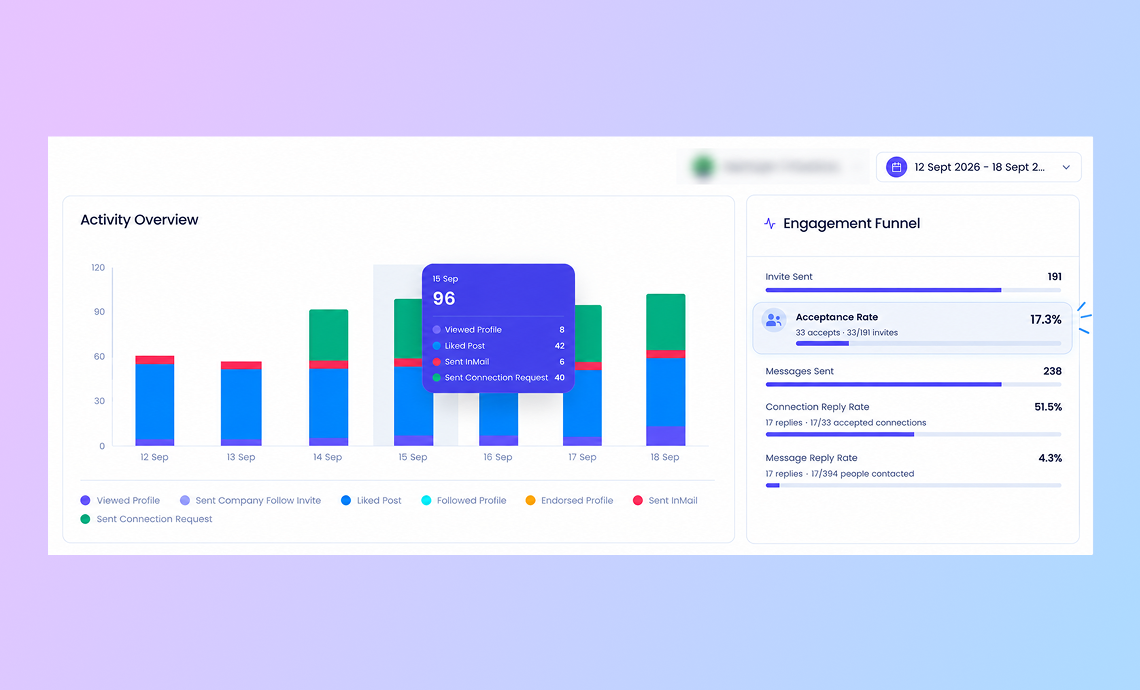
Message personalization is another important safeguard. Timing also matters. Actions should occur during standard working hours and include random delays between interactions.
Monitoring Account Health and Warning Signs
Even when following safe practices, it is important to watch for early warning signals from LinkedIn.
Frequent logouts can indicate the platform is reviewing account behavior.
If these events occur repeatedly, automation should stop immediately for at least 24 to 48 hours.
Reduced connection request capability is another warning sign. When LinkedIn displays messages such as “weekly limit reached,” it usually means the account’s activity level exceeded the platform’s comfort threshold.
Conclusion
LinkedIn automation tools like Flowkon can drastically grow professional networking and lead nurturing efforts when implemented properly.
A structured outreach warm-up period delivers that base. By completing
- the profile,
- engaging naturally with content,
- building a network gradually, and
- maintaining realistic activity patterns,
users establish the legitimate professionals behavioral credibility LinkedIn expects.
Once the account demonstrates consistent activity for several weeks, automation can be introduced in a controlled and gradual manner.
Patience during the first thirty days often determines whether LinkedIn outreach becomes a sustainable growth channel or a source of repeated account limitations.




%20(1).png)




.svg)

